Assembly / Owner’s Manual
36
The Console Setup Mode lets you view maintenance statistics (Total Run Hours and Software Version) or fully reset the Console.
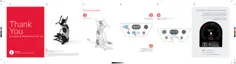
1. Push and hold down the Volume and PAUSE/STOP buttons for 3 seconds while in the Power-Up Mode to go into the Console Setup Mode.
Note:3XVK3$86(6723WRH[LWWKH&RQVROH6HWXS0RGHDQGUHWXUQWRWKH3RZHU8S0RGHVFUHHQ
2. The Console display shows the TOTAL HOURS the machine has operated.
3XVKWKH(17(567$57EXWWRQIRUWKHQH[WSURPSW
4. The Console display shows the Firmware Version prompt.
3XVKWKH(17(567$57EXWWRQIRUWKHQH[WSURPSW
7KH&RQVROHGLVSOD\VKRZVWKH%/(9(56,21SURPSW
3XVKWKH(17(567$57EXWWRQIRUWKHQH[WSURPSW
8. The Console displays the DISCONNECT BLEHR prompt.
Note: If you want to disconnect the Bluetooth
®
WUDQVPLWWHUSXVKWKH,QFUHDVH'HFUHDVHEXWWRQVWRVHOHFWWKH³',6&211(&7%/(+5<(6´
RSWLRQDQGSXVK(17(567$577KH&RQVROHZLOOH[LWWKH0DFKLQH6HWWLQJV0RGHDQGUHWXUQWRWKH3RZHU8S0RGHVFUHHQ
9. The Console displays the VIEW ERROR LOG NO option. This option is for Service Technicians use only.
3XVKWKH(17(567$57EXWWRQIRUWKHQH[WSURPSW
11. The Console displays the RESET CONSOLE NO prompt.
Note:,I\RXZDQWWRUHVHWWKH&RQVROHWRIDFWRU\VHWWLQJVSXVKWKH,QFUHDVH'HFUHDVHEXWWRQVWRVHOHFWWKH³5(6(7&2162/(<(6´
option, and push ENTER/START. Turn the machine off when the Console displays the "POWER CYCLE NOW" prompt.
3XVKWKH3$86(6723EXWWRQWRH[LWWKH&RQVROH6HWXS0RGH
The Console will display the Power-Up Mode screen.
Console Setup Mode













 To Next Page