EasyManua.ls Logo

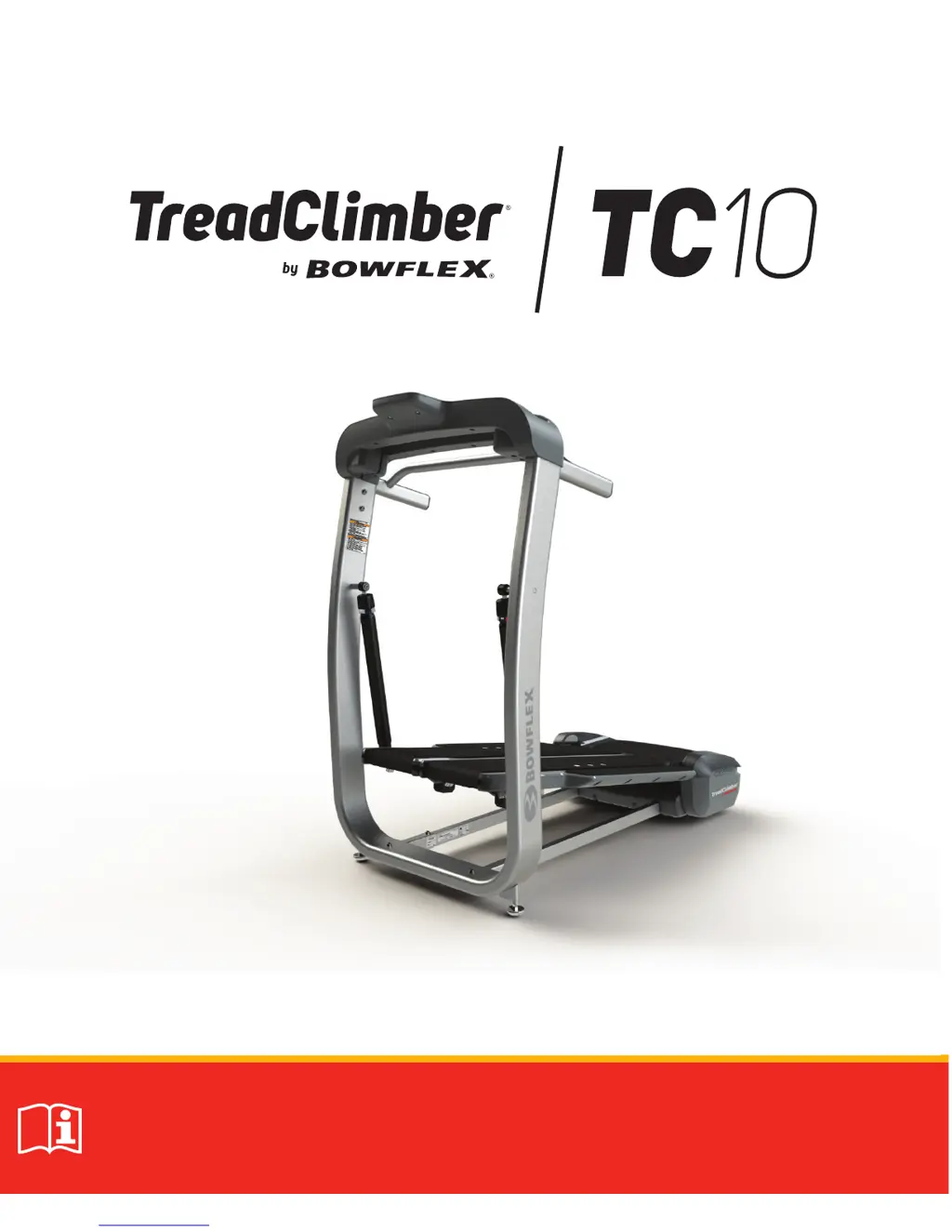
Bowflex TreadClimber TC10 - User Manual

Bowflex TreadClimber TC10
52 pages
Print Icon
To Next Page IconTo Next Page
Loading...
Manual en Español Latino Americano: http://support.nautilus.com
Owner’s Manual

Other manuals for Bowflex TreadClimber TC10

Questions and Answers

  • J
    john24Sep 12, 2025
    How to fix over speed condition error on Bowflex Treadmill?
    • N
      Nathaniel FischerSep 12, 2025
      If the 'Over speed condition' error occurs when powering up your Bowflex Treadmill or pressing the start button, replace the MCB. If the error occurs when pushing the belts beyond the motor speed, avoid exceeding the motor's speed limit. For further assistance, seek advanced troubleshooting support.
  • G
    Gregory RomeroSep 12, 2025
    What to do if communication issue persists on Bowflex TreadClimber TC10 Treadmill?
    • K
      Kevin JohnsonSep 12, 2025
      If the communication issue returns after powering your Bowflex Treadmill off and on, seek advanced troubleshooting assistance.
  • J
    Jennifer SextonSep 9, 2025
    How to troubleshoot communication lost on Bowflex TreadClimber TC10?
    • M
      Marcus NelsonSep 9, 2025
      If your Bowflex Treadmill is experiencing 'Communication lost', check all three I/O cable connections (MCB, top of upright, back of console). If the issue continues, replace the I/O cables. For further assistance, seek advanced troubleshooting support.
  • D
    Debbie StephensSep 8, 2025
    How to fix critical motor current error on Bowflex TreadClimber TC10?
    • M
      Mrs. Rebecca MartinSep 8, 2025
      If your Bowflex Treadmill shows 'Critical motor current', check that all MCB wiring is secure. If the problem persists, replace the MCB.
  • C
    Carol HoffmanSep 7, 2025
    How to fix wrong MCB error on Bowflex TreadClimber TC10?
    • M
      mwagnerSep 7, 2025
      If your Bowflex Treadmill shows 'Wrong MCB', replace the MCB with the correct part for your machine.
  • K
    Kimberly NashAug 23, 2025
    How to fix Bowflex TreadClimber TC10 Treadmill that will not turn on?
    • K
      Kari AdamsAug 23, 2025
      If your Bowflex Treadmill won't power up, first, ensure the outlet is working by plugging in another device. Check that the power cord is firmly connected to both the unit and a non-GFI wall socket. Also, make sure the power switch at the rear of the unit is in the 'ON' position, indicated by a red light. Finally, ensure the Safety Key is properly inserted into the console.
  • D
    Douglas EvansSep 5, 2025
    How to troubleshoot console under voltage on Bowflex TreadClimber TC10?
    • W
      William BrownSep 5, 2025
      If your Bowflex Treadmill displays 'Console under voltage', check all three (MCB, top of upright, back of console) I/O cable connections. If the issue remains, replace the I/O cables, or replace the MCB.
  • J
    Jamie KingSep 4, 2025
    What to do for console over voltage on Bowflex TreadClimber TC10?
    • C
      Christopher RobinsonSep 4, 2025
      If your Bowflex Treadmill console shows a 'Console over voltage' error, check all three I/O cable connections (MCB, top of upright, back of console). If the problem continues, replace the I/O cables or the MCB (Motor Control Board).
  • J
    James YoungSep 3, 2025
    How to fix EStP Error on Bowflex TreadClimber TC10 Treadmill?
    • H
      hooverjamesSep 3, 2025
      If your Bowflex Treadmill displays an “EStP Error”, check that the E-Stop is plugged in and fitted correctly. If the issue persists, replace the upper electronics.
  • H
    Holly FigueroaSep 2, 2025
    Why is my Bowflex Treadmill making a grinding noise?
    • M
      Michelle BowenSep 2, 2025
      If you hear a speed-dependent grinding or scraping noise from your Bowflex Treadmill, check the walking belt alignment. If the belt is contacting the metal guides under the Treadle, adjust the walking belt. If the noise is coming from the rollers or motor, contact Customer Care for further assistance.

Summary

Important Safety Instructions

Safety Warning Labels and Serial Number

Grounding and Electrical Safety

Provides critical instructions for proper electrical grounding and safety.

Emergency Stop Procedure

Details the use of the safety key for emergency stops and machine shutdown.

Specifications

Machine Specifications and Dimensions

Lists technical specs like weight limits, power, dimensions, and approvals.

Features

Console and Controls

Details the TreadClimber console, displays, and control buttons for operation.

Hydraulic Setting Cylinders

Explains the function and adjustment of hydraulic cylinders for cushioning and intensity.

Operations

Preparation and Warm-up

Covers fitness basics, pre-workout preparation, and warm-up exercises.

Workout Execution and Modes

Details workout types, schedules, modes, weight programming, and pausing.

Machine Configuration and Handling

Explains console setup, moving, leveling, and machine mat usage.

Maintenance

Routine Maintenance Checks

Outlines daily, weekly, and monthly inspection and cleaning procedures.

Belt and Deck Care

Covers lubrication, alignment, tension adjustment, and static reduction for belts.

Maintenance Parts Overview

Lists and illustrates the various parts of the TreadClimber for maintenance.

Troubleshooting

Power, Display, and Belt Issues

Troubleshoots power-up, display accuracy, belt alignment, and mechanical noise problems.

Operational Errors and Belt Stoppage

Addresses console error codes, belt stoppage, and lubrication reminders.

Bowflex Body Weight Loss Guide

Guide Overview and Tips

Introduces the guide, sets expectations, and provides long-term success tips.

Meal Planning and Options

Explains how to use the guide, outlines meal plans, and provides food choices.

Maintaining Progress and Resources

Offers advice for continued weight loss, plateau management, and support resources.

100% Satisfaction Guarantee

Return Policy and Process

Explains the process for returning merchandise and receiving a refund.

Bowflex TreadClimber TC10 Specifications

General IconGeneral
Weight Capacity300 lbs
Speed Range0.5 - 4.0 mph
Heart Rate MonitoringContact grips
DisplayLCD
Warranty6-month parts
Resistance Levels12

Related product manuals