24
Lamp Reset
Resets the lamp timer.
• Press right, and the “Press
Auto/Enter button, reset
the lamp timer” message
will be displayed, press
“Auto/Enter” to reset the
timer. Press “Menu” or
“Esc” on the remote
control to exit without
resetting the timer.
Auto Adjust
Automatically adjusts the display
settings to the ideal settings for the
display source.
•Select Yes, and the
brightness and contrast
value will be adjusted
automatically each time you
press “Auto” button.
•Select No, the brightness and
contrast value is fixed and
unchanged.
Reset All
Returns all settings to the factory
defaults.
•Press right button.
Source type
Switches between available video
input sources.
•PressÅ Æ button to choose.
* Press “Auto” to return to previous setting.
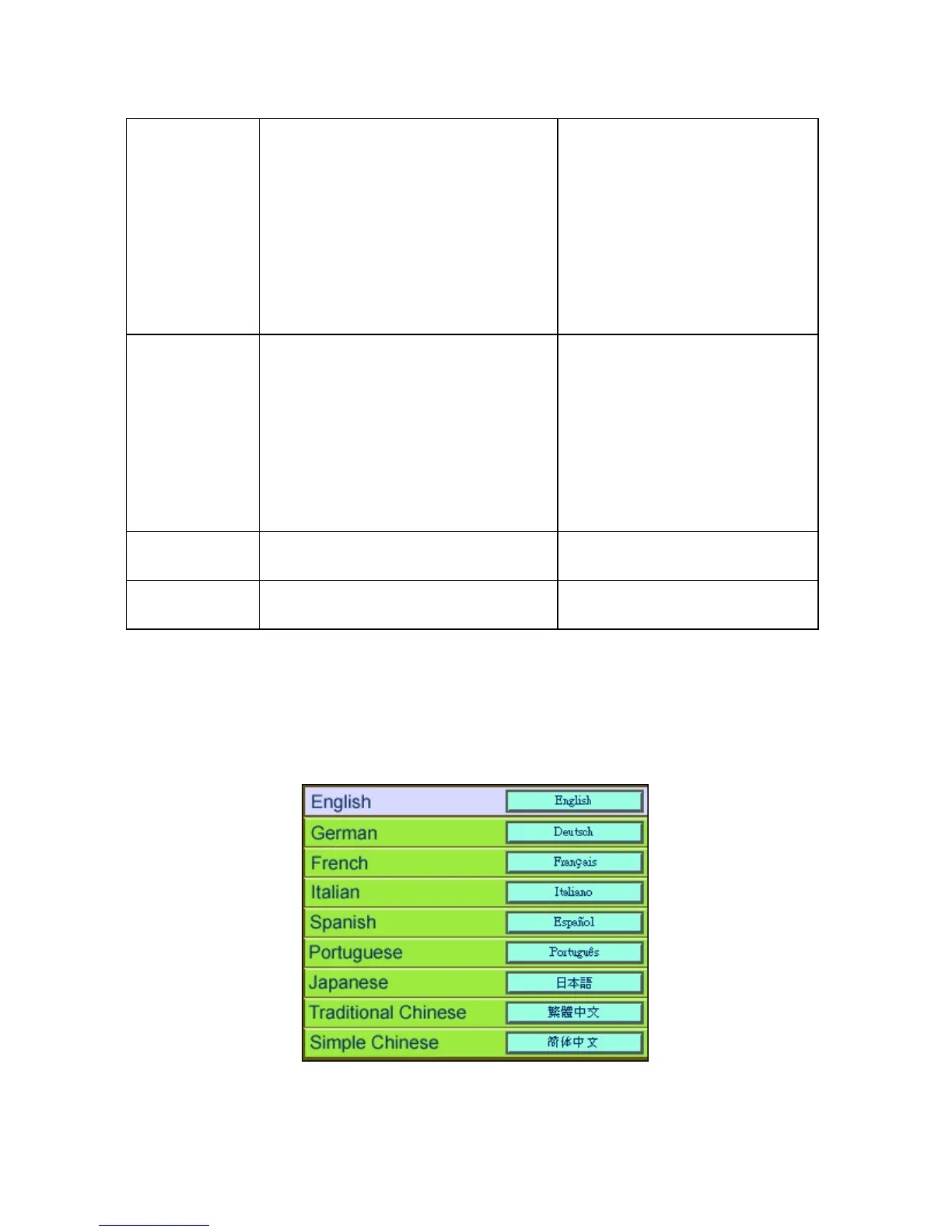
7.7 Language
Changes the language of the OSD menu. Choose between English, German, French,
Italian, Spanish, Portuguese, Japanese, Traditional, Chinese, and Simple Chinese.



 To Next Page