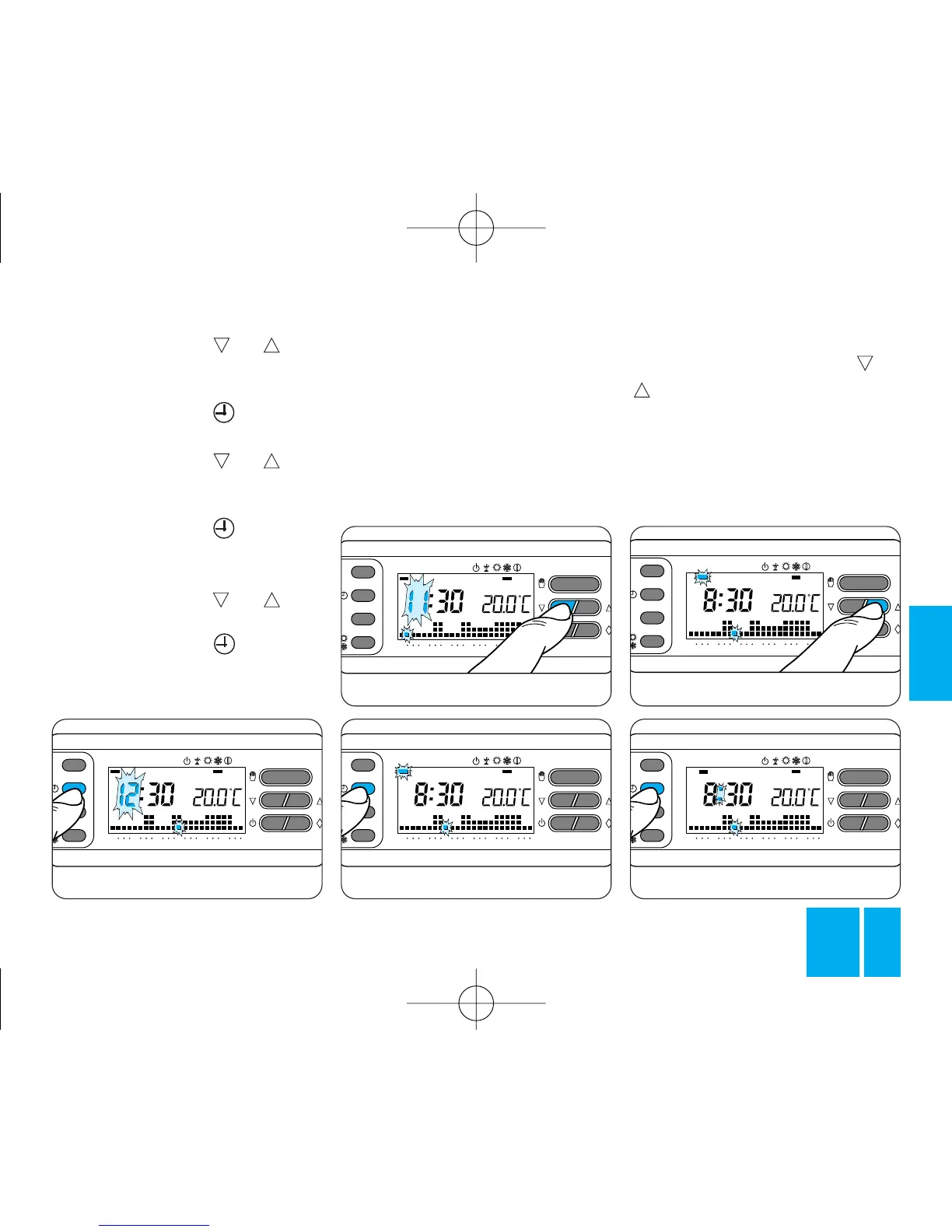
Fig. 20
3.3 - Press button or until
the required value for the minutes
is displayed, figure 17.
3.4 - Press button , figure 18.
The hour digits flash.
3.5 - Press button or until
the required value for the hours is
displayed, figure 19.
3.6 - Press button , figure 20.
The indicator for the days of the
week flashes.
3.7 - Press button or until
the right day is displayed, figure 21.
3.8 - Press button to end the
procedure for setting the actual
day and time, figure 22.
The dots separating the hours
from the minutes flash to confirm
the end of the procedure.
In any case, the thermostat auto-
matically abandons this procedure,
memorizing the latest settings, 10
s after the last operation.
3.9 - Close the front panel on the
thermostat.
Note. Each time you press or
the digits on the display
decrease or increase by one unit; if
you hold the button down, the
digits carry on changing slowly for
the first 5 s, then progress more
rapidly.



 To Next Page