26
GB
wait 10 s, to end the programming
procedure.
15.6 - Close the front panel on the
thermostat.
16 - REPLACING
THE BATTERIES
The indication on the dis-
play informs that the batteries
must be replaced (fig. 78).
If the message alternates
with the time, you have about a
month to replace the batteries
before the unit stops working.
When the message stays on
Fig. 76
15 - TEMPERATURE
THRESHOLD
The temperature threshold can be
set at values between ±0.1 °C and
±0.9 °C.
The THERMOPROGRAM is despat-
ched from the factory with a
default temperature threshold of
±0.2 °C. This threshold, which
establishes how soon the thermo-
stat reacts to temperature chan-
ges, is intended for systems with a
high thermal inertia, such as
systems with cast-iron radiators.
If the features of the plant make it
necessary to change the value for
the temperature threshold, pro-
ceed as follows.
15.1 - Open the front panel on the
thermostat.
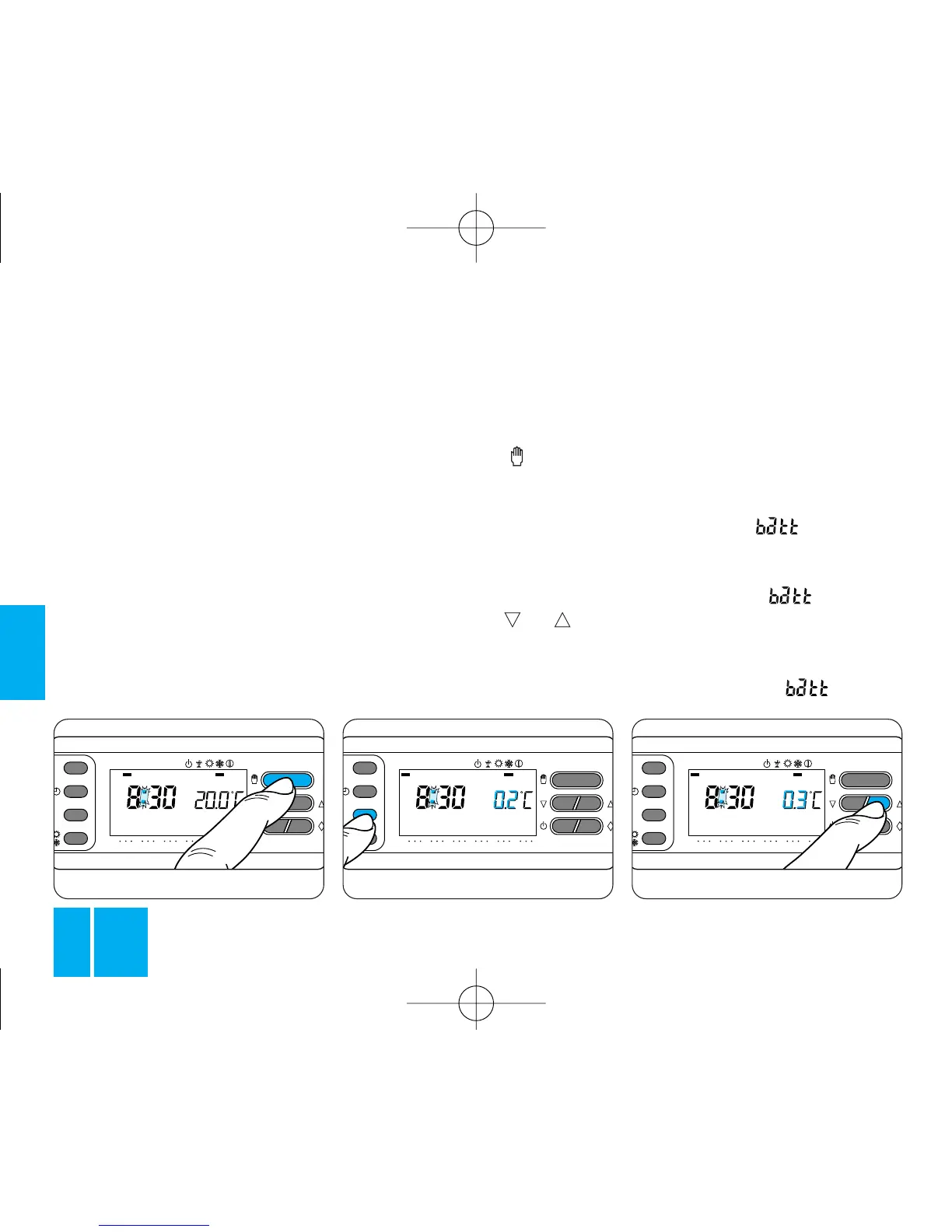
15.2 - Press button to set the
thermostat in MANUAL mode,
figure 75.
15.3 - Press button T, figure 76.
Instead of the actual temperature
value, the display indicates the
temperature threshold setting.
15.4 - Press button or until
the required value is displayed,
figure 77.
15.5 - Press button T again, or



 To Next Page