GB
25
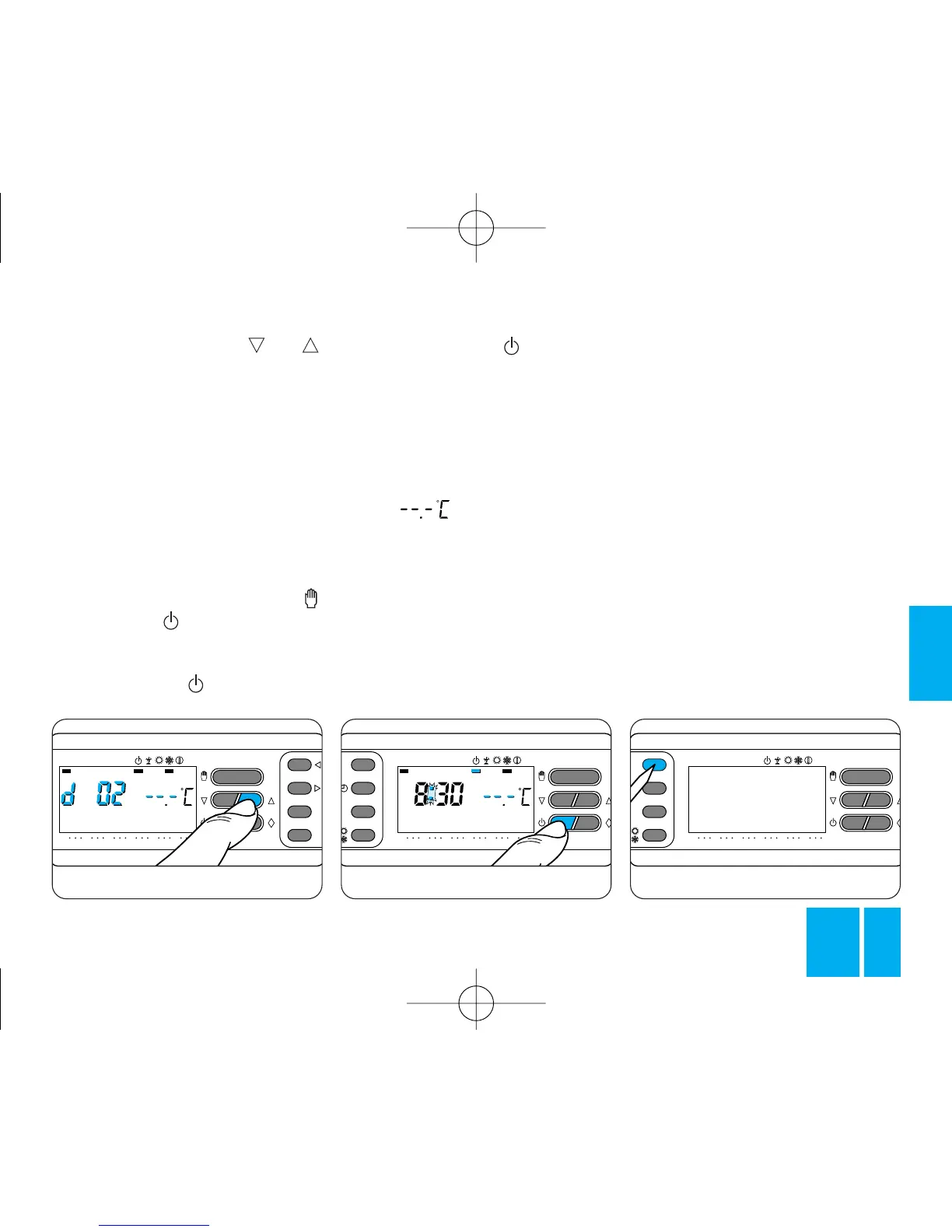
13.8 - Press the button or
until you reach the number of days
required, which can range from 1
to 99, figure 72.
The days are counted including the
day during which the programming
option is used (so the remainder of
the day when the setting is made
counts as a whole day).
Note. To return to AUTOMATIC
mode before the expiry of the pro-
grammed interval, press the
button or the button.
In the COOLING program
13.9 - Press the button once.
The bar under the symbol is
enabled to confirm the fact that the
THERMOPROGRAM is not control-
ling the plant and the program
graph disappears, figure 73.
For 5 s the room temperature rea-
ding disappears and the display
reads: .
For programming in hours or days,
proceed as explained for the HEA-
TING program.
14 - RESET
When you need to reset the ther-
mostat to operation after it has
Fig. 74
been switched off due to faulty
operation or for other technical
reasons, proceed as follows:
14.1 - Open the front panel on the
thermostat.
14.2 - Press button R, figure 74.
14.3 - Close the front panel on the
thermostat.
This operation cancels any perso-
nalized programs, which are resto-
red, together with the other set-
tings, by taking the steps explained
from chapter 3 onwards.



 To Next Page