20
GB
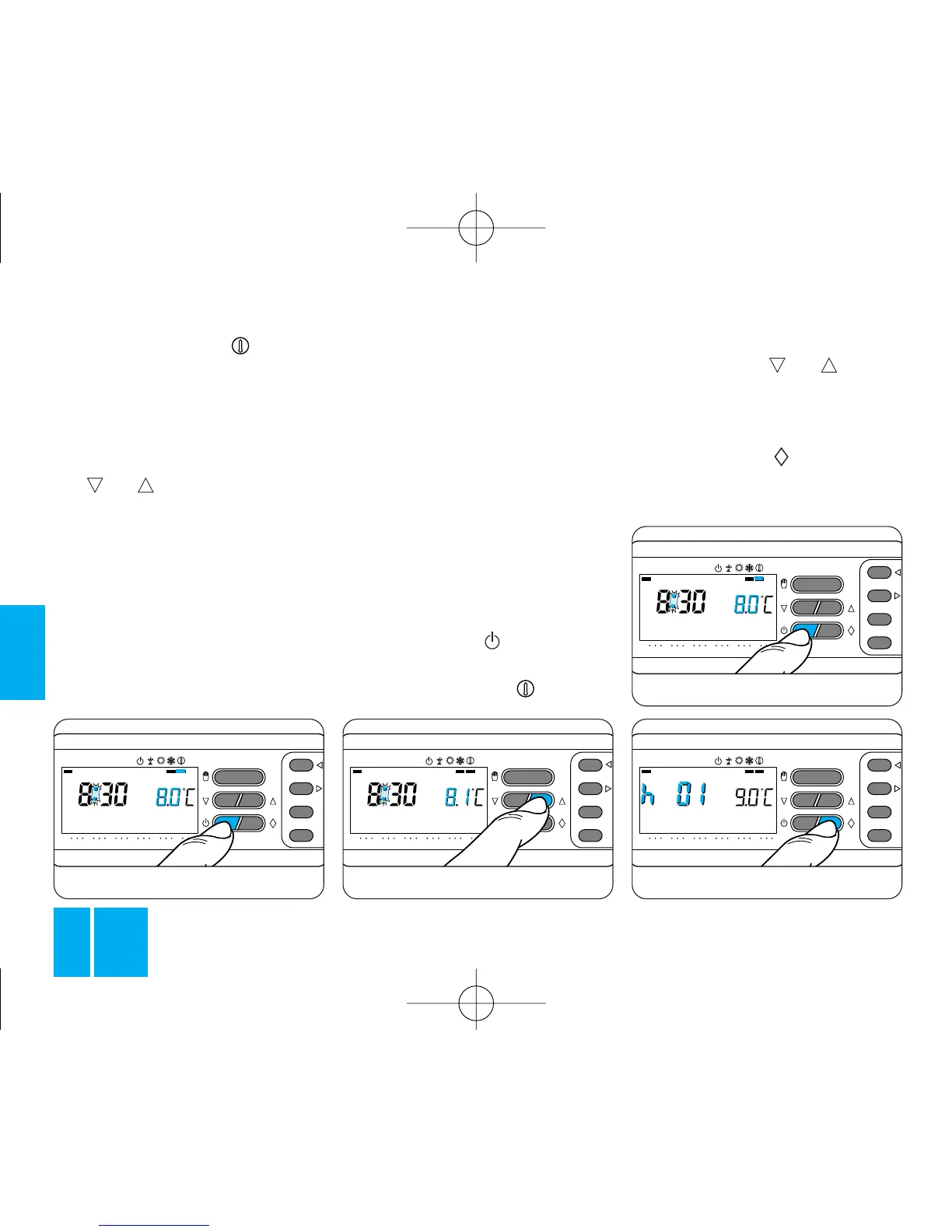
and set the required temperature
by means of the or button,
figure 53.
Programming in hours
10.3 - Press the button once,
figure 55.
The display shows the wording
T3
T2
T1
ON
048121620
0
23
1
7
C
12
3
4
56
7
T3
T2
T1
ON
048121620
0
23
1
7
C
12
3
4
56
7
T3
T2
T1
ON
048121620
0
23
1
7
C
12
3
4
56
7
Fig. 53
The bar under the symbol
comes on to confirm the choice.
The program graph disappears
from the screen and the pre-
viously-set temperature appears;
this can be adjusted by means of
the or button, figure 53.
After about 5 s; the room tempera-
ture reading is restored.
With the ANTIFREEZE function,
you can select any temperature
between 2 °C and 35 °C and this
will be kept constant until you
input a new setting or change to
another operating mode.
T3
T2
T1
ON
048121620
0
23
1
7
C
12
3
4
56
7
Fig. 52
THE TIMER-CONTROLLED
ANTIFREEZE FUNCTION
In the event of your needing to
keep a safe minimum temperature
for several hours or days, you can
enable the TIMER-CONTROLLED
ANTIFREEZE function.
Once you have set the required
time, the counter begins a count-
down, at the end of which the ther-
mostat switches to AUTOMATIC
mode.
10.2 - Press the button once,
figure 54, to switch the thermostat
to the ANTIFREEZE function
TH/400.01 ITF 2407-9122 04.06 3-05-2006 15:56 Pagina 20



 To Next Page