17
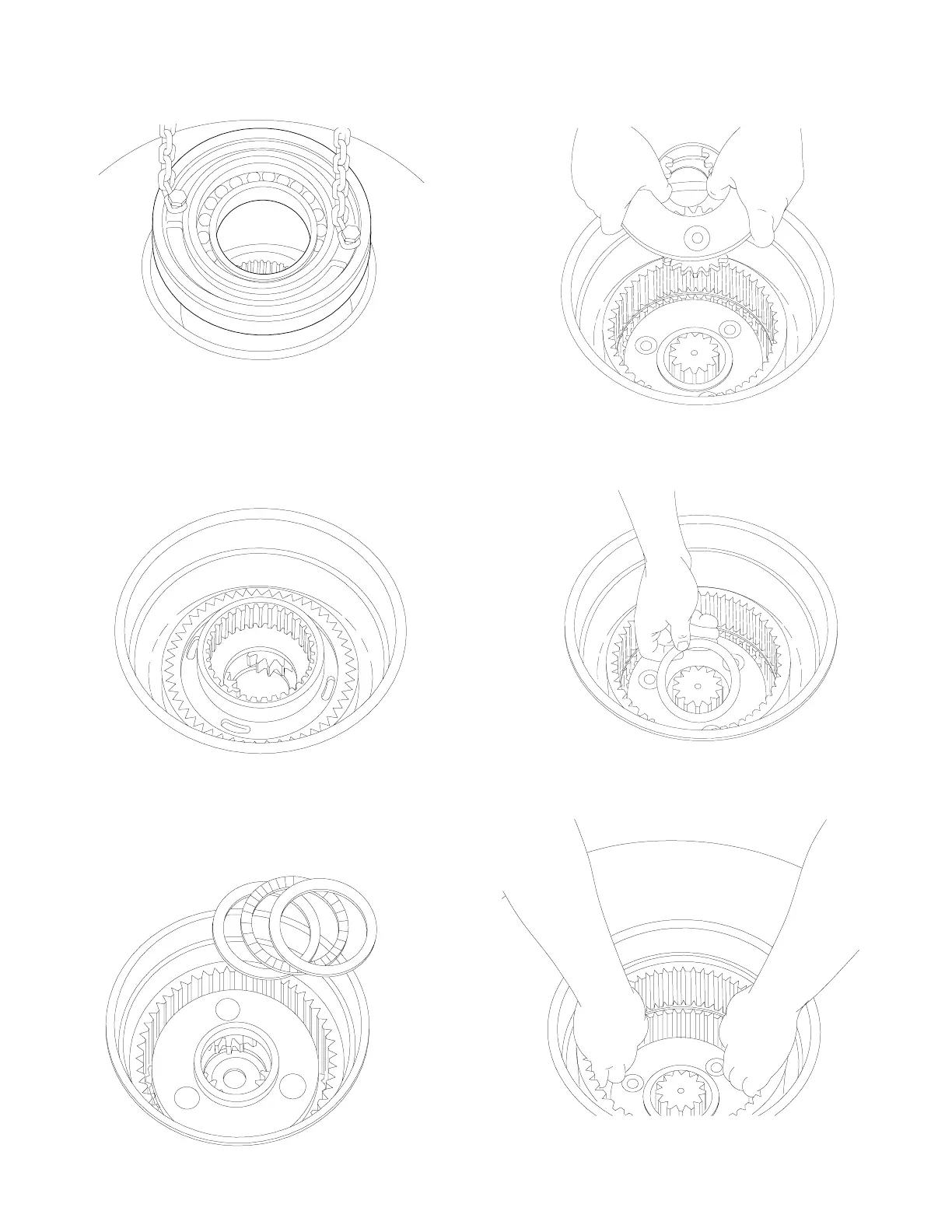
15. Lift out the ring gear adapter.
19. Lift out the ring gear. Inspect the gear for abnormal
wear or pitting.
18. Remove the thrust bearing that was under the primary
planet carrier assembly, then remove the output sun
gear.
17. Remove the primary planet carrier assembly. Refer to
the section on disassembly of the primary planet carri-
er assembly.
16. Remove thrust bearing and two races.
14. Remove the cable drum closure by using two (2) cap-
screws from the motor adapter and a short piece of
chain. Lift the closure out of the drum. Remove and
discard the O-ring and the seal. Inspect the bearing
for wear. If replacement is necessary, use a bearing
driver to remove the bearing.



 To Next Page