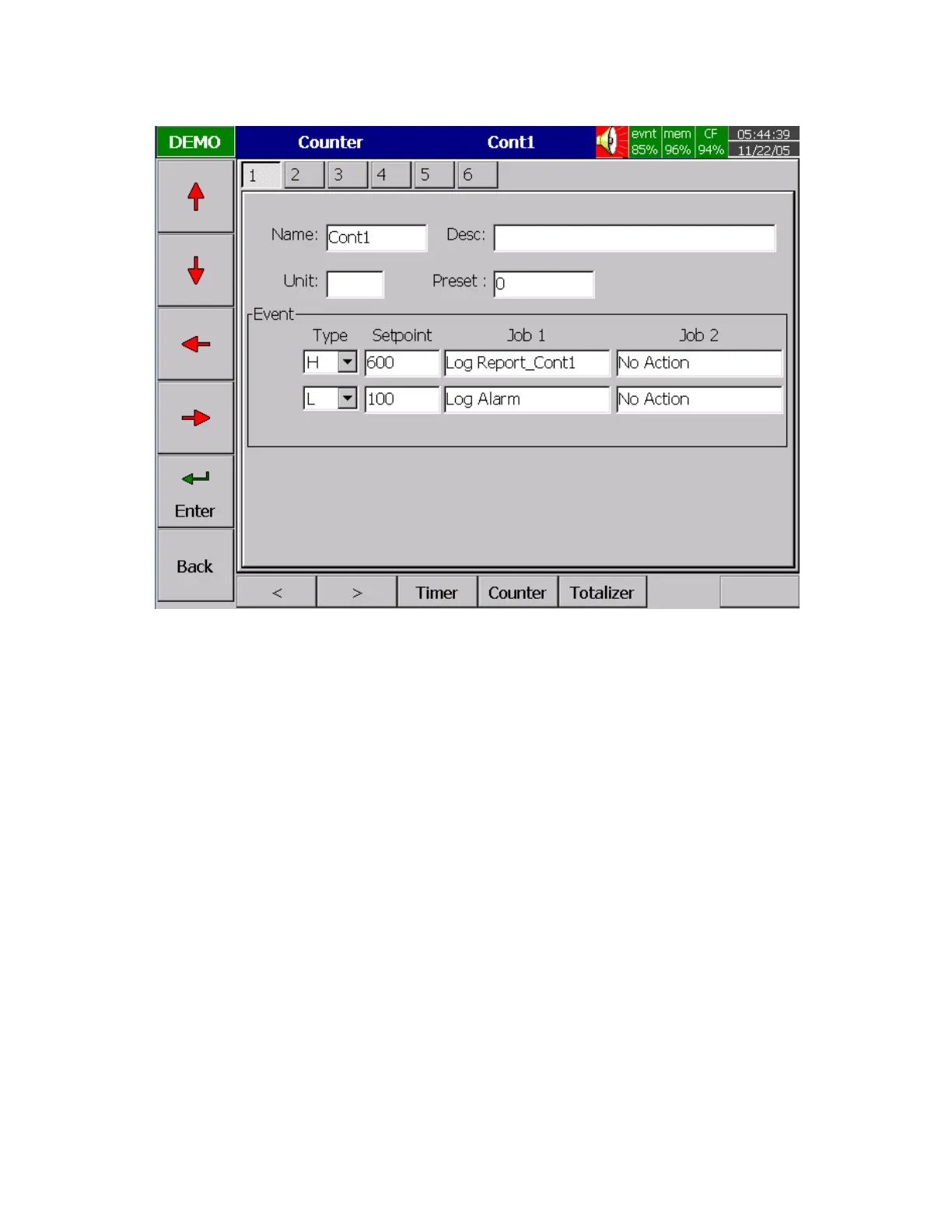
Counter
Figure 4 – 8
Press directional keys
〈
〉
at the bottom to select one from 6 available counters.
Name: Defines the name of counter.
Desc: Defines the description for a specific counter on the display.
Unit: Defines the unit of counter
Preset: Defines the preset value for the counter. The counter starts from a preset value.
Event: Defines the type, setpoint, Job1 or Job2.
Type: Select one of three options: None, Process Hi, Process Low
Setpoint: Defines the set point of process value to trigger the counter.
Job1, Job2: various jobs as described in 4.1 Channel, 2 jobs for each counter



 To Next Page