17 Operating Your Ultrasonic Bath
M H S e r i e s
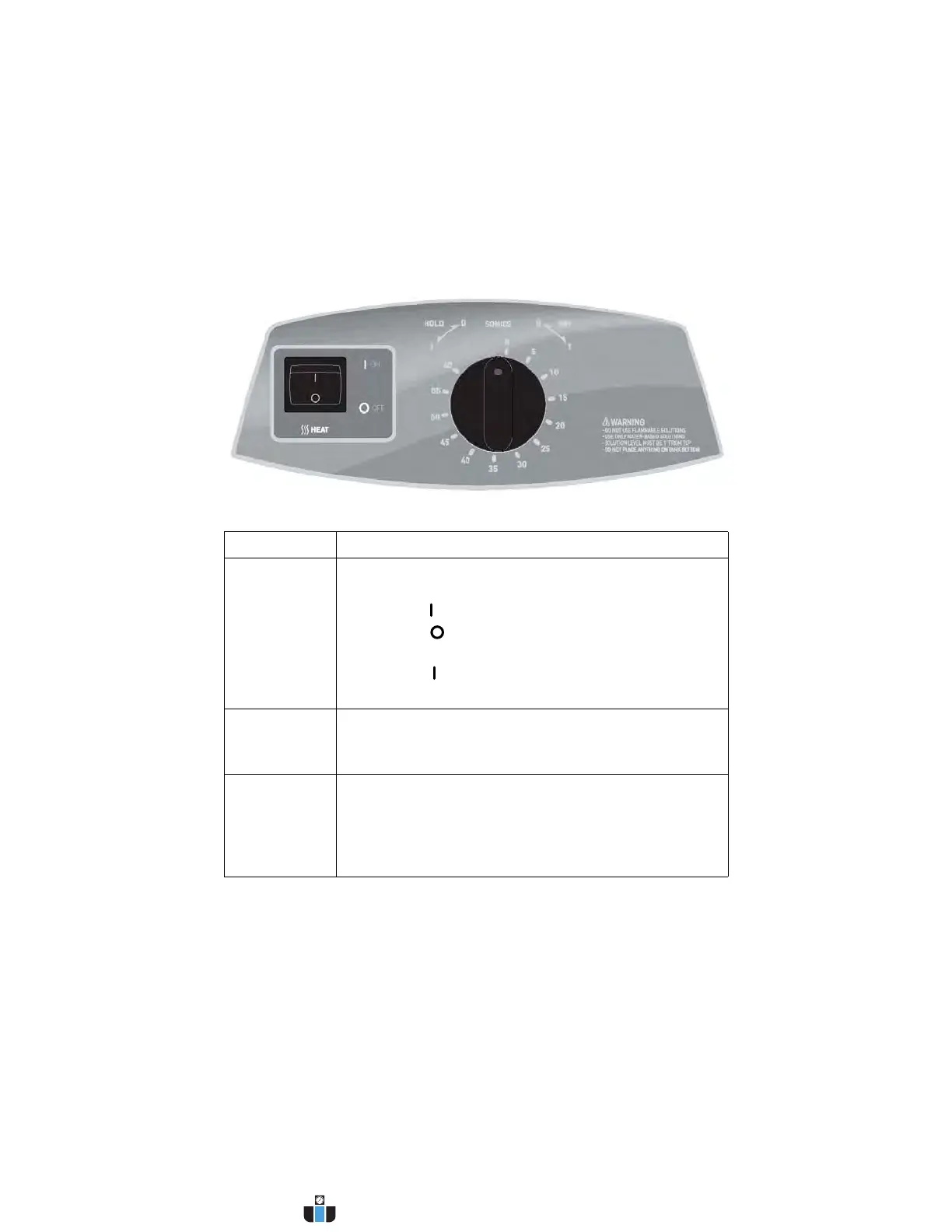
Explanation of Controls
MH Series Tower
Control Function
MAIN POWER
SWITCH
This switch is located on the back of the unit, next to the
power cord receptacle.
• Press the (on) side to power on the unit.
• Press the (off) side to power off the unit.
When operating the unit, normally leave the Main Power
switch in the (on) position, and use the Timer Knob to
activate ultrasonics.
HEAT
SWITCH
Activates heat to 60 °C (140 °F) maximum.
NOTE: Refer to pages 40 and 40 for further information
on temperature.
TIMER KNOB Activates ultrasonics and sets time.
• Turn clockwise for timed operation (0–60 minutes).
• Turn counterclockwise to the HOLD position for
continuous operation.
• Turn to the zero position to turn unit Off.
www.calcert.com sales@calcert.com1.800.544.2843
0
5
10
15
20
25
30



 To Next Page