31 Operating Your Ultrasonic Bath
C P X H S e r i e s
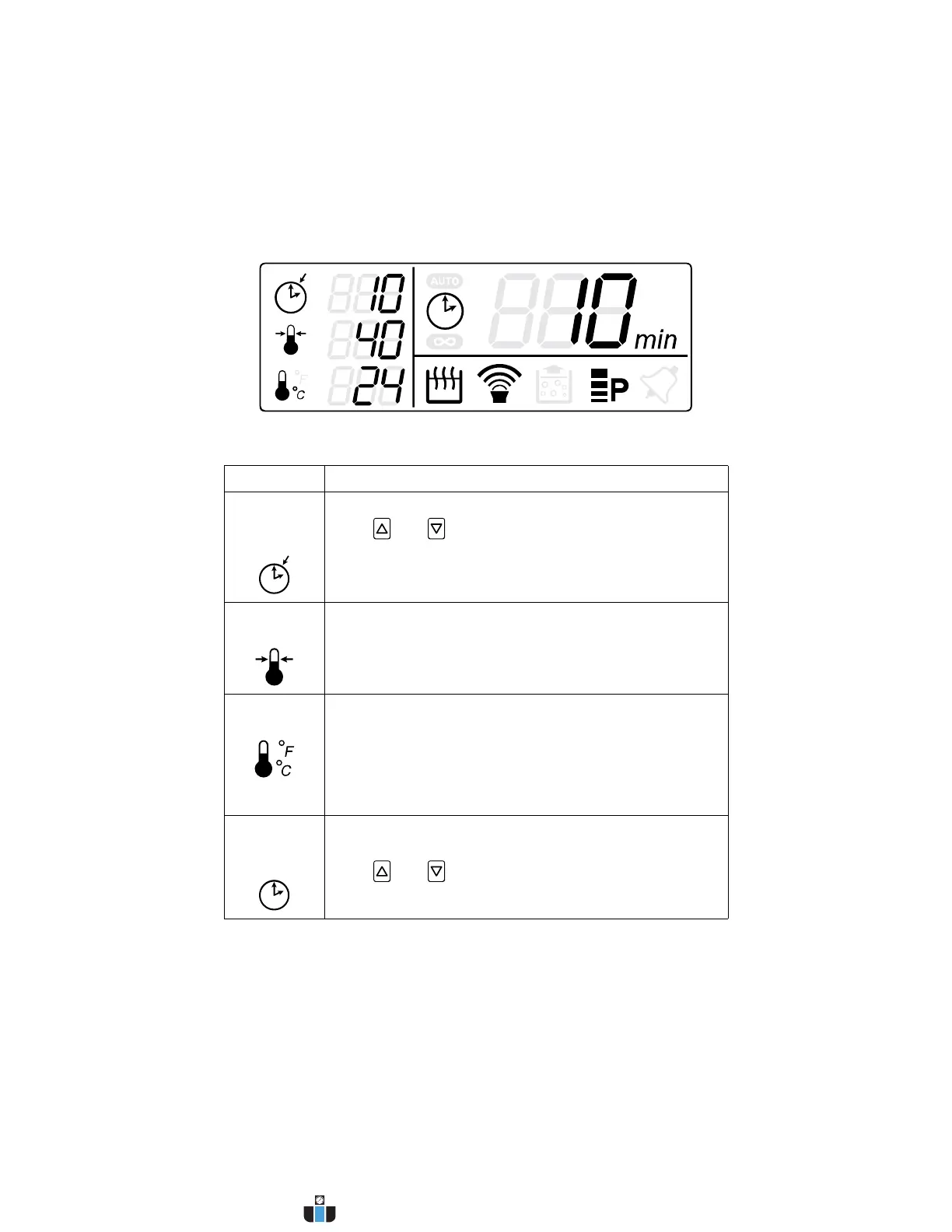
LCD Description
Item Function
Sonics/
Degas
Set Time
Displays the set time for a timed ultrasonic or degas cycle.
Press and keys to adjust ultrasonic or degassing
cycle time (adjustable from 1 to 99 minutes).
In Constant Sonics Mode, “- - -” is displayed.
Set
Temperature
Displays the target temperature.
Temperature units are indicated by the °F (for Fahrenheit)
or °C (for Celsius) right of the Current Temperature icon.
Current
Temperature
Displays the current tank temperature as measured by the
unit.
Temperature units are indicated right of the icon as either
°F (For Fahrenheit) or °C (for Celsius). Units can be
switched using the Fn key. See Fn key description on
page 29.
Sonics/
Degas
Timer
Displays the remaining time of a running timed ultrasonic
or degas cycle.
Press and keys to adjust ultrasonic or degassing
cycle time (adjustable from 1 to 99 minutes).
Continued...
www.calcert.com sales@calcert.com1.800.544.2843
0
5
10
15
20
25
30



 To Next Page