33 Operating Your Ultrasonic Bath
C P X H S e r i e s
Operating your Unit
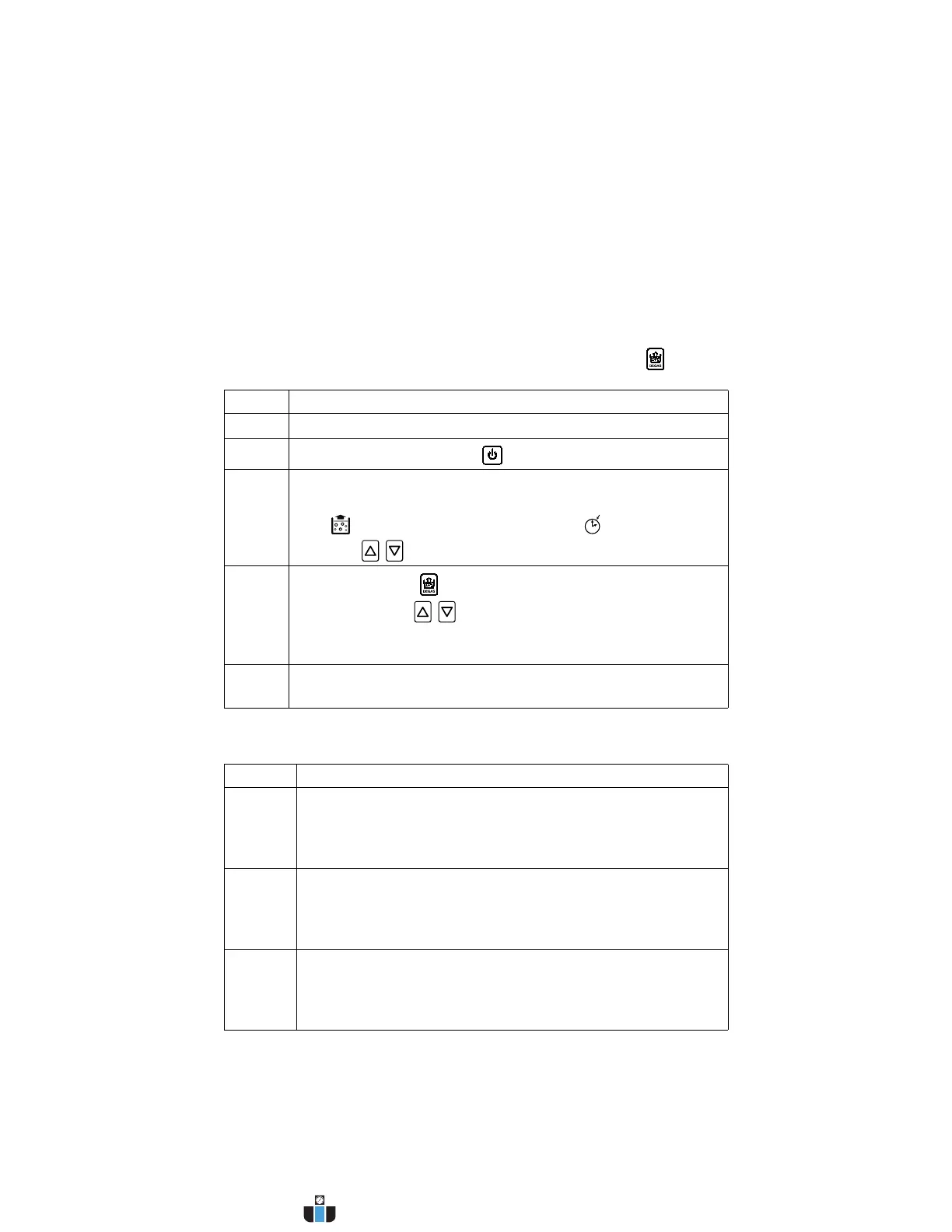
Degassing
For initial cleaning solution degassing.
NOTE: To stop degassing at any time, press the Degas key ( ).
Ultrasonic Operating Modes
Step Action
1 Turn Main Power switch on.
2
Press the On/Standby key ( ) to turn on the unit.
3 Default degas time is 5 minutes.
To change the degas time, press the Fn key until the Degas
icon ( ) appears and the Set Time icon ( ) flashes. Then
press the / keys to change the degas time.
4
Press Degas key ( ) once to start the degas process.
If necessary, use / keys to alter degas time during a
degas cycle.
NOTE: Refer to page 41 for information on degassing.
5 After completing the degas time, you are ready to set operating
parameters.
Mode Action
Timed
Sonics
In Timed Sonics Mode, a timer will begin to count down and
ultrasonics will remain on until the timer reaches 0 minutes.
For instructions on operating in Timed Sonics Mode, see
page 34.
Constant
Sonics
In Constant Sonics Mode ultrasonics will remain on until the
Sonics key is pressed or power is turned off to the unit.
For instructions on operating in Constant Sonics Mode, see
page 35.
Auto In Auto mode ultrasonics will start once set temperature is
attained. Ultrasonics will remain on until the timer reaches
0 minutes.
For instructions on operating in Auto Mode, see page 36.
www.calcert.com sales@calcert.com1.800.544.2843
0
5
10
15
20
25
30



 To Next Page