34 Operating Your Ultrasonic Bath
Cleaning Items (Treating Samples) in Timed Sonics Mode
NOTE: To stop ultrasonics at any time, press the Sonics key ( ).
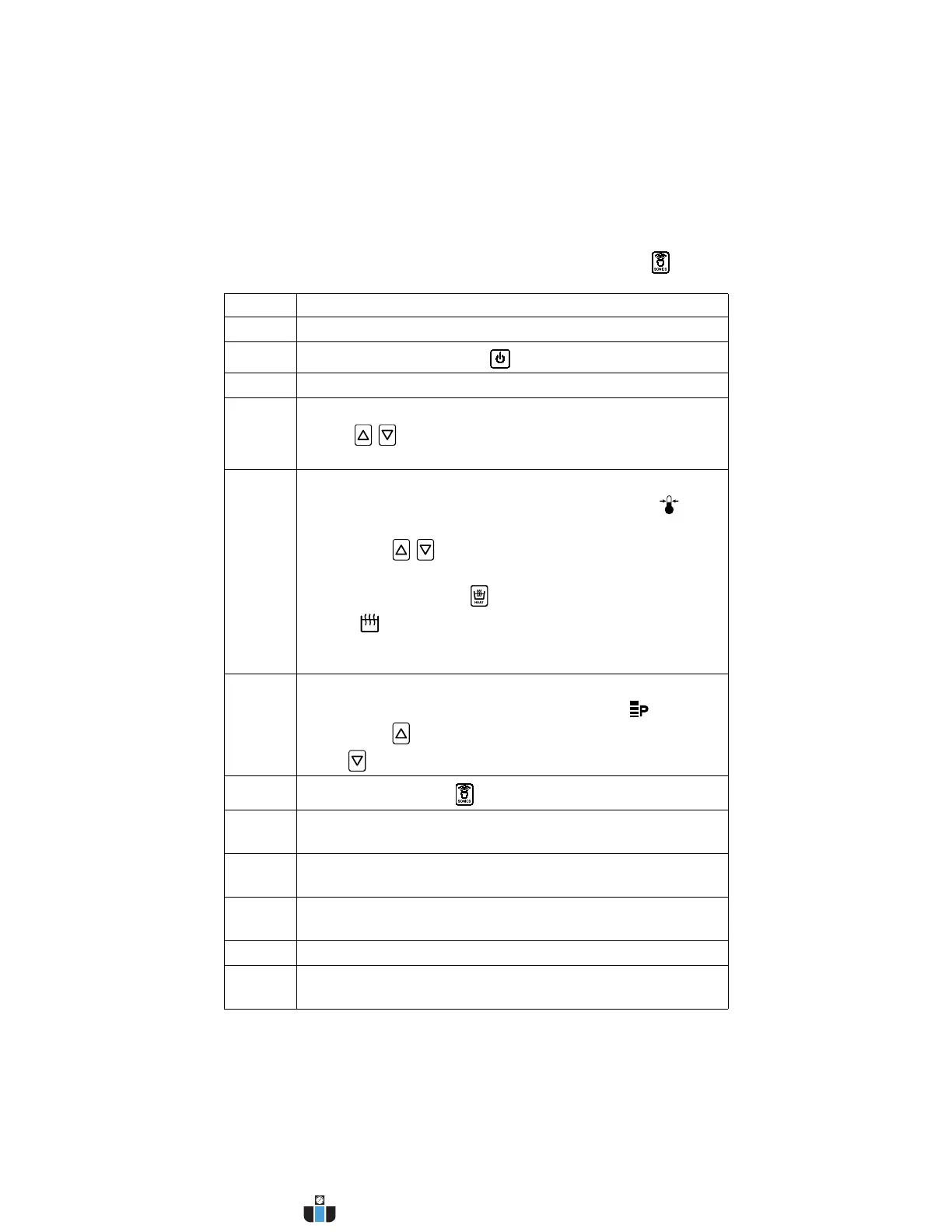
Step Action
1 Turn Main Power switch on.
2
Press the On/Standby key ( ) to turn on the unit.
3 If necessary degas the liquid. See page 33 for instructions.
4 Set the amount of time you wish the items to be cleaned:
• Use / keys to increase/decrease cycle time (hold for
quick increments/decrements).
5 Set the tank temperature:
• Press the Fn key until the Set Temperature icon ( )
flashes.
• Press the / keys to alter the setting to the tank
temperature you wish to reach.
• Press the HEAT key ( ) once to activate heat. The Heat
icon ( ) appears.
NOTE: Units can be switched between °F or °C using the Fn
key. See Fn key description on page 29.
6 Set the ultrasonic power level:
• Press the Fn key until the Power Level icon ( ) flashes.
• Press the key to select high power ultrasonics or press
the key to select low power ultrasonics.
7
Press the Sonics key ( ) to activate ultrasonics.
8 Place the items into a basket, perforated tray, or beakers in a
positioning cover.
9 If using beakers or a solid tray, add cleaning solution to
beakers or tray to cover the items.
10 Slowly lower the tray or beakers into the tank. Do not allow
items to contact the tank bottom.
11 When items are clean, slowly remove them from the tank.
12 Rinse clean items with clean, warm water and dry, if
necessary.
www.calcert.com sales@calcert.com1.800.544.2843
0
5
10
15
20
25
30



 To Next Page