22 Operating Your Ultrasonic Bath
C P X S e r i e s
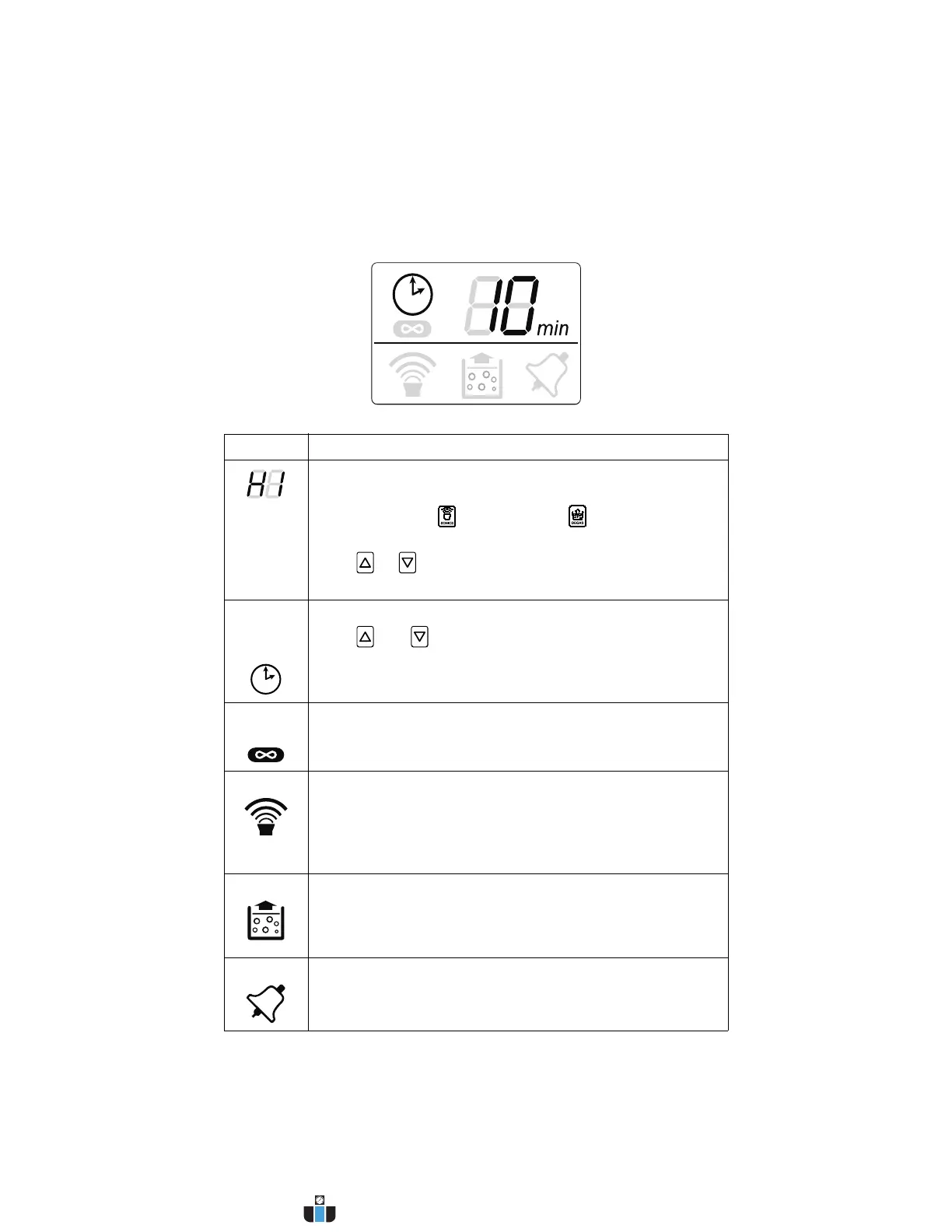
LCD Description
Item Function
Power
Level
Displayed for 15 s only during power-up, shows the current
ultrasonic output power selection.
Press the Sonics ( ) or Degas key ( ) to go into normal
operating mode.
Press or key to change between high (HI) and low
(LO) power ultrasonics.
Sonics/
Degas
Timer
Displays the duration of a timed ultrasonic or degas cycle.
Press and keys to adjust ultrasonic or degassing
cycle time (adjustable from 1 to 99 minutes).
In Constant Sonics Mode, “- -” is displayed.
Constant
Sonics
Indicates the unit is operating in Constant Sonics Mode.
In Constant Sonics Mode, sonics will remain on until the
Sonics key is pressed or the unit is turned off.
Sonics On Indicates sonics are active.
If running in Timed Mode, ultrasonics will remain on until the
timer reaches 0 minutes.
In Constant Sonics Mode, ultrasonics will remain on until the
Sonics key is pressed or the unit is turned off.
Degas On Indicates the unit is in Degas Mode.
In Degas Mode, degassing will continue until the timer
reaches 0 minutes.
NOTE: Refer to page 41 for information on degassing.
Alarm Alarm Bell icon flashes when the unit encounters an
abnormal operating condition.
NOTE: Refer to page 51 for information on troubleshooting.
www.calcert.com sales@calcert.com1.800.544.2843
0
5
10
15
20
25
30



 To Next Page