32 Operating Your Ultrasonic Bath
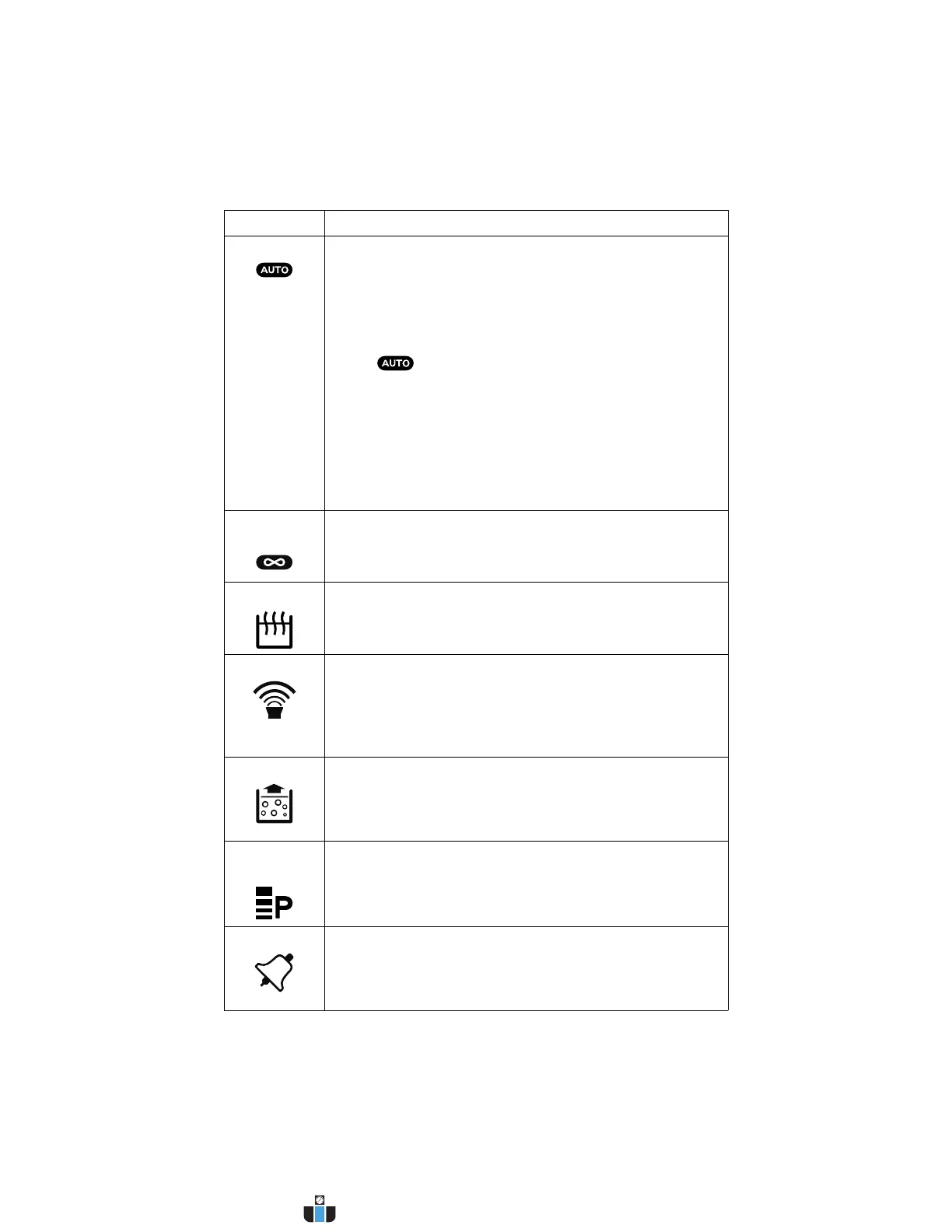
Auto Indicates the unit is in Auto Mode. In Auto Mode, the
following actions are carried out automatically by the
controller:
• Heater is turned on to bring bath to set temperature.
• When set temperature is reached, ultrasonics are
activated. The unit will abort the auto cycle and flash
the icon if set temperature is not reached within
a 120-minute period.
• When ultrasonics timer reaches 0 minutes, the auto
cycle is finished.
If at any point during an auto cycle the degas key is
pressed, a degas cycle will begin. If ultrasonics has
already started, the ultrasonics timer will restart after the
degas period.
Constant
Sonics
Indicates the unit is operating in Constant Sonics Mode. In
Constant Sonics Mode, ultrasonics will remain on until the
Sonics key is pressed or the unit is turned off.
Heat Indicates the heater is on. Heater will shut off when set
temperature is attained.
Sonics On Indicates sonics are active.
If running in Timed Mode, ultrasonics will remain on until
the timer reaches 0 minutes.
In Constant Sonics Mode, ultrasonics will remain on until
the Sonics key is pressed or the unit is turned off.
Degas On Indicates the unit is in Degas Mode.
In Degas Mode, degassing will continue until the timer
reaches 0 minutes.
NOTE: Refer to page 41 for information on degassing.
Power
Level
Indicates the ultrasonic power output selection:
• Four bars indicate high power ultrasonics.
• Two bars indicate low power ultrasonics.
Alarm Alarm Bell icon flashes when the unit encounters an
abnormal operating condition.
NOTE: Refer to page 51 for information on
troubleshooting.
Item Function
www.calcert.com sales@calcert.com1.800.544.2843
0
5
10
15
20
25
30



 To Next Page