There are four types of alarms. Responses to these are described below:
•
Non-Resettable —
power the welder OFF and then back ON to
clear this alarm. Used for hardware failures.
•
Latching —
press RESET before the next weld cycle can start.
•
Non-Latching —
once the condition that caused the alarm is clear,
the alarm message will no longer be displayed. A weld cycle can
run as soon as this clears.
•
Latchable —
based on the setting of the Alarm Latch Enable DIP
switch. If the DIP switch is OFF, this group of alarms will become
non-latching alarms. If the DIP switch is ON, this group of alarms
will become latching alarms. (For further information, refer to
Section 3.9 "DIP Switches.")
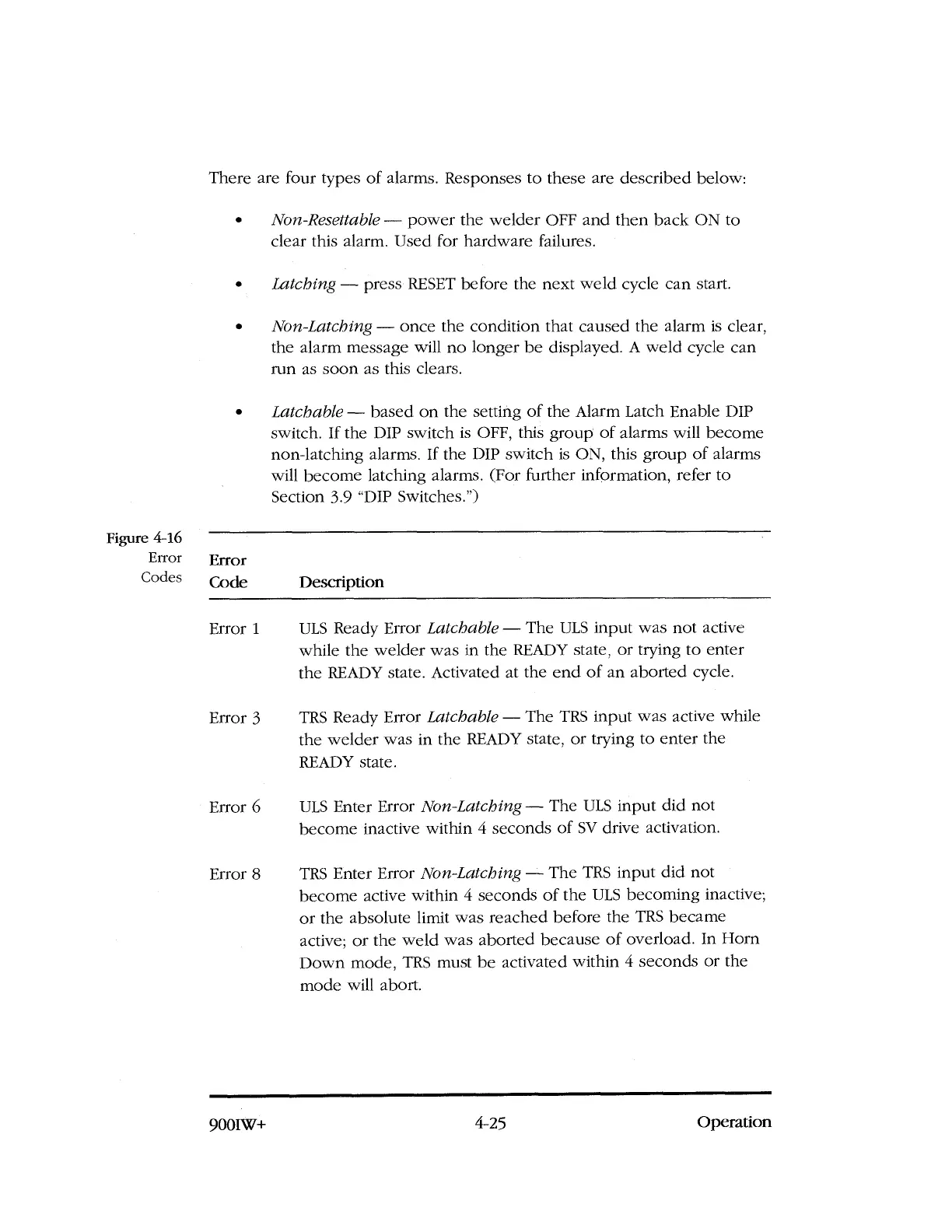
Figure 4-16
Error
Codes
Error
Code
Description
Error 1
ULS Ready Error
Latchable —
The ULS input was not active
while the welder was in the READY state, or trying to enter
the READY state. Activated at the end of an aborted cycle.
Error 3
TRS Ready Error
Latchable —
The TRS input was active while
the welder was in the READY state, or trying to enter the
READY state.
Error 6
ULS Enter Error
Non-Latching —
The ULS input did not
become inactive within 4 seconds of SV drive activation.
Error 8
TRS Enter Error
Non-Latching —
The TRS input did not
become active within 4 seconds of the ULS becoming inactive;
or the absolute limit was reached before the TRS became
active; or the weld was aborted because of overload. In Horn
Down mode, TRS must be activated within 4 seconds or the
mode will abort.
9001W-F
4-25
Operation



 To Next Page