- 34 -
Set the Meter
Set the Alarm
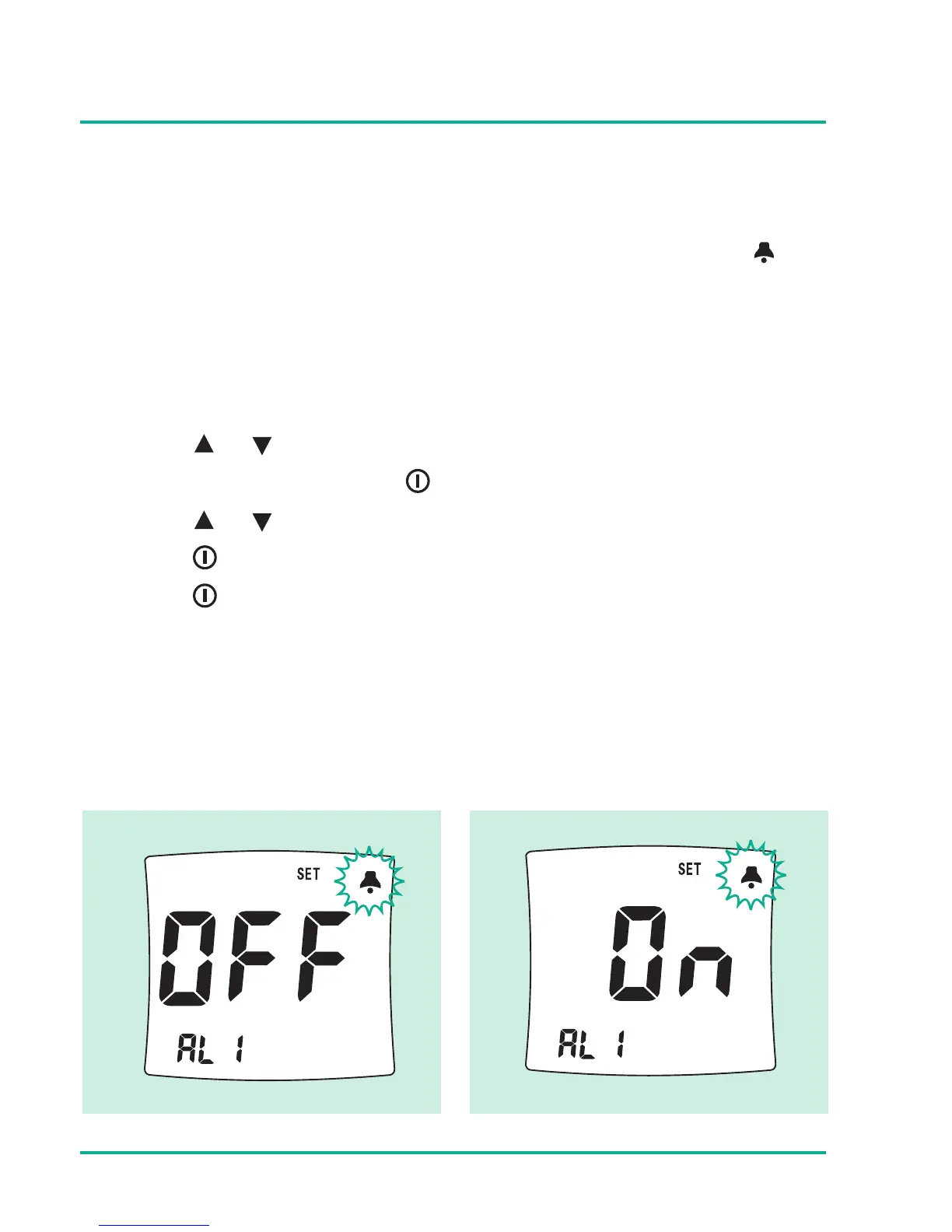
Omnitest® 3 has 5 different alarm settings. The bell icon will
be displayed during the alarm setting. Alarm setting order is
AL1 « AL2 « AL3 « AL4 « AL5. If the AL2 is OFF the rest of
AL3 - AL5 are all OFF.
Press or button to select the ON/OFF of alarm function.
If you choose ON, press button to set the time for alarm.
Press or button to set the proper alarm time (hour),
press button to set minutes.
Press button to set next alarm.





 To Next Page