- 58 -
Troubleshooting
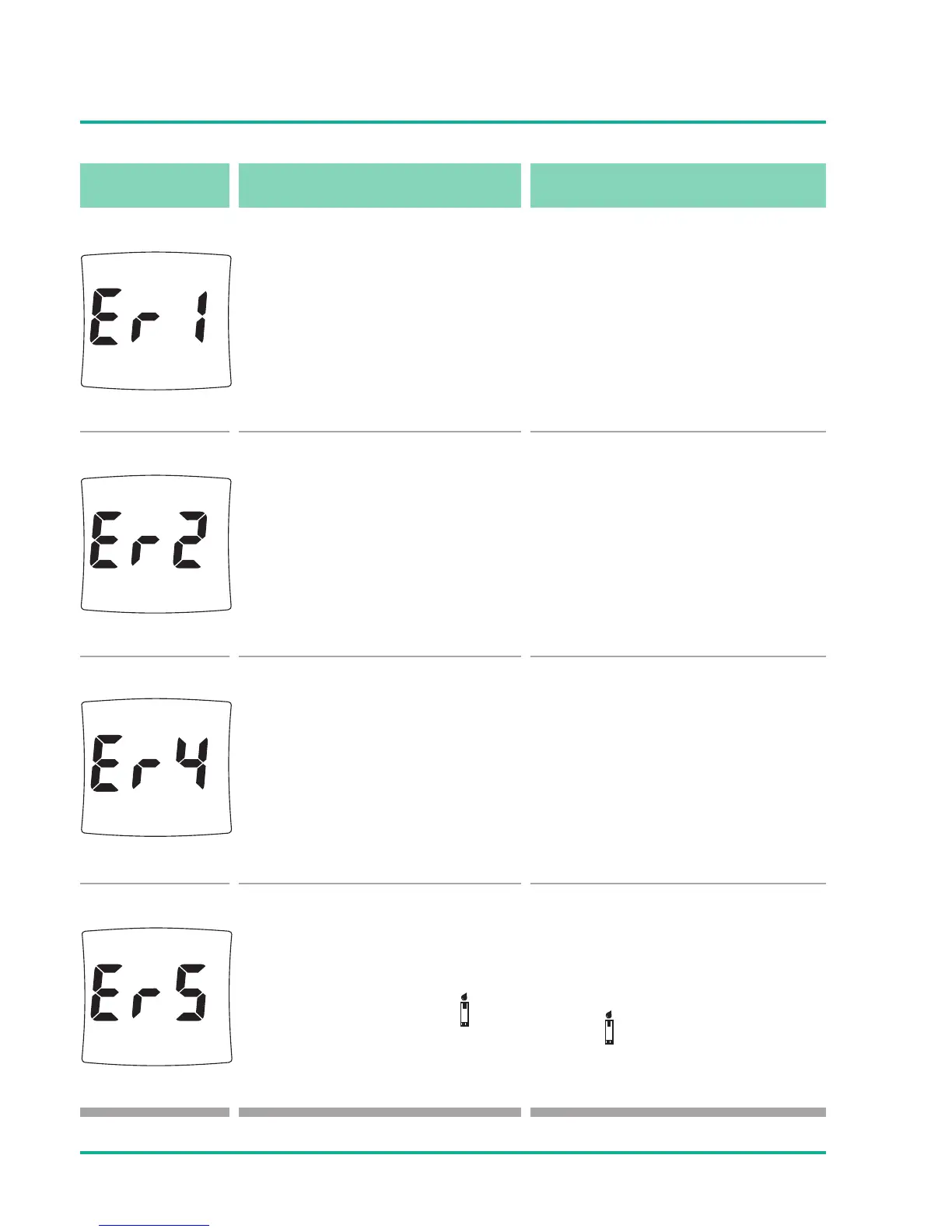
message caused by what to do?
There is a problem with the
meter. There is an abnormal
Check Strip signal.
Repeat the Check Strip test
2 or 3 times.
Do not use the meter. Contact
B. Braun representative.
Error message could be
caused by a used or wet
test strip.
Repeat the test with a new
test strip. Apply a sufficient
amount of blood.
There is a problem with the
test strip.
Test strip is damaged. Repeat
the test with a new test strip.
Error message that indi-
cates that the blood or
control solution sample
was applied before the
symbol appeared on the
display.
Repeat the test with new test
strip. Apply blood or control
solution only after the
symbol appears on the
display.





 To Next Page