– 28 – – 29 –
10.4
Using the alarm function
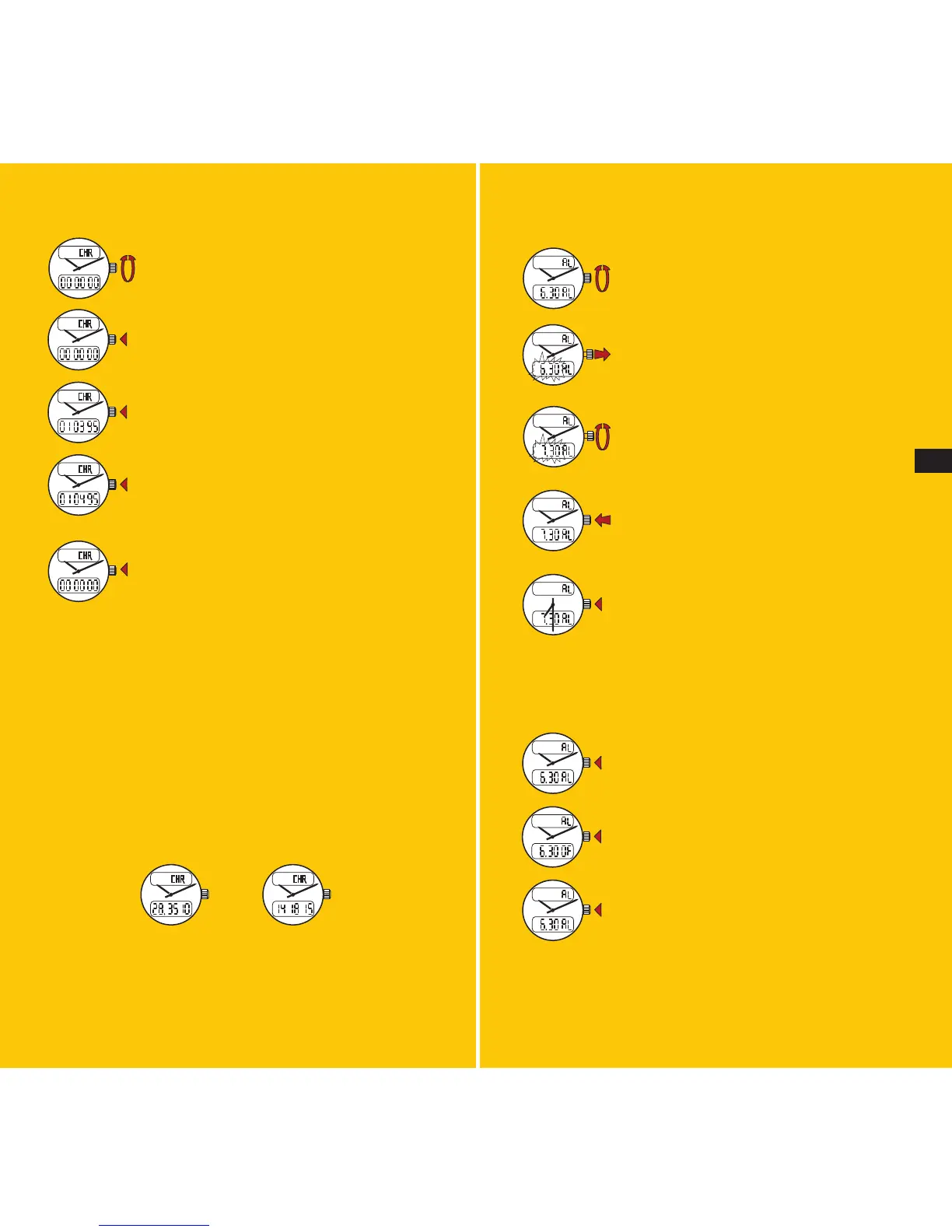
Select the AL (alarm) function.
Pull the crown out: the digits will flash.
Display the desired alarm time by rotating
the crown forward or backward (rapid
rotation changes the hour read out, slow
rotation changes the minute readout).
Push the crown back in. AL appears,
confirming that the alarm function is
running.
When the alarm sounds, press the crown to
end the buzzing.
To set or reset the alarm, press the crown after selecting
the AL (alarm) function.
AL displayed: alarm on.
OF displayed: alarm off.
To test the alarm function, press the crown
for more than two seconds after selecting
the AL function: the buzzer will sound.
Note: remember to take into account the watch’s time
mode (2x12H or 24H) when setting the alarm to the desi-
red time (see 9.1).
10.3
Using the chronograph
Select the CHR (chronograph) function.
Press the crown to start the chronograph.
Press the crown again to stop the chrono-
graph.
A further press on the crown will restart
the chronograph, allowing a series of
short times to be measured and added
together.
Return the chronograph to zero by pressing
the crown for more than two seconds.
While the chronograph is in use, any other function of
the watch can be selected and used. However, the watch
must be returned to the CHR (chronograph) mode for
stopping and reading chronograph times and resetting
this function to zero.
The chronograph mechanism will stop automatically after
48 hours. Times shorter than 1 hour are expressed in
minutes, seconds and hundredths of a second. Times
longer than 1 hour are measured in hours, minutes and
seconds.
28 min. 35.10 sec.
14 hrs 18 min. 15 sec.
E








 To Next Page