www.bresser.de
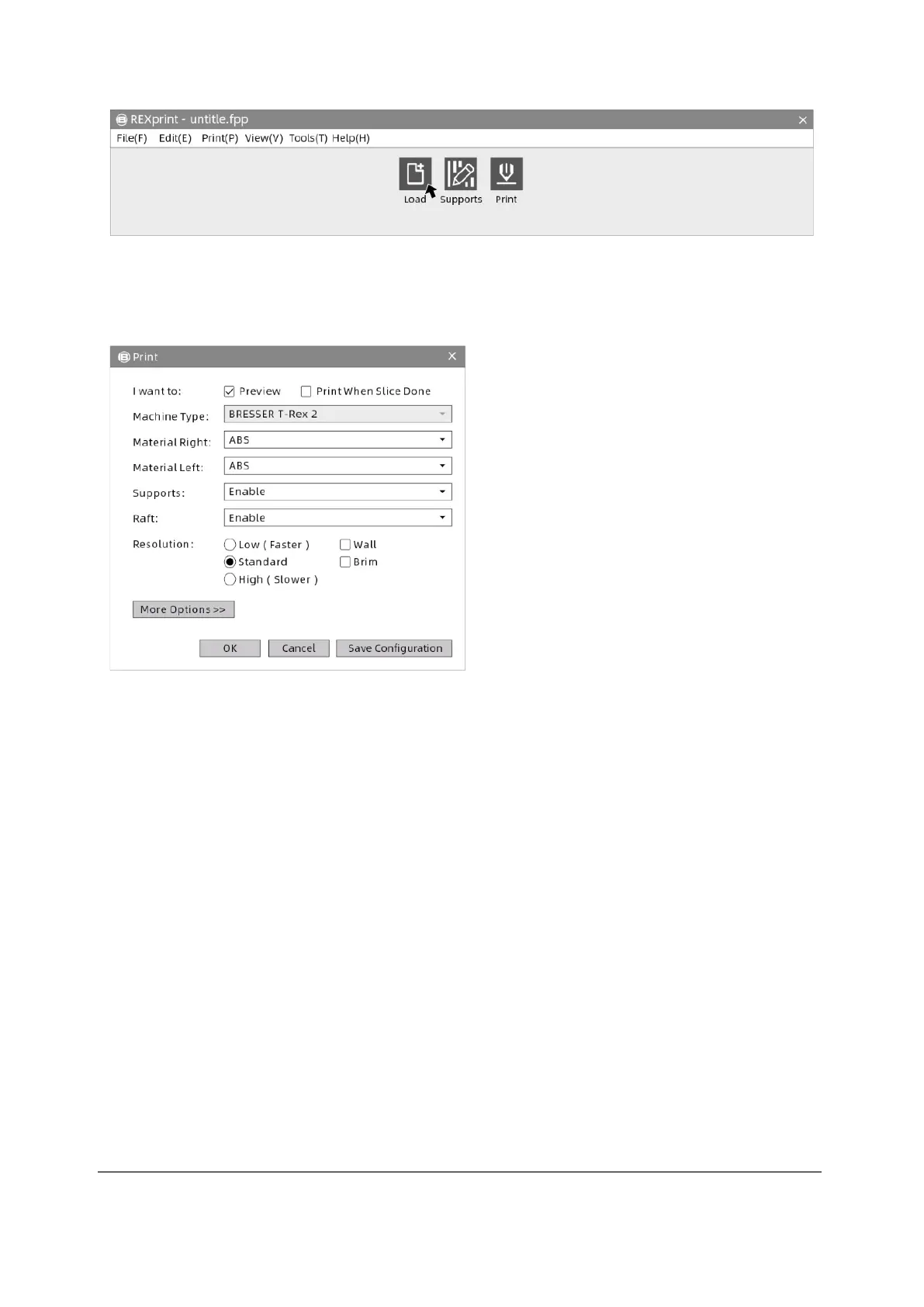
② Click the [Load] icon to load an STL model file. The object is displayed in the
construction area.
Preview: Check the function recommend.
Machine type: BRESSER T-REX 2.
Materials: Select the desired materials.
Supports: Recommended setting [Enable].
Raft: Recommended setting [Enable].
Resolution: Recommended setting [Default].
More Options: It is suggested that you keep
the default settings.
Note: The default settings are good for first
time users.



 To Next Page