www.bresser.de
3.4 Introduction to functions
Expert mode
① Click [File] on the menu and select [Preferences]. Select "Expert Mode" in the
pop-up window and click [OK].
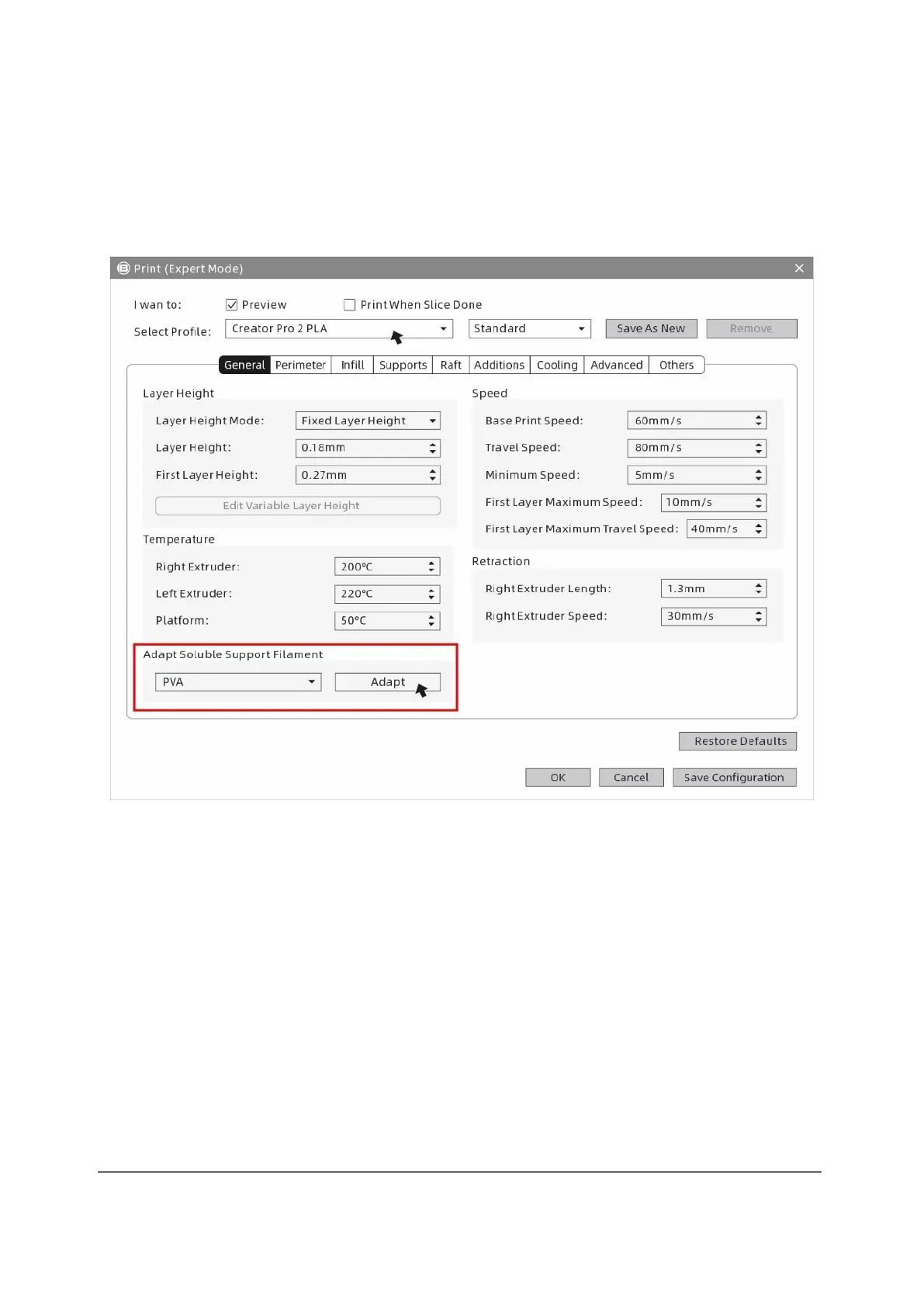
② Click the [Print] icon on the REXprint interface. The parametre settings window is
displayed. Select the materials, including Creator Pro 2 PLA. For printing with
water-soluble supports, click [General]-[Adapt Soluble Support Filament]-
[PVA]-[Adapt], and then click [Save Configuration].
The expert mode supports the selection of soluble materials. Click on it and set the
feed for the left extruder. It depends on the material properties whether the feed has
to be adjusted. The feed setting can reduce drawings.



 To Next Page