10 Keys, Doors, and Windows
the horn will chirp three times. This occurs
only once each time the vehicle is driven. To
turn on or off see Vehicle Personalization
0 71.
Key Access
To access a vehicle with a weak remote key
battery, see Door Locks 0 13.
Programming Remote Keys to the
Vehicle
Only remote keys programmed to the
vehicle will work. If a remote key is lost or
stolen, a replacement can be purchased and
programmed through your dealer. The
vehicle can be reprogrammed so that lost or
stolen remote keys no longer work. Each
vehicle can have up to eight remote keys
programmed to it.
Programming with a Recognized
Remote Key
A new remote key can be programmed to
the vehicle when there is a recognized
remote key. To program, the vehicle must
be on and both the recognized and new
remote key(s) must be with you.
1. Place the recognized remote key on the
passenger seat.
2. Navigate to, and select, "Remote Key
Relearn" through the Driver Information
Center (DIC).
The DIC displays READY FOR REMOTE.
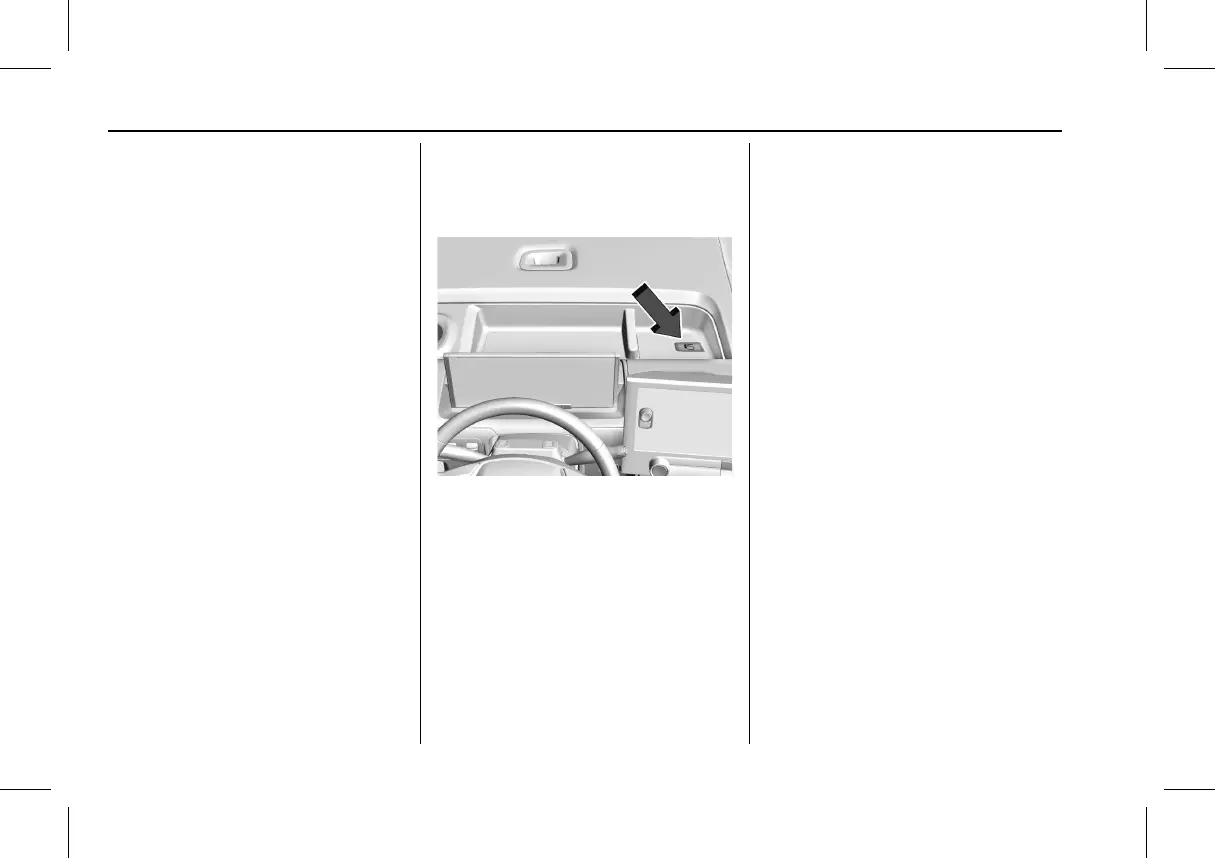
3. Place the new remote key in the storage
compartment above and behind the
infotainment display.
4. Press POWER
O. When the remote key is
learned the DIC display will show that it
is ready to program the next
remote key.
5. Remove the remote key from the IP
storage tray and press
Q or K on the
remote key.
To program additional remote keys, repeat
Steps 4–5.
When all additional remote keys are
programmed, press and hold POWER
O for
approximately 12 seconds to exit
programming mode.
Starting the Vehicle with a Low Remote
Key Battery
For improved vehicle security, the remote
key is equipped with a motion sensor. When
starting the vehicle, if the remote key has
been idle for an extended period of time,
the DIC may display KEY IN SLEEP MODE,
MOVE KEY, THEN START. Move the remote
key slightly and try starting the vehicle.
If the remote key battery is weak or if there
is interference with the signal, the DIC may
display NO KEY FOUND, REPLACE BATTERY IN
KEY or NO REMOTE KEY WAS DETECTED
PLACE KEY IN KEY POCKET THEN START YOUR
VEHICLE when starting the vehicle.



 To Next Page