ALTA EVOLUTION / EVOLUTION GT … User manual
1
ALTA EVOLUTION / EVOLUTION GT
CALLING UP A SHAPE 3.3.4.
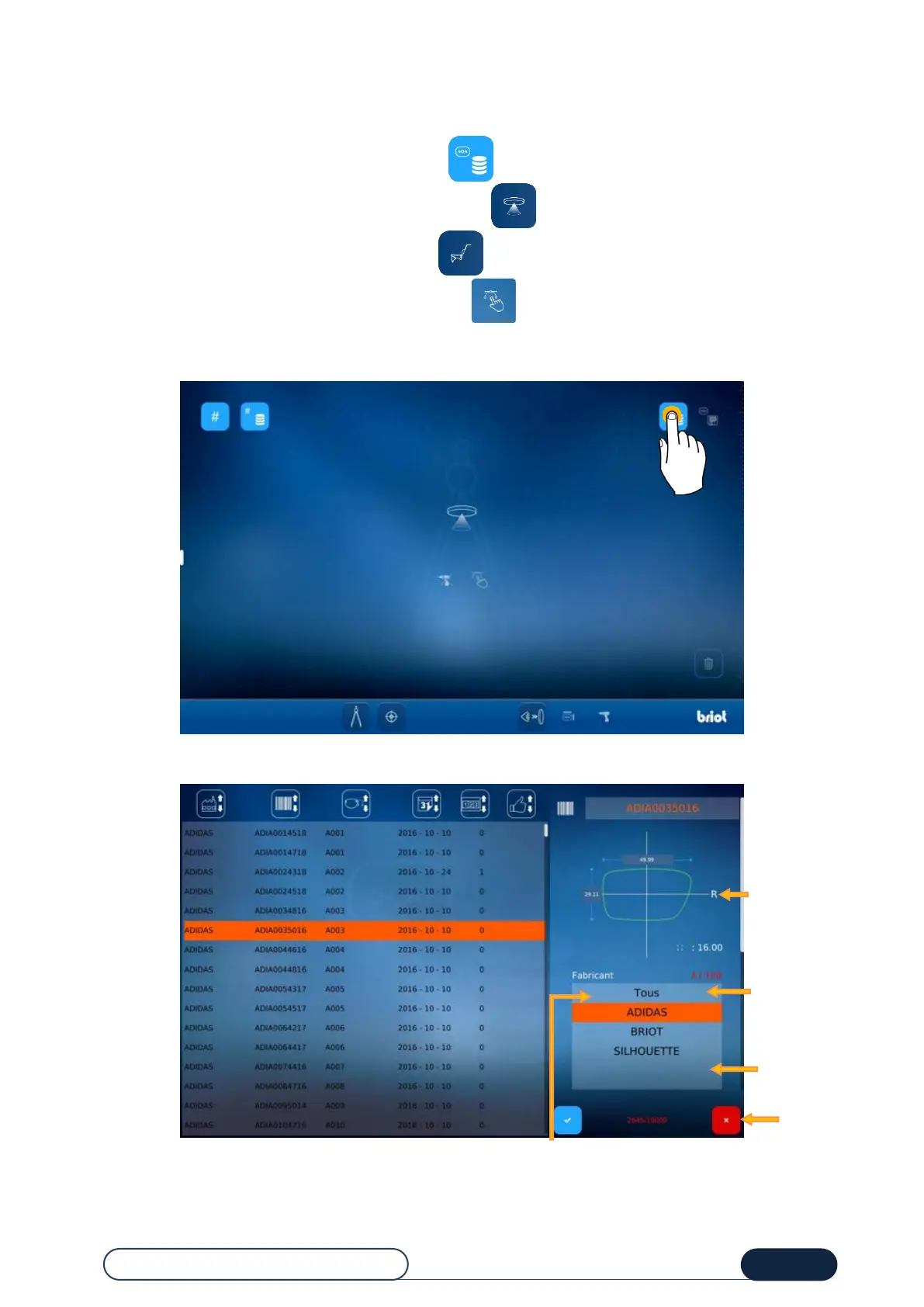
Once the job number is entered, there are 3 ways of loading a shape:
Using the list of stored shapes by pressing the button,
Using the GravitechTM optical plotter by pressing the button,
Using the mechanical plotter by pressing the button.
Using the Shape Creator function, by pressing the button.
3.3.4.1. CALLING UP A STORED SHAPE
You are now in the existing pattern selection screen.
Tip! The buttons with the "up and down" arrows are sorting buttons.
Possibility of
highlighting certain
shapes by adding or
removing "likes"
Possibility of
filtering by manu-
facturer
Exit from the
list of
patterns
Display area for
the selected
pattern,
information about
the shape type
Deleting the
selected
pattern



 To Next Page