ALTA EVOLUTION / EVOLUTION GT … User manual
ALTA EVOLUTION / EVOLUTION GT
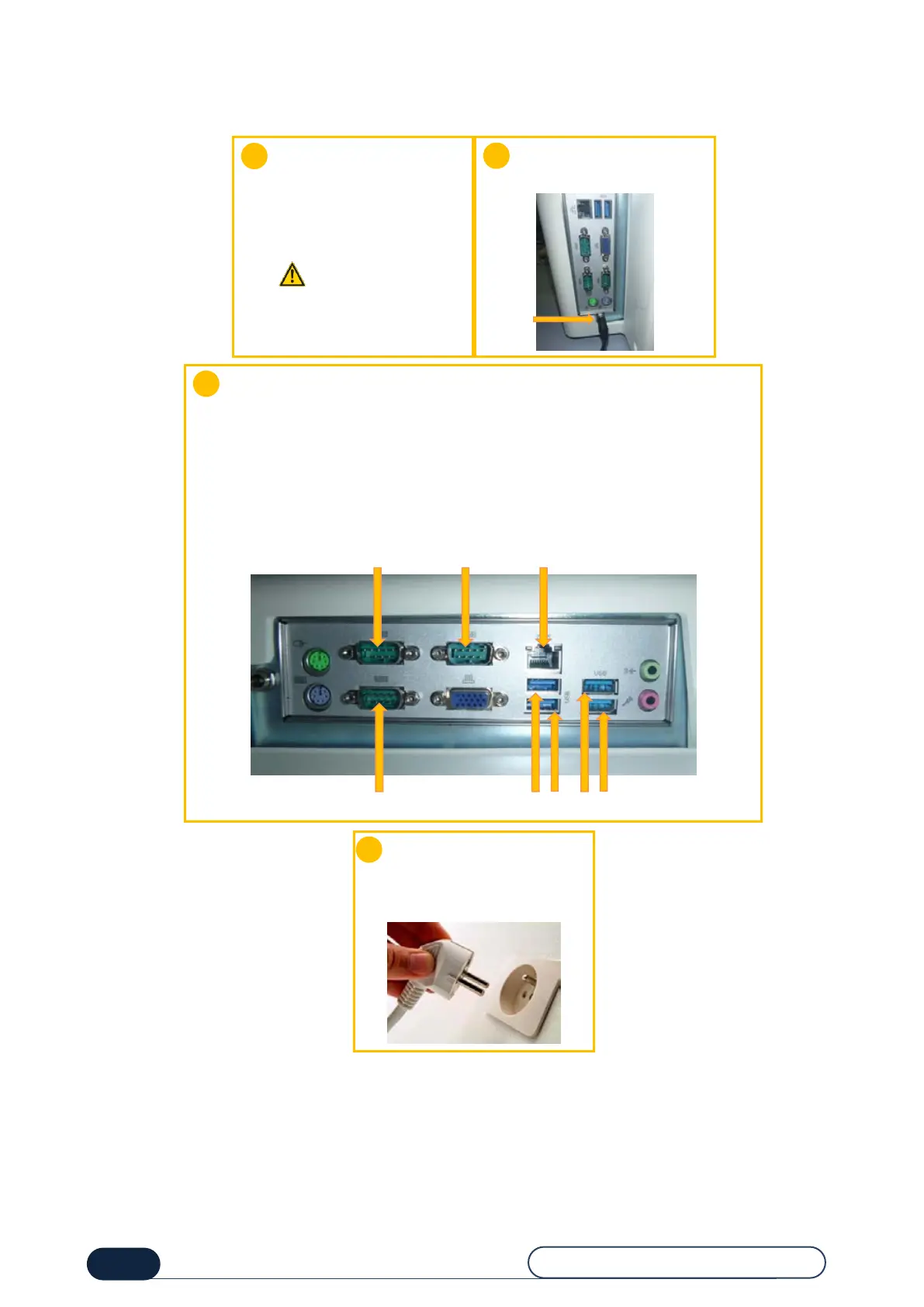
1.2.3. MACHINE CONNECTION
Make sure you have:
An electrical socket: 2-phase
+ Ground
A power line protected by a
30 mA differential circuit
breaker
Sector
Connect the supplied electric
lead to the power socket.
If you connect the machine to the HOST network:
connect the cable to the HOST port using the RS232 cable provided.
Contact your Briot dealer to configure the machine in client configuration.
If you connect the machine to an edger:
connect the cable to the EDG 1 port using the RS232 cable provided.
Contact your Briot dealer if you want to plug in other edgers.
In all cases, use the RS232 leads with the screening connected on both sides.
Connect the RJ45 Ethernet cord.
Before connecting the
machine to the mains supply,
the electrical socket must
always be grounded.



 To Next Page