Model 871A User’s Manual APPENDIX C – RNDIS DRIVER
Bristol Instruments, Inc. 64
APPENDIX C – RNDIS TROUBLESHOOTING
The 871 Laser Wavelength Meter communicates over USB interface with a virtual
Ethernet connection. This connection uses the Remote Network Driver Interface
Specification (RNDIS). Typically, the RNDIS system is automatically activated or installed
when the instrument is first connected to the PC. However, there are several situations
where the driver may not activate correctly. The following sections describe solutions to
the most common RNDIS problems encountered with Windows 7 and 10 operating
systems.
Windows 7
Most Windows versions (Windows 7 or newer) are shipped with the RNDIS driver.
However, sometimes with Windows 7 it is necessary to manually enable the RNDIS
driver if the computer does not recognize the 871 system.
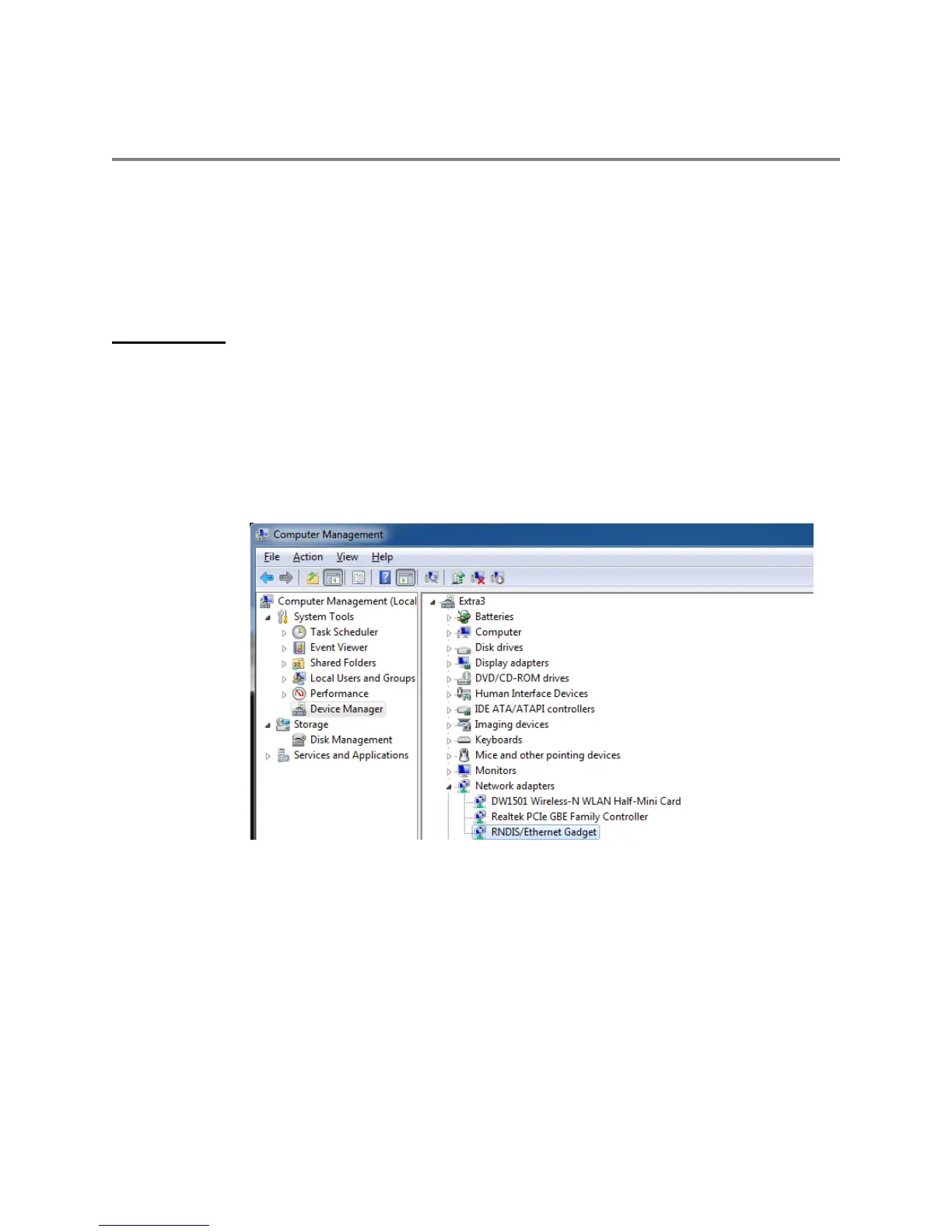
After connecting the 871 system to the PC via USB interface and powering up the 871
system, a successful connection will show up in the Device Manager (Control
Panel>Device Manager) under Network Adapters as “RNDIS/Ethernet Gadget.”



 To Next Page