Model 871A User’s Manual USING THE LASER WAVELENGTH METER
Bristol Instruments, Inc. 15
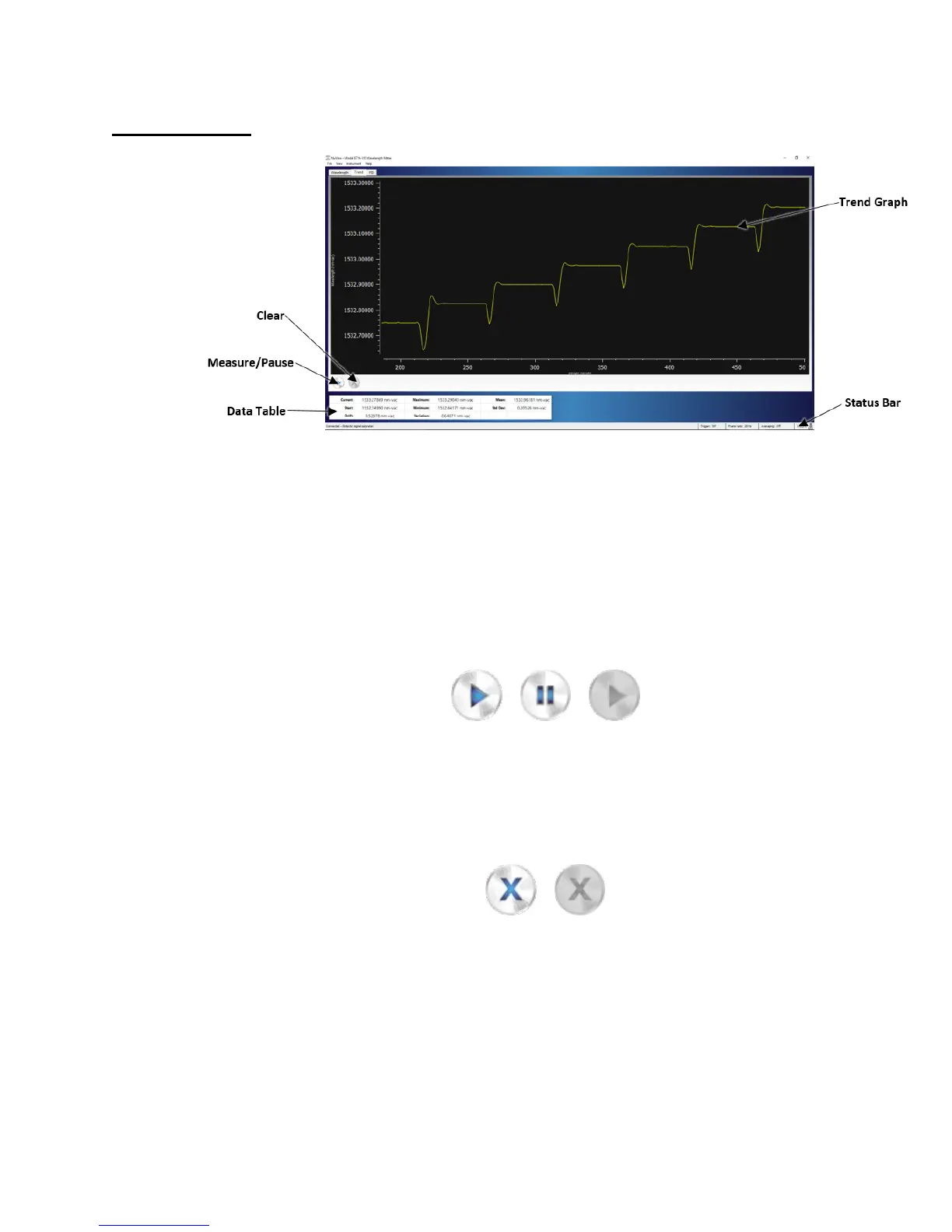
Trend Screen
Figure 4.4: Trend Screen
Measure/Pause
Selecting the Measure button (left) initiates data collection. After the Measure
button is selected, it changes its appearance to the Pause button (middle). The
Trend Graph and Data Table are updated continuously until the Pause button is
selected. Selecting the Pause button stops data collection, and the Trend Graph
and Data Table display the last measured data. When the instrument is not
connected, the Measure button changes its appearance to its greyed-out inactive
state (right).
Clear
Selecting the Clear button (left) restarts the Trend Graph and resets the values in
the Data Table. When the instrument is not connected, before any trending data
is collected, or after the trending data has been cleared, the Clear button
changes its appearance to its greyed-out inactive state (right).



 To Next Page