Model 871A User’s Manual REMOTE COMMUNICATIONS
Bristol Instruments, Inc. 38
6 REMOTE COMMUNICATIONS
Web-based Display Application
The web-based display application allows remote connection to the 871 Laser
Wavelength Meter to easily provide a portable wavelength display. An 871 system with a
wired connection to a network can be accessed by any computer, tablet, or smart phone
connected to the same network.
1 Power on the 871 system and connect the NuView software to the instrument via
USB. These steps are described in steps 1-6 of the Operation Instructions
section.
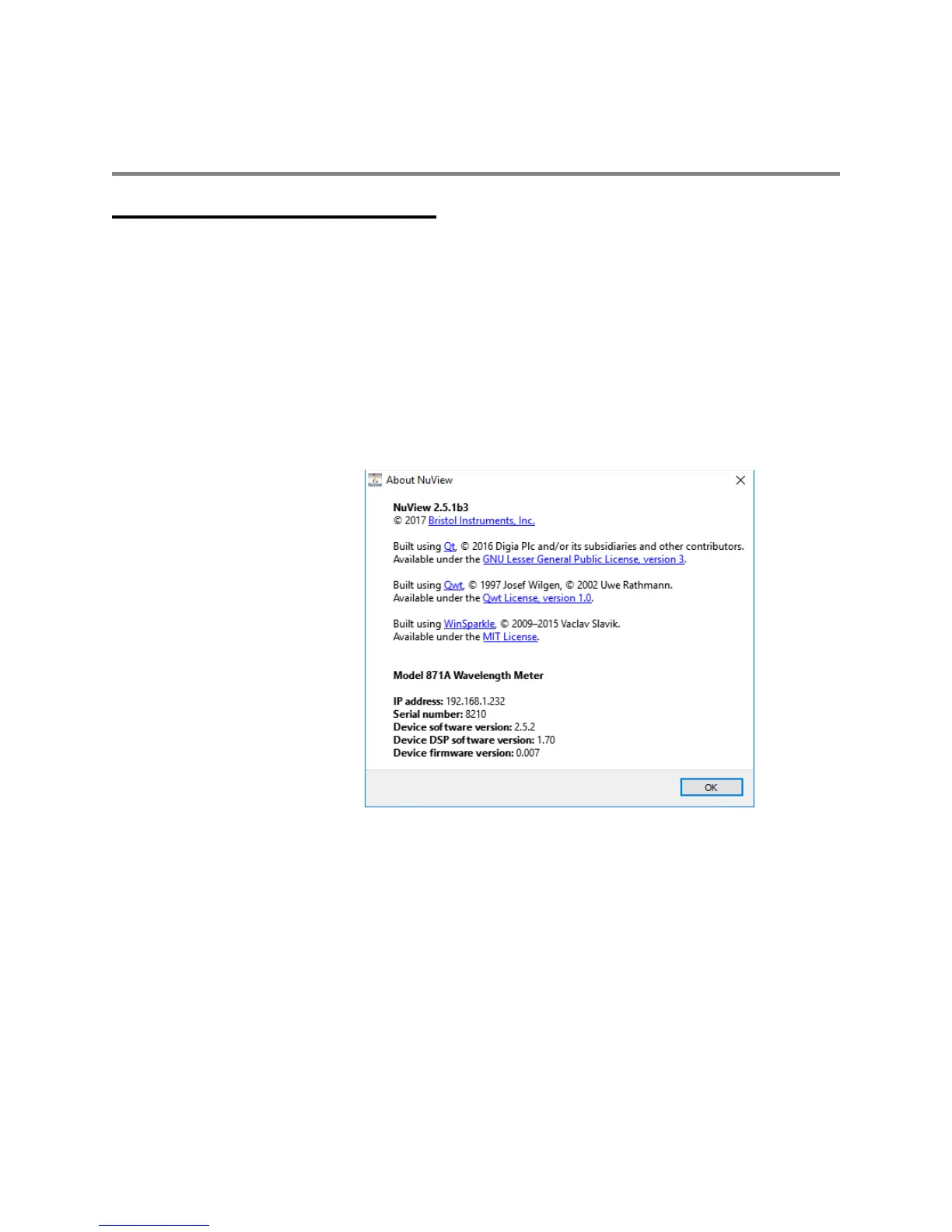
2 Identify the IP address assigned to the instrument by first selecting the Help
menu, then selecting About. Note the IP address, then close the NuView
software.
3 Plug one end of an Ethernet cable into the Ethernet port on the back panel of the
871 system, and the other end into the wireless router.
4 Connect the wireless device to the wireless network shared by the 871 system.
5 Open the wireless device’s web browser and enter the 871 system’s IP address.
The format for the IP address shown is http://192.168.1.232.
6 Once connection is initiated, the web-based display application will immediately
begin reporting wavelength and power measurements (if applicable).



 To Next Page