18
© 2020 Brivo Systems LLC. All rights reserved. P-MAN-PUB-Panel Networking Guide
Panel Networking Guide
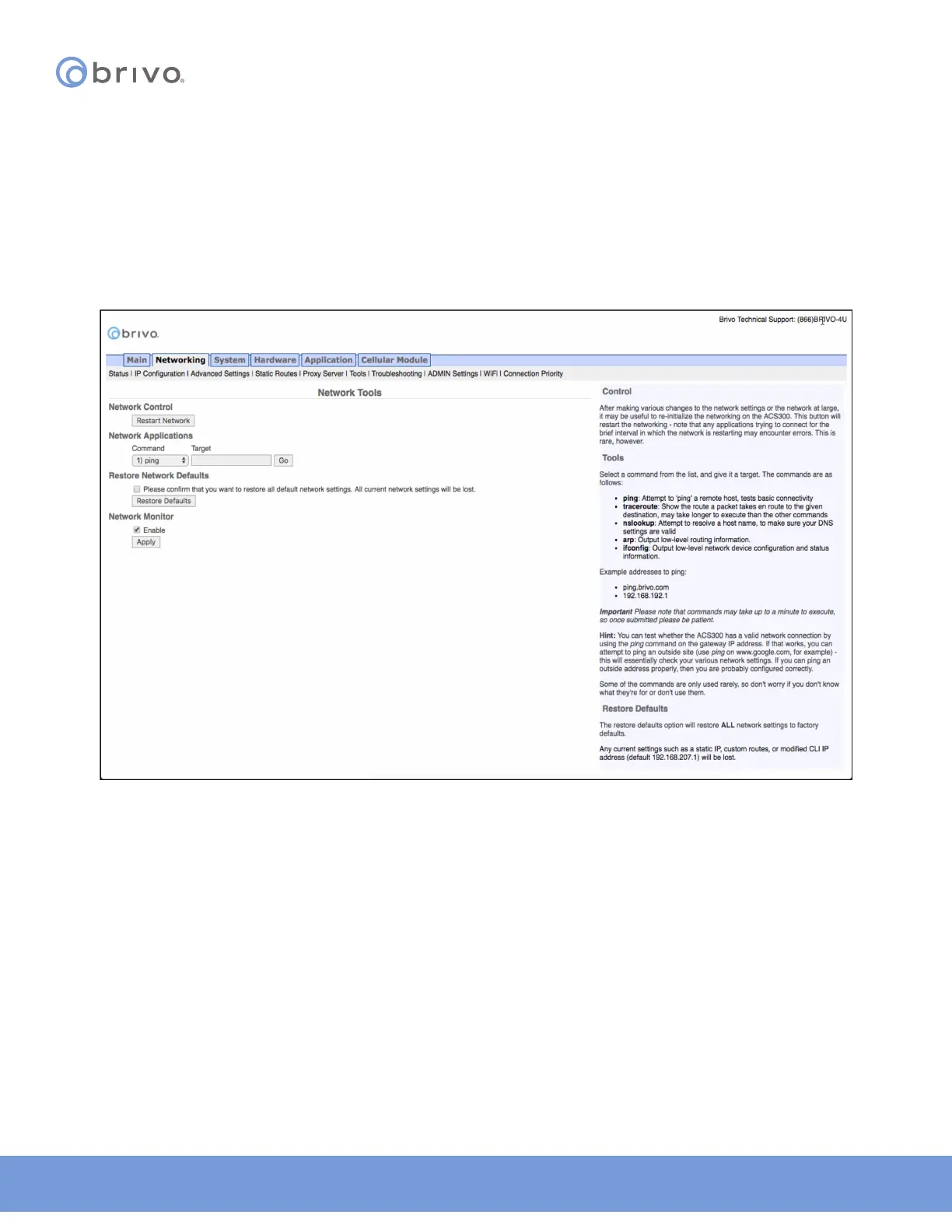
Tools (Networking)
Diagnosing connectivity problems through use of the Network Tools page allows you to reinitialize the Brivo control
panel networking setup or enter commands for diagnosing network connectivity problems. To access this page:
1. Click Networking to access the Networking menu bar.
2. Click Tools to access the Network Tools page.
3. If you want to reinitialize the Brivo control panel networking, click Restart Network.
4. To diagnose network connectivity problems, enter a valid Command and Target, then click Go. The system
performs the specied command and displays the output. Descriptions of the valid commands are provided
in the text on the right side of the page.
Figure 16: Network Tools



 To Next Page