35
© 2020 Brivo Systems LLC. All rights reserved. P-MAN-PUB-Panel Networking Guide
Panel Networking Guide
Cellular Module Tab (ACS6000 or ACS300 only)
The Cellular Module tab of the Administrative Interface provides instructions for using a cellular network module for
internet connectivity and to verify that the cellular network module is operating properly.
NOTE: Firmware Requirement
In order to use a cellular network module, a minimum rmware version of 6.0.0 for Brivo Onair and 3.4.6 for Brivo
Onsite Server is required.
Hardware
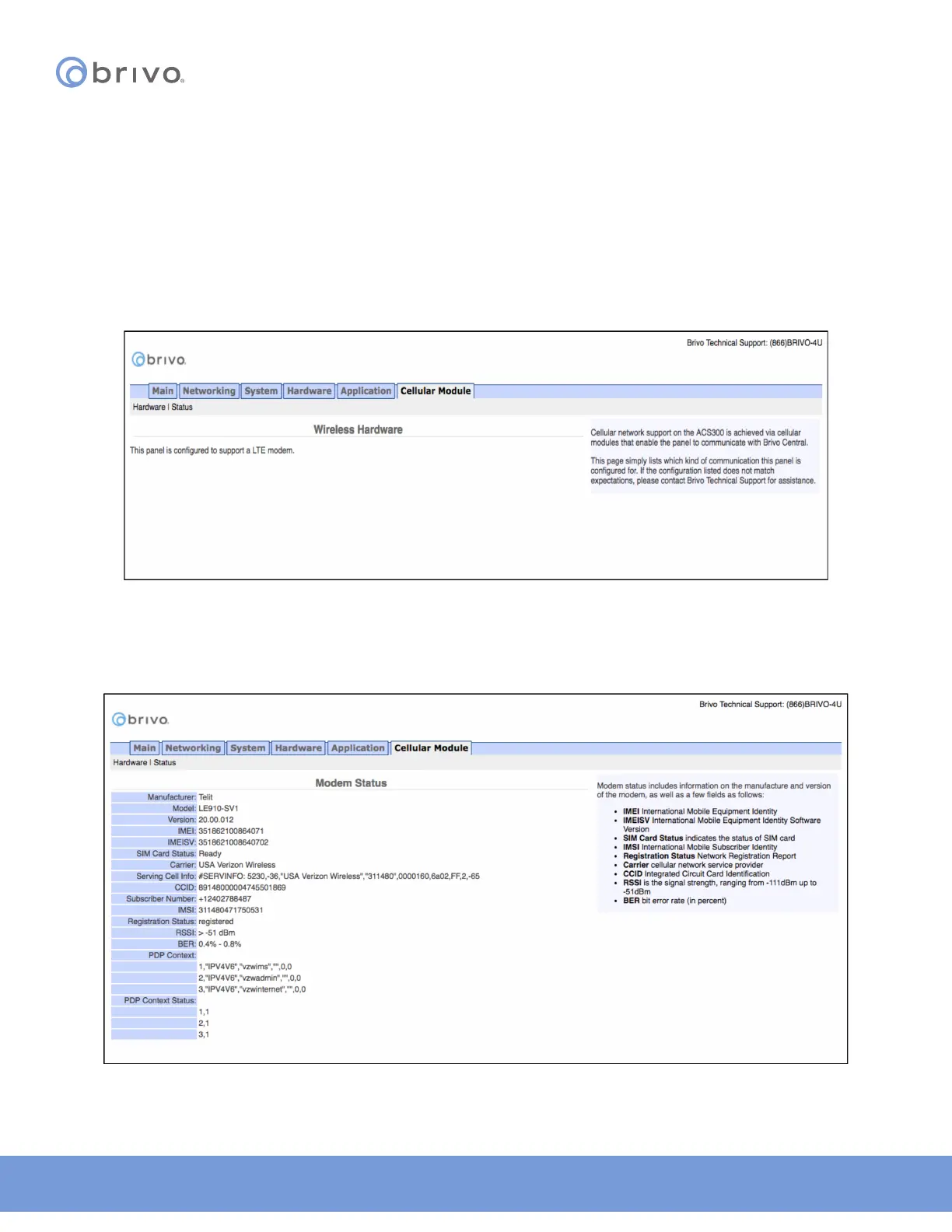
The Administrative Interface provides a simple list for which kind of communication this panel is congured. If the
conguration listed does not match expectations, contact Brivo Technical Support for assistance.
Figure 36: Wireless Hardware
Status
The Administrative Interface provides modem status information on the manufacturer and version of the modem.
Additional modem status information is dened in the text on the right side of the page.
Figure 37: Modem Status



 To Next Page