23
© 2020 Brivo Systems LLC. All rights reserved. P-MAN-PUB-Panel Networking Guide
Panel Networking Guide
Time/Date
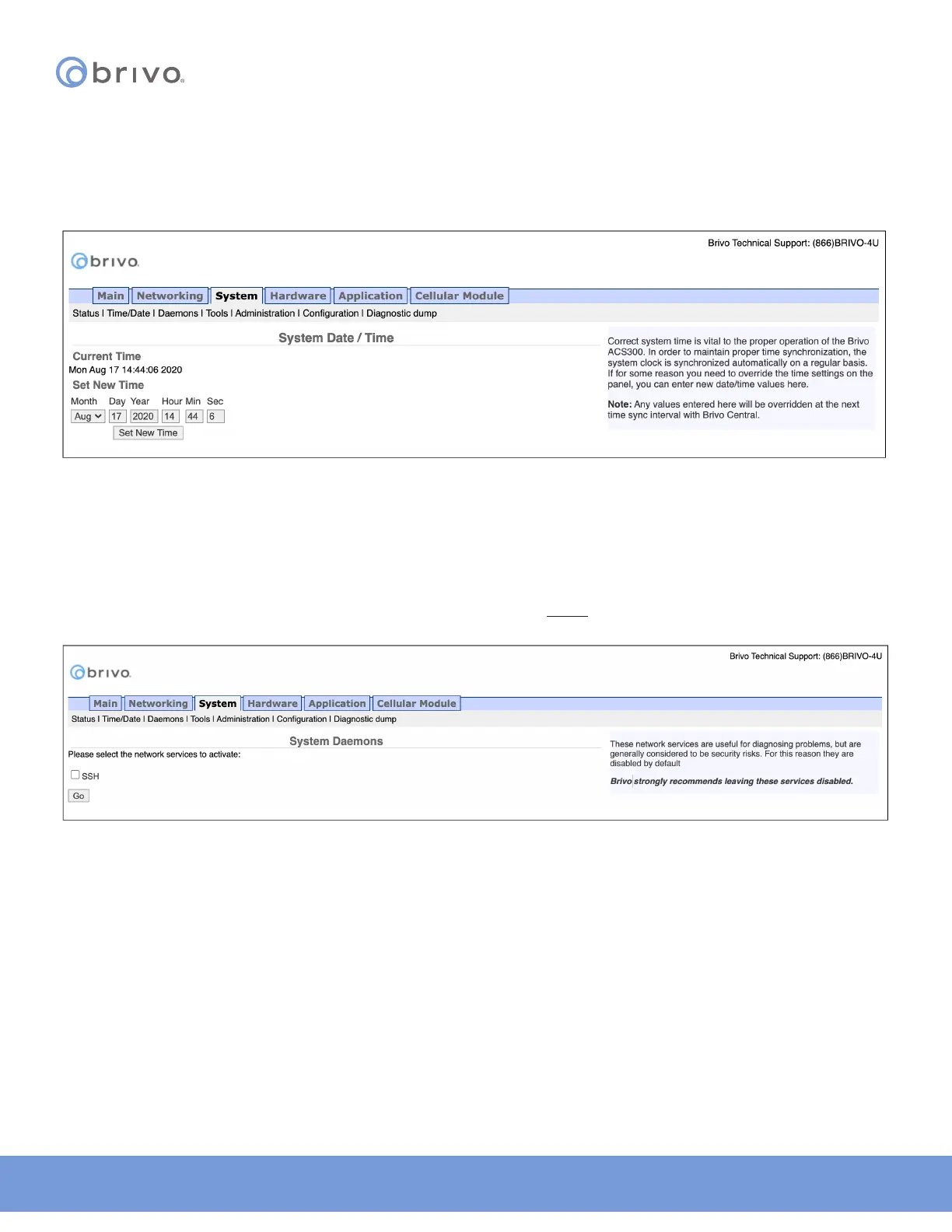
To view or change the date and time settings in the control panel:
1. Click System to access the System menu bar.
2. Click Time/Date to access the System Date/Time page.
Figure 22: System Date/Time
NOTE: A properly functioning control panel obtains its date and time information from the Brivo Onair Cloud Server
or Brivo Onsite Server. Setting the date and time manually should seldom be required, if ever.
Daemons
The Administrative Interface provides tools for enabling telnet access through the local interface only but is never
used except for debugging purposes. This page should be accessed ONLY if requested by Brivo Technical Support.
Figure 23: System Daemons



 To Next Page