51
© 2020 Brivo Systems LLC. All rights reserved. P-MAN-PUB-Panel Networking Guide
Panel Networking Guide
Administration
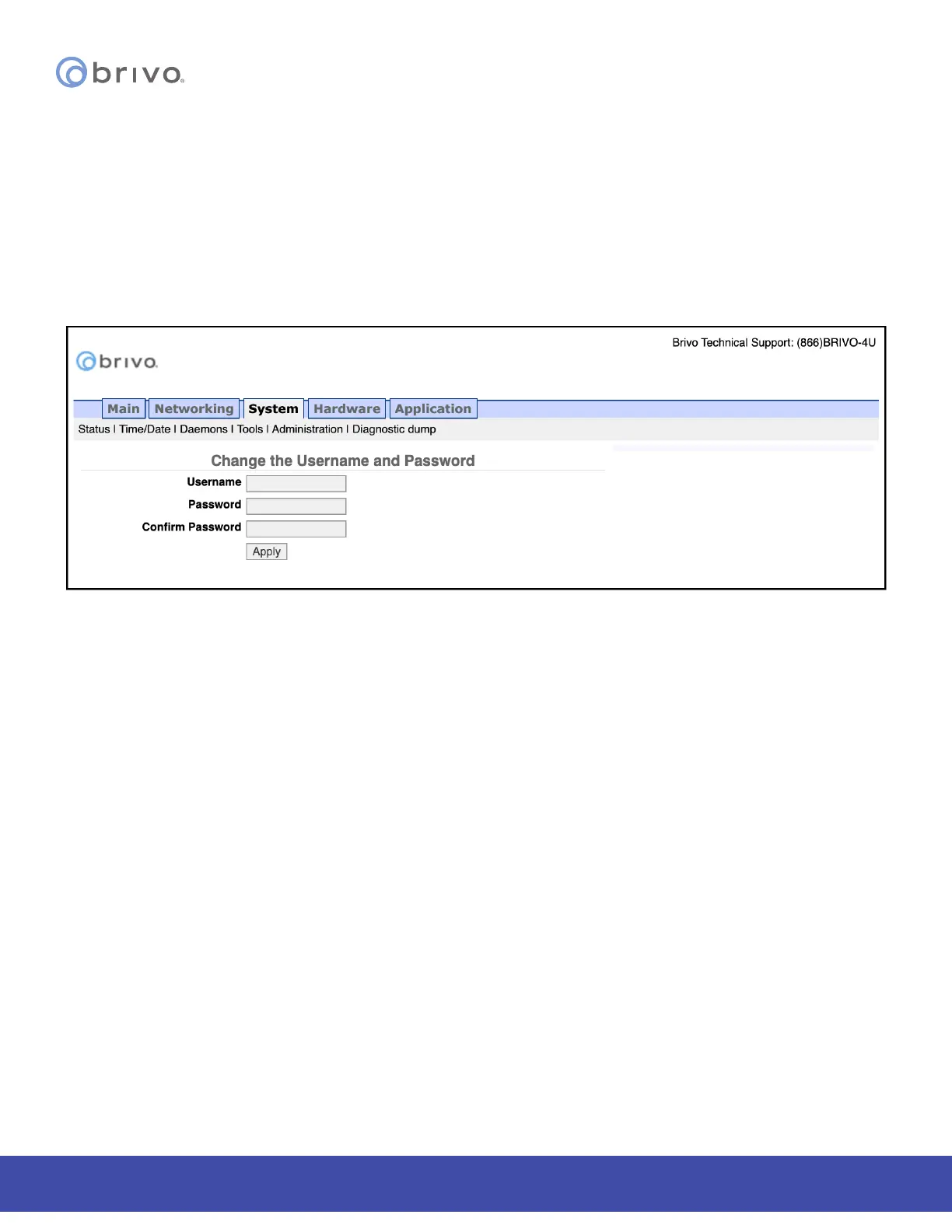
The Administrative Interface provides the administrator with the option to change the default Username and
Password to the Administrative Interface. The default Username is cli and the default Password is new5cli.
1. Click System to access the System menu bar.
2. Click Administration to access the Change the Login Password page.
3. If desired, enter the new Username.
4. If desired, enter the new Password.
5. Enter the same Password in the Conrm Password eld.
6. Click Apply.
Figure 53: Change the Username and Password
NOTE: New usernames and passwords must comply with the following rules:
• The minimum character length is six characters and the maximum character length is 1024
characters.
• All CAPS and the following non-alphanumeric characters are permitted:
• ~`!@$%^&*()_+{}[]|\:;”’<,>.?/ (except # and space)
Diagnostic Dump
The Diagnostic Dump functionality has no particular screen, but simply downloads a log le to the local storage
device.
NOTE: It is generally recommended that the Diagnostic Dump functionality be used only at the request of Brivo
Technical Support.
1. Click System to access the System menu bar.
2. Click Diagnostic Dump to begin the download.
3. Once the le is downloaded, the process is complete.



 To Next Page