9
© 2020 Brivo Systems LLC. All rights reserved. P-MAN-PUB-Panel Networking Guide
Panel Networking Guide
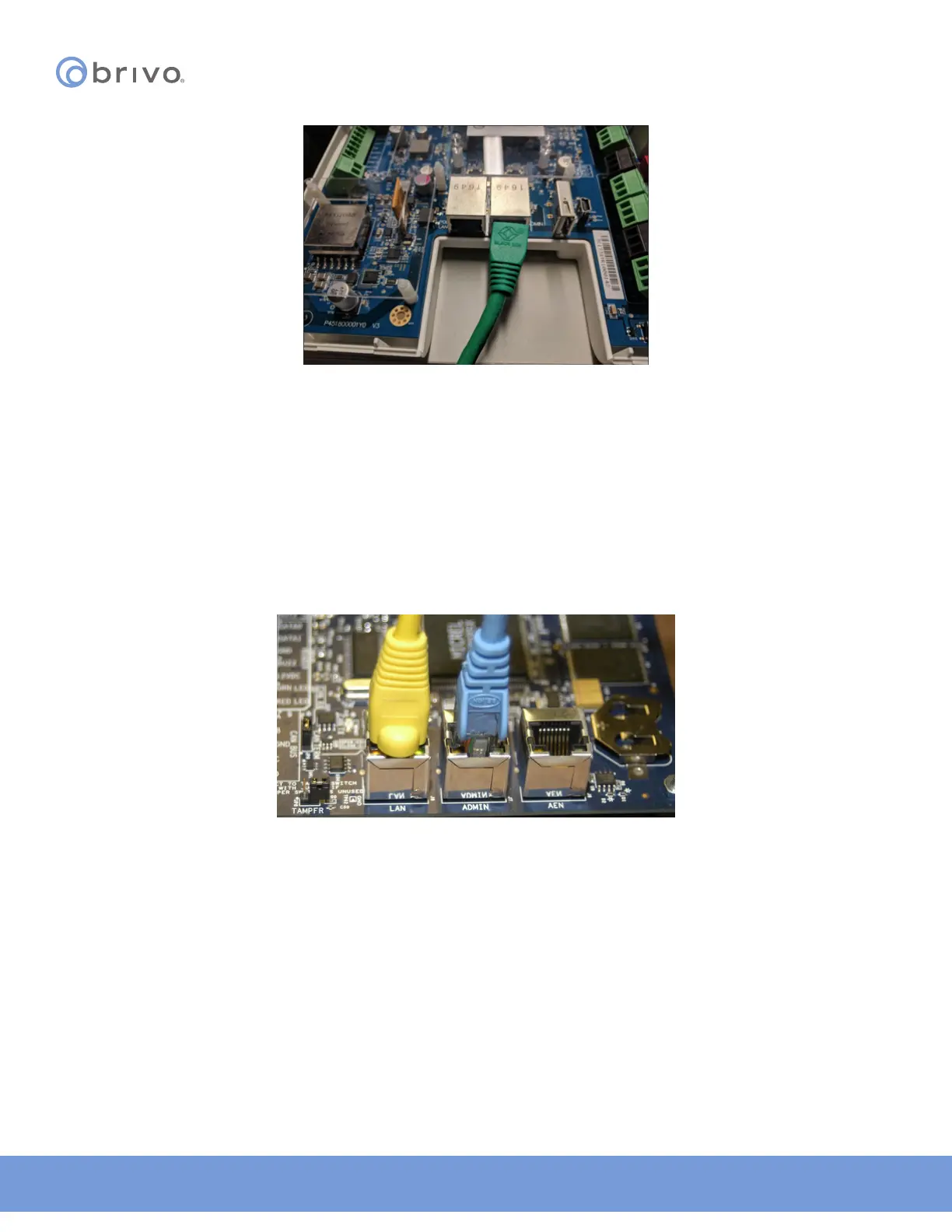
Figure 3: ACS300 - Connect laptop to the Admin port
When the Ethernet connection is working properly, you will see a green LED illuminated on the right side of the
socket. If the green light is not illuminated, check both the connection on the control panel and on the Ethernet hub
to which the panel is wired.
Connect the Main Board to a LAN (both -E or- A)
Connect an Ethernet cable from a 10/100 Base T hub to the RJ45 LAN port located on the Main Board, as shown in
the gures, below.
NOTE: Only the Main Board requires an Ethernet connection; any other boards that are slaved o the Main Board
communicate via the CAN bus.
Figure 4: ACS5000 - Connect Main Board to LAN



 To Next Page