6 - SMART TOUCH CONTROL PANEL
6-1
SMART TOUCH FAMILIARIZATION
and press the enter key. Repeat this action
for the Day, Year, Hours, Minutes, Seconds,
AM and PM boxes. When finished press the
green OK button in the bottom right corner
of the screen. The next display will ask you
if this date should be used to establish the
warranty start date. Press the green OK
button.
You will then see a display asking you to
verify the serial number of your fryer. Enter
the serial number using the keyboard and
press enter.
The date/time display and
the serial number display
will not appear again when the power
switch is turned off and back on.
A CAUTION screen will appear to remind
you to check the oil level before the heating
elements or burner are activated. If the oil is
at the proper level, press the green OK but-
ton in the bottom right corner of the screen.
Along the top of the screen are four tabs
(Cook, Filter, Setup and Help) to help you
setup and use your fryer.
ON
OFF
HIGH
LIMIT
RESET
iyvhz{ly
jvtwhu
zthy{{v|jo
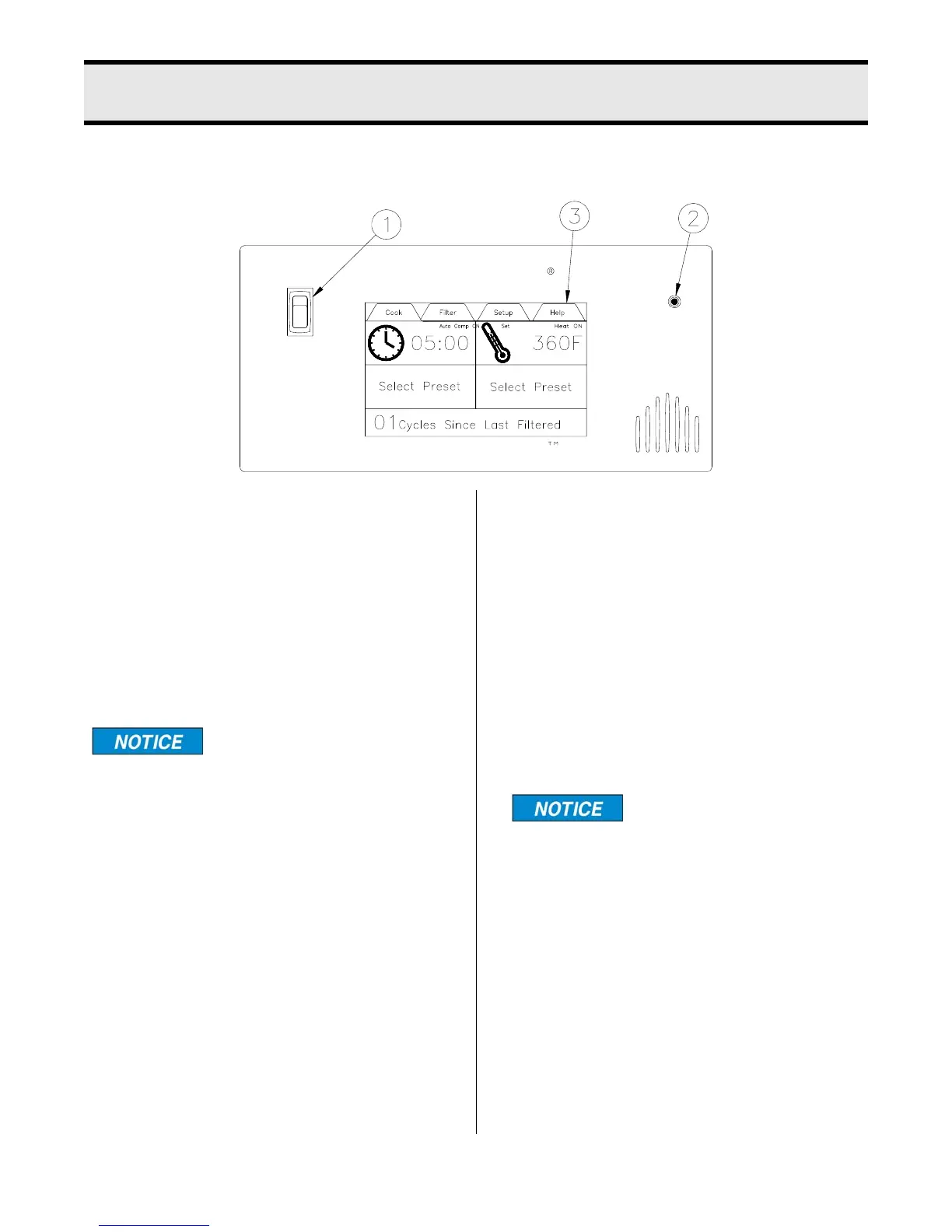
1. Power Switch: This switch has two
positions: ON or OFF.
2. Hi-Limit Control: Prevents oil tempera-
ture from exceeding 475°F. When this con-
trol trips, the power to the unit will be shut
down. Turn unit OFF and DO NOT attempt
to operate until it has been serviced by an
authorized Broaster Company representa-
tive.
It is possible for this con-
trol to trip during ship-
ment. If it does, fully depress red reset
button. If control “clicks” it was tripped.
If not, it is correctly reset.
3.Touch Control Screen: Touching this
screen controls the many options of the
fryer.
On initial power up you may be asked to
enter the current date and time, and verify
the Serial Number. Or the screen will have
the word CAUTION flashing on the screen.
If the date and time entry screen appears
press the box after “Month” and a keypad
will appear. Enter the number of the month
broaster.com Manual #17269 8/13 Rev 5/14



 To Next Page