5 - PRE-COOKING PREPARATION
5-1
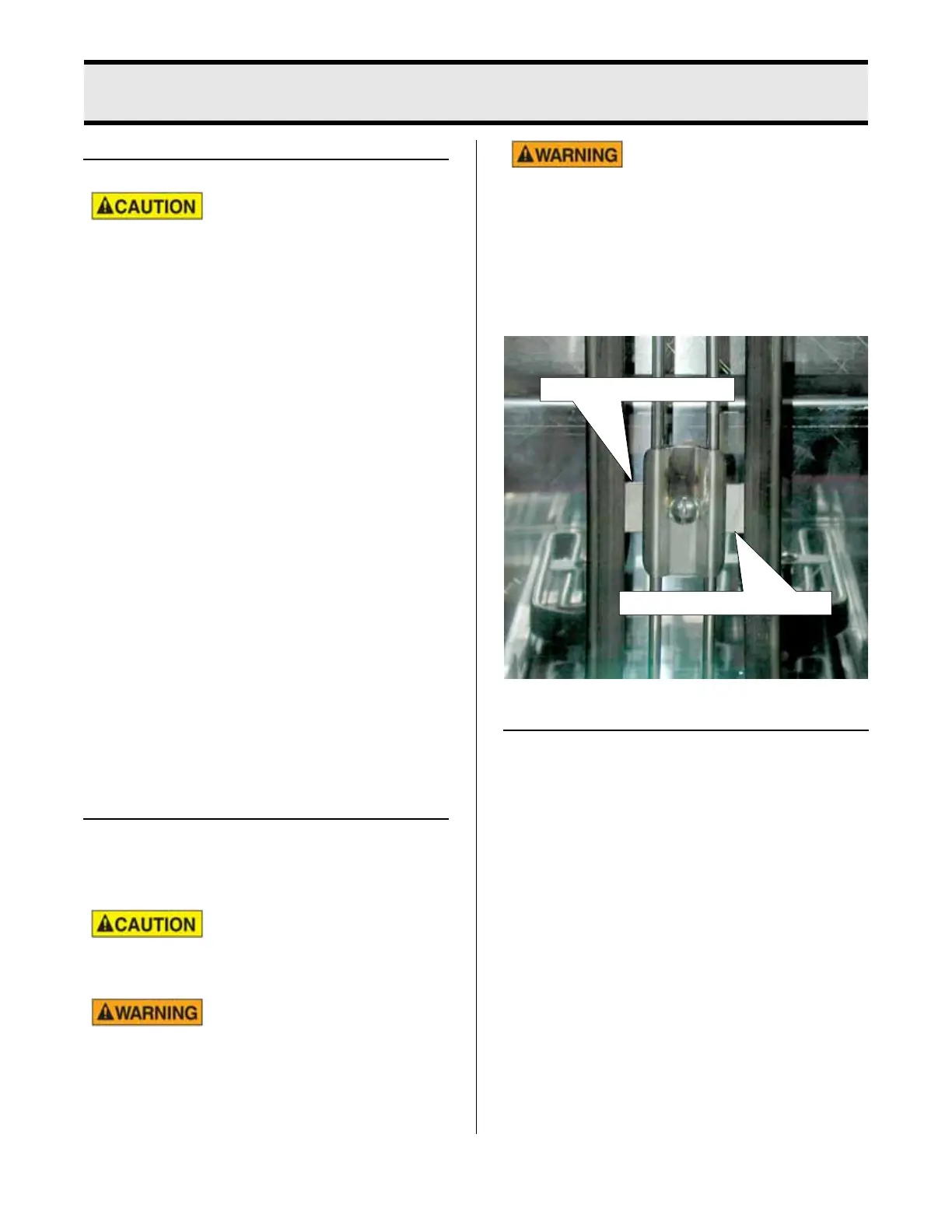
Top of bar is HOT OIL LEVEL
Bottom of bar is COLD OIL LEVEL
START-UP
Check oil level before
pressing the ON button.
Exceeding the proper oil level may result in
excessive oil splatter, product floating out of
the basket, and increased grease laden
vapors through the air filter system.
An inadequate amount of oil will result in
exposed, uncooked product and possibly
expose the heating element causing exces-
sive smoke.
1. Push the ON button, the word POWER
should turn green. The HEAT ON light
will illuminate indicating the cooking oil
is being heated.
2. When the HEAT ON light goes off, the
oil has reached the set temperature.
3. Push the START button. This will per-
form a cook cycle to preheat the basket
to operating temperature.
4. When an audible alert sounds, push
the stop button.
COOKING OIL
The words “oil” and “shortening” are used to
describe a high quality liquid cooking
medium manufactured for deep frying.
Danger of fire exists if the
oil level is below the mini-
mum level.
Using old oil will reduce
flash-point and be more
prone to surge boiling.
Use care when handling
hot oil. Oil could splash
causing serious burns.
Fill cooking well with Broaster
®
Bro-Oil
®
liq-
uid oils or a high quality liquid oil manufac-
tured for deep frying. Fill cooking well to
COLD OIL LEVEL as shown below.
FOOD AND CONDIMENTS
Make sure the food you purchase is high
quality. For best results, product should be
uniform in size.
broaster.com Manual #16421 5/06 Rev 4/14



 To Next Page