2-12
CONTROL VALVE FUNCTIONS
The control valves for the IC-600 utilize an electronic/ hydraulic system, whereas the valves
are not mounted in the cab.
Boom Function:
Controls for operating boom rotation, boom elevation, boom extension and hoist are actuated
by two, single-axis joysticks with one mounted to each arm rest of the operator compartment.
The joystick handles are electronically connected to the remote-mounted hydraulic control
valves. An arming button (ARM) is located in the RH joystick, or electronically in the 15-
button panel below the main display to serve as the handle interlock for the control system.
The seat switch and the arming button must be active to enable functionality of the pilot
control joysticks. Boom functions will not operate unless the arm button is engaged before
moving the joysticks out of center. Disengaging the ARM button or releasing the seat switch
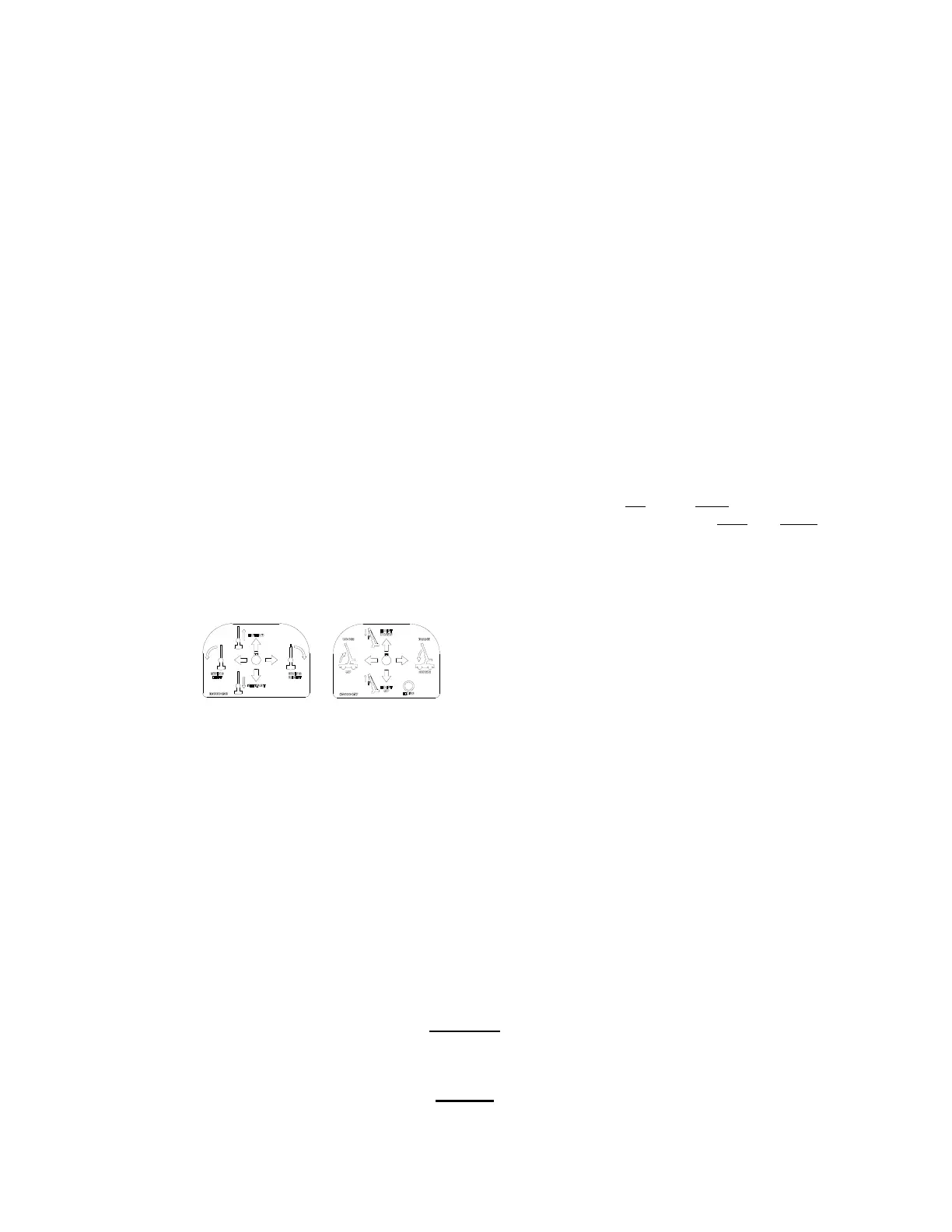
while the handle is not centered, will result in an abrupt stop. The placards located at the
base of the joystick handles identify the function and direction resulting from each handle
movement.
BOOM ENABLE CONTROLS
1. Swing or Slewing: Moving right on the LH
joystick lever will rotate the boom to the
operator's right; moving left will rotate it to the
operator's left.
2. Telescope: Pushing forward on the LH
joystick located at the operator’s left, will
extend the boom; pulling back will retract the
boom.
3. Boom Lift or Topping: Moving the RH
joystick to the left
, will raise the boom;
moving the RH joystick to the right
will lower
the boom.
4. Hoist: Pushing the RH joystick forward will
lower the load line; pulling back will raise the
load line. Included in this joystick is a drum
rotation indicator that will vibrate as the Hoist
Drum rotates. Holding a finger over the top
of the lever will give the operator the
strongest feel for the vibration.
NOTE: Joysticks may be used together for simultaneous operation, to achieve combinations of
movements. Some controls must be used together. For instance, the boom telescope and the hoist
controls must be used together to maintain clearance between boom and load line hook. Full speed
operation of all boom functions is allowed when the crane is set up on outriggers, leveled to +/-3°, and
the RCL is running in the normal mode.
Outriggers:
A 12-button pad is mounted to the left-hand dash panel for controlling the direction of
outriggers on each corner of the machine. There are two function buttons on top (F1 & F2)
to select an operation, based off the task at hand. The two modes of selection include IN &
OUT, or IN & DOWN. Eight buttons are paired together giving two directions for each
outrigger. Engaging the lower side of the button will deploy the associated outrigger while
engaging the upper side of the button will stow the associated outrigger. All four outrigger
button pairs may be operated simultaneously or individually. Outrigger alarms will sound
when deploying any of the outriggers.
CAUTION
Special attention must be given to avoid hitting personnel or obstacles. Also, in either mode of operation,
make sure to deploy the beams first, then the jacks. On stow operation, make sure Jacks is selected first.
NOTICE
Avoid holding a joystick lever or outrigger button in the activated position after the function has reached
the end of its travel. This will impose unnecessary stresses on the hydraulic components and heat the
hydraulic system.



 To Next Page