21
1
Setting Up Manually
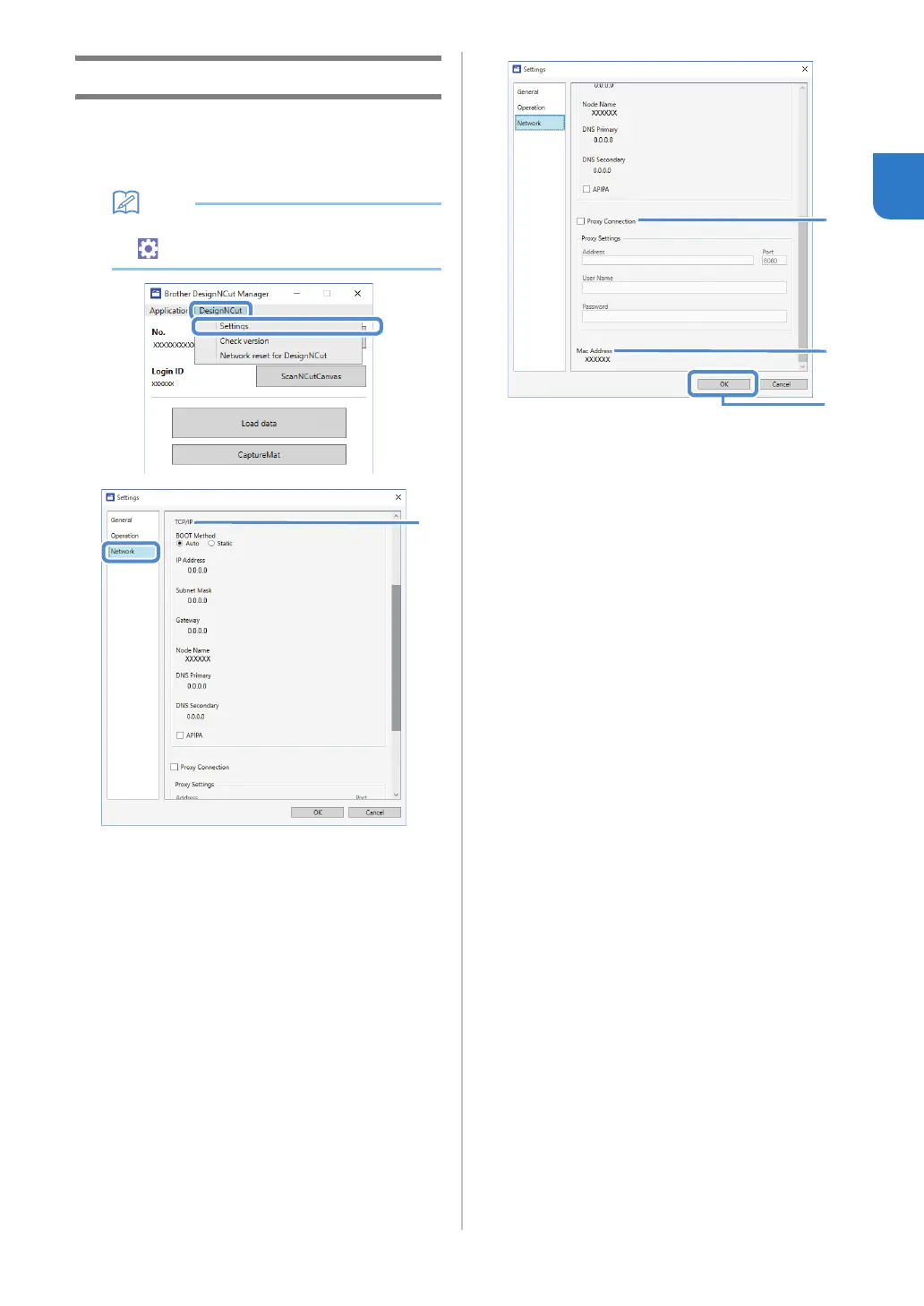
a Click [DesignNCut] in the main window of
DesignNCut Manager, click [Settings], and then
select [Network].
• With the mobile device version:
→[Settings]→[Network]
a If [Static] is selected, TCP/IP settings can be
manually entered.
b Use when proxy settings are required.
c Displays the MAC address.
b After specifying the settings, click [OK].


 To Next Page