23
1
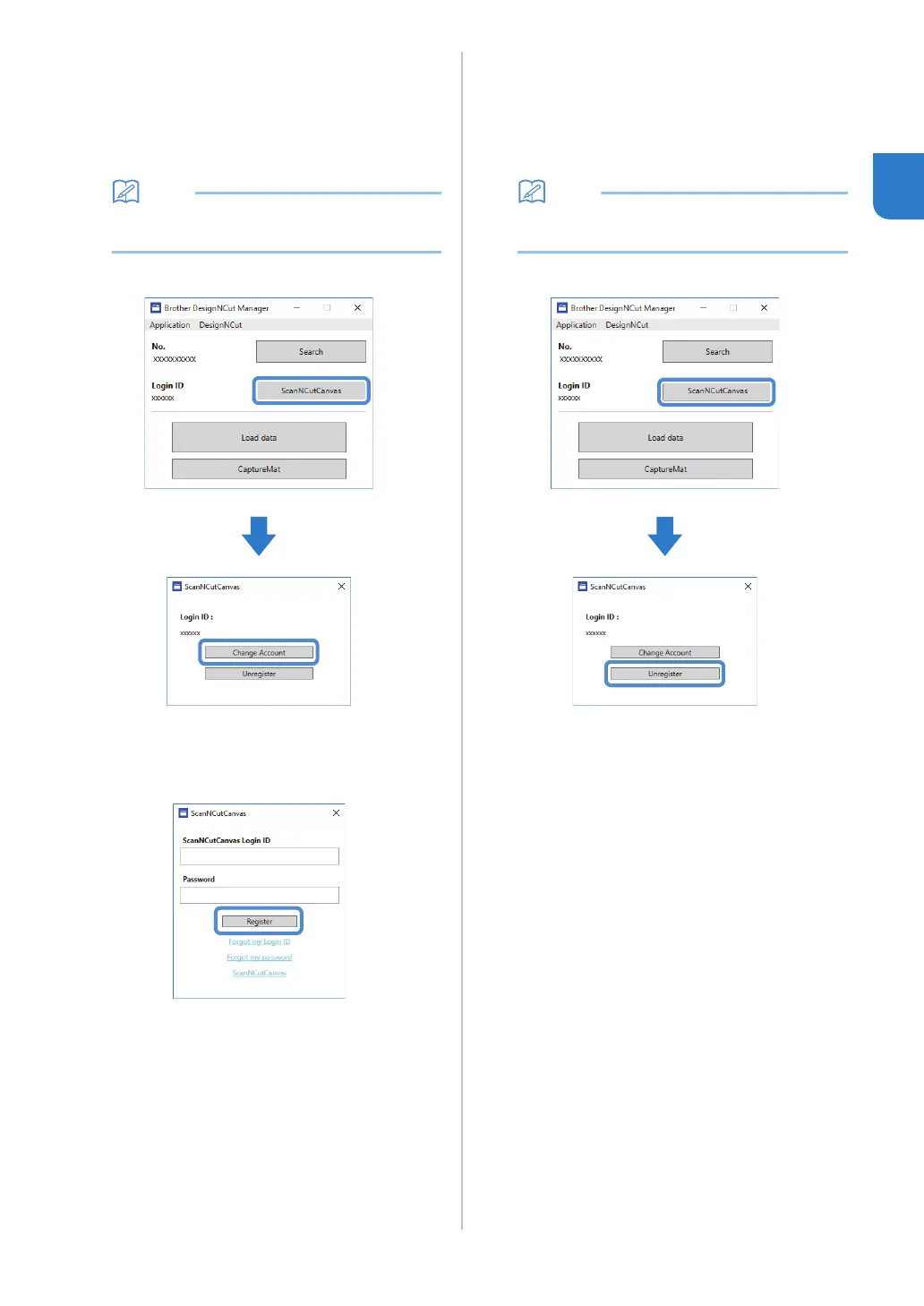
■ Changing to a Different
ScanNCutCanvas Login ID
a Click [ScanNCutCanvas] in the main window of
DesignNCut Manager, and then click [Change
Account].
• With the mobile device version:
Main Window→[Login ID]→[Change Account]
b Type in the login ID and password registered
with ScanNCutCanvas, and then click
[Register].
■ Deleting a Registered
ScanNCutCanvas Login ID
a Click [ScanNCutCanvas] in the main window of
DesignNCut Manager, and then click
[Unregister].
• With the mobile device version:
Main Window→[Login ID]→[Unregister]


 To Next Page