Chapter 1
6
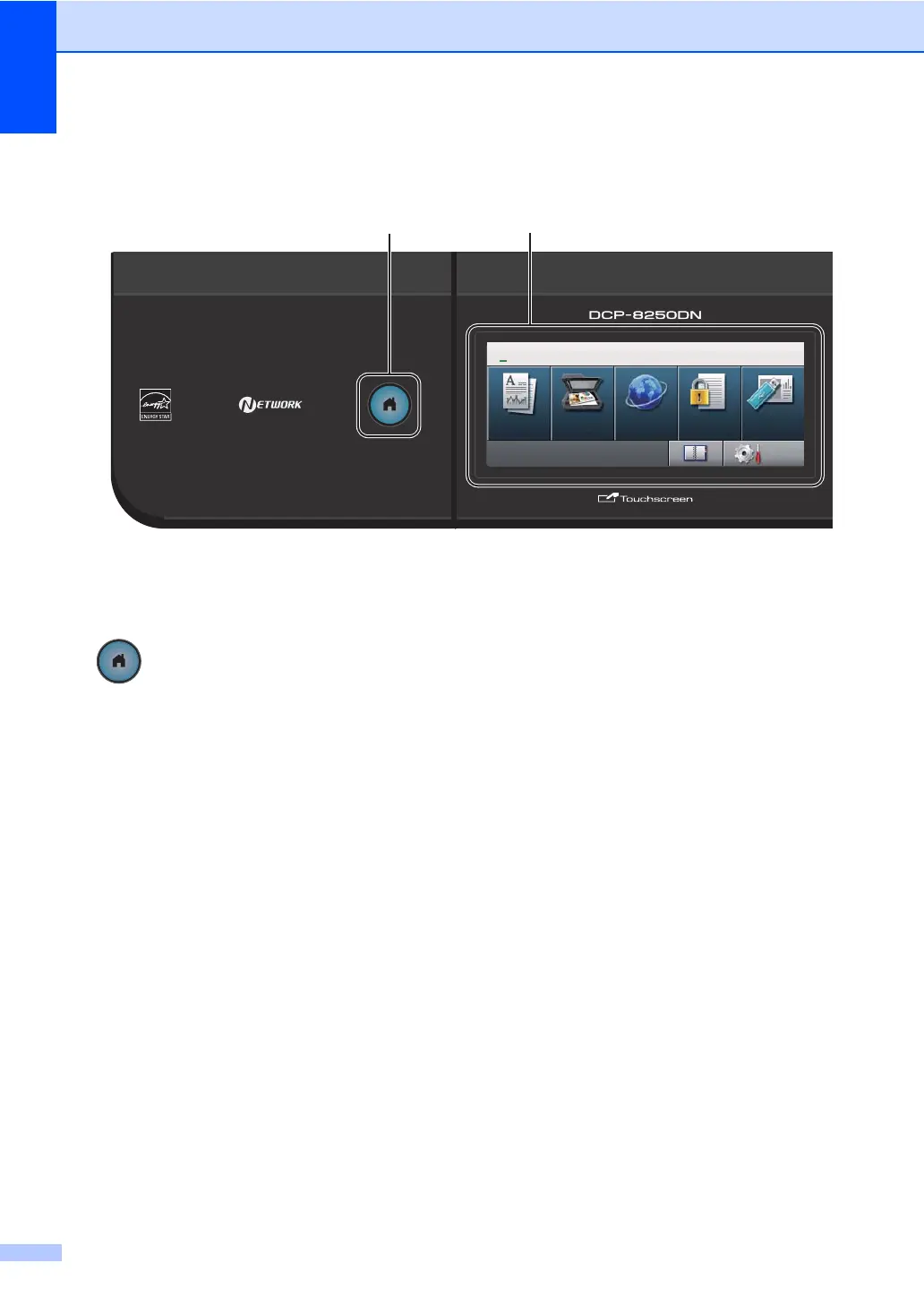
Control panel overview 1
1Home Key
Press the illuminated blue Home key to return
to the Ready mode.
2LCD
This is a Touchscreen LCD. You can access
the menus and options by pressing buttons
displayed on the screen.
3Dialpad
Use these keys as a keyboard for entering
information into the machine.
4Stop/Exit
Stops an operation or exits from a menu.
5Start
Lets you start making copies.
1
2
01.01.2012 11:00
Copy Scan Web
Print
Direct
Print
Menu
Menu
Secure
01 COPY


 To Next Page
 Loading...