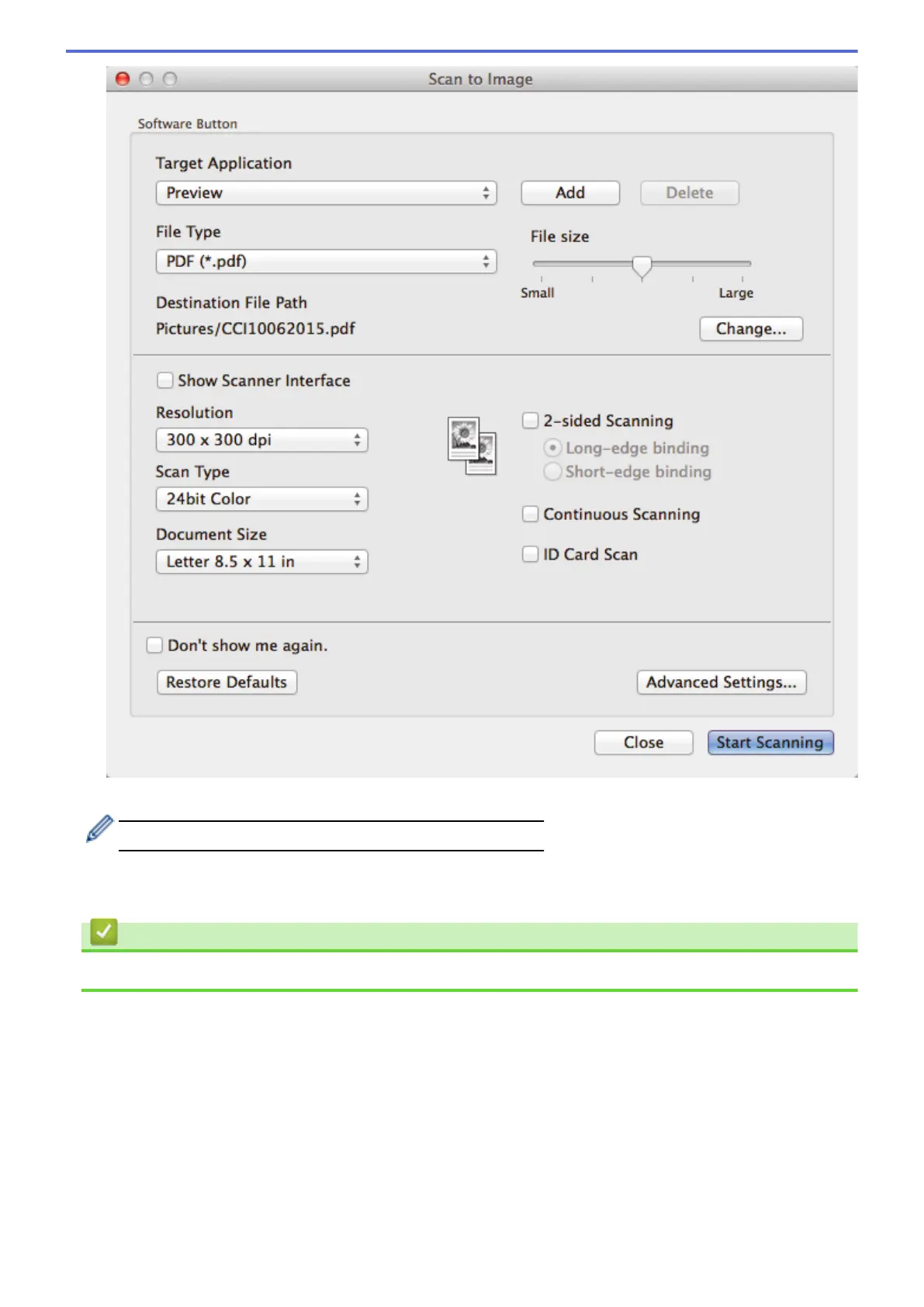
5. Change the scan settings, such as file format, file name, destination file path, resolution and color, if needed.
To change the file name or destination file path, click Change.
6. Click the Start Scanning button.
The machine starts scanning. The scanned image opens in the application you have selected.
Related Information
• Scan Using ControlCenter2 (Mac)
190


 To Next Page
 Loading...