Home > Fax > Send a Fax > Send a Fax
Send a Fax
Related Models: MFC-L5700DW/MFC-L5705DW/MFC-L5800DW/MFC-L5850DW/MFC-L5900DW/
MFC-L6700DW/MFC-L6800DW
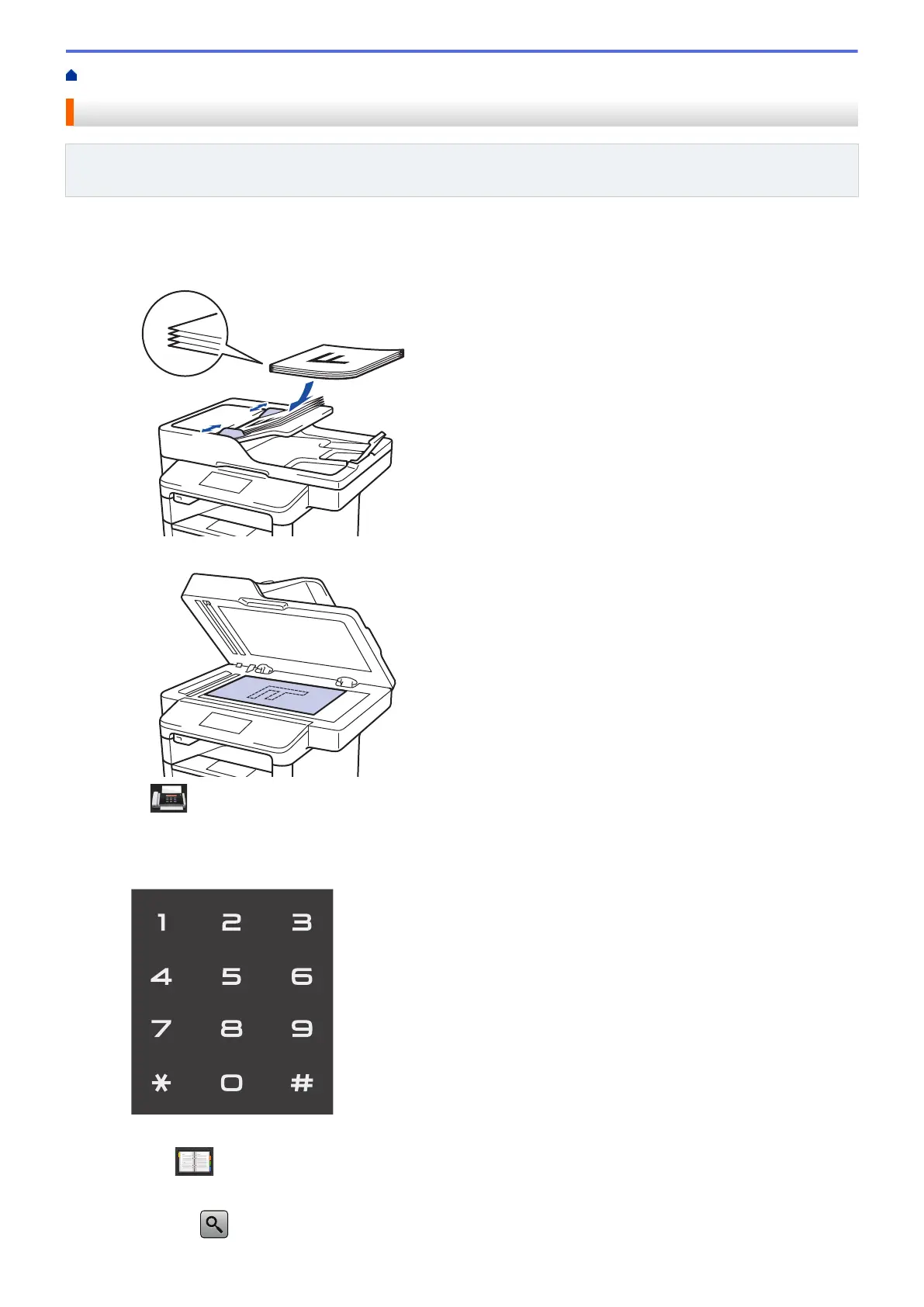
1. Do one of the following:
• Place the document face up in the ADF.
(If you are faxing multiple pages, we recommend using the ADF.)
• Place the document face down on the scanner glass.
2. Press [Fax].
3. Enter the fax number.
• Using the dial pad
Press the digits to enter the fax number.
• Using the Address Book
Press [Address Book], and then do one of the following:
- Swipe up or down or press a or b to display the number you want, and then press it.
- Press
[Search:], and then enter the name and press [OK]. Press the name you want to dial.
221


 To Next Page
 Loading...