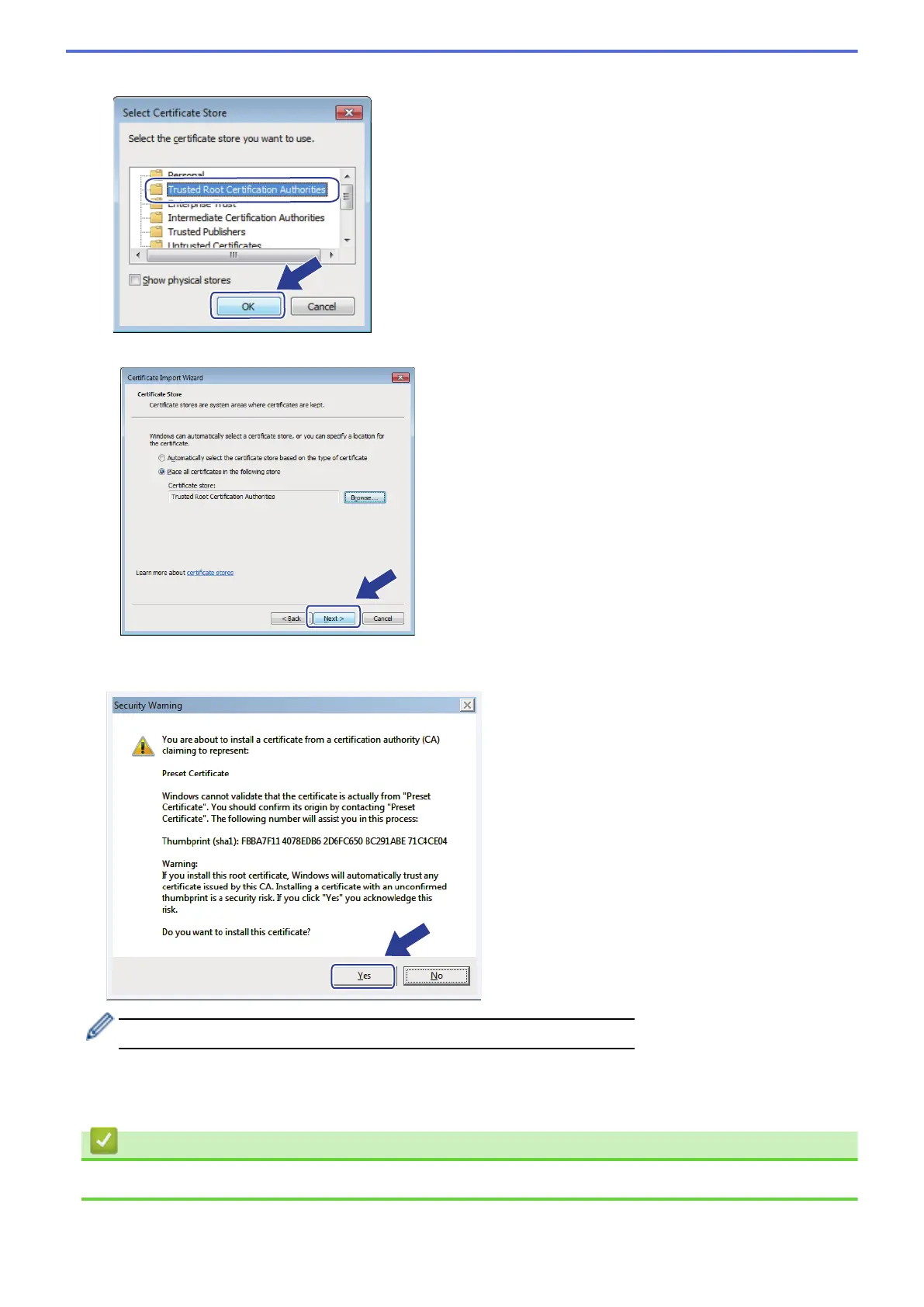
9. Select Trusted Root Certification Authorities, and then click OK.
10. Click Next.
11. Click Finish.
12. Click Yes, if the fingerprint (thumbprint) is correct.
The fingerprint (thumbprint) is printed on the Network Configuration Report.
13. Click OK.
The self-signed certificate is now installed on your computer, and SSL/TLS communication is available.
Related Information
• Create and Install a Self-signed Certificate
446


 To Next Page
 Loading...