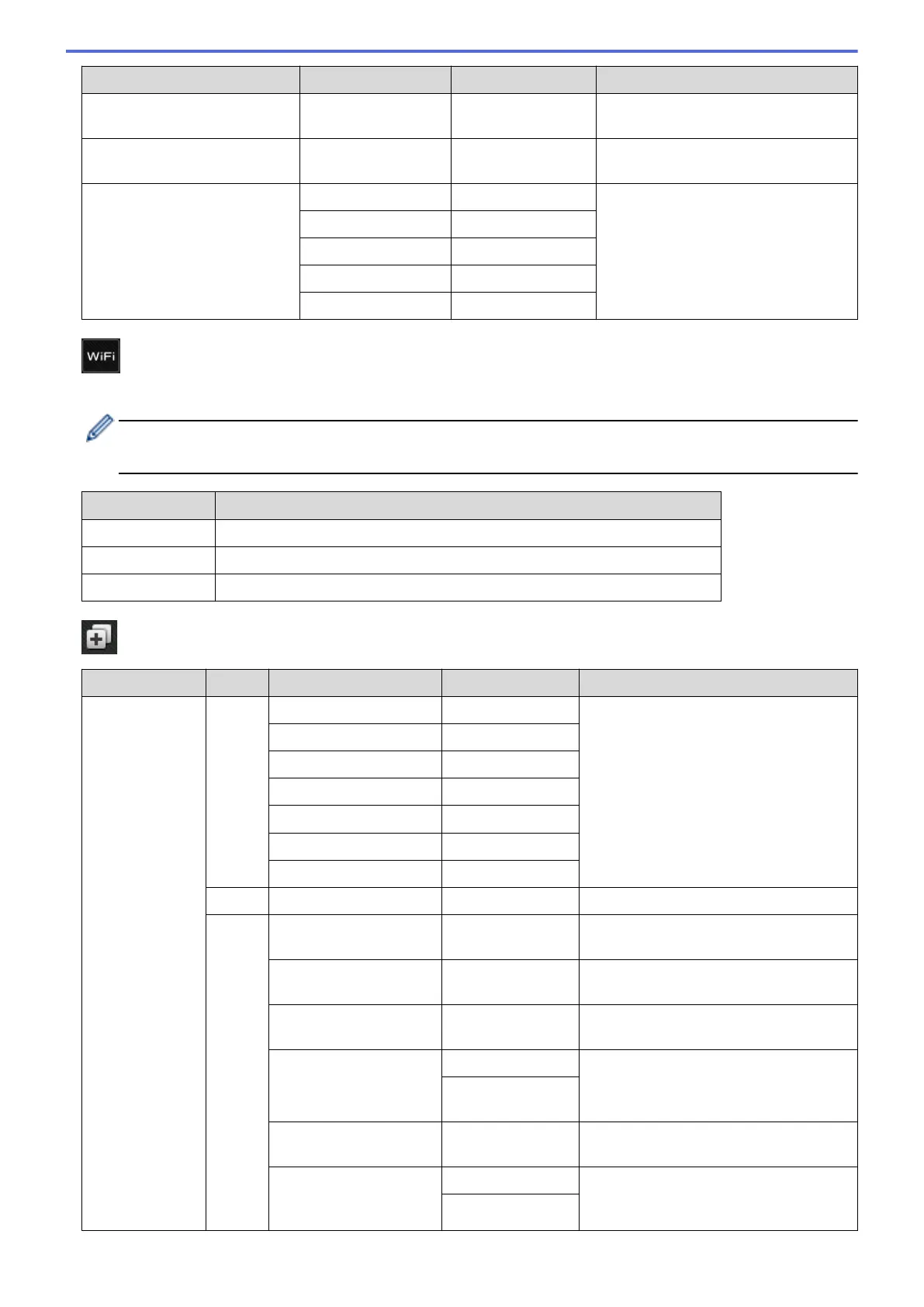
Level 1 Level 2 Level 3 Descriptions
to SharePoint
(Select Profile name)
Start
Send scanned data via a SharePoint
server.
to Web
- - Upload the scanned data to an
Internet service.
WS Scan
(Appears when you install a
Web Services Scanner, which
is displayed in your computer's
Network explorer.)
Scan Actions
- Scan data using the Web Service
protocol.
Scan
-
Scan for E-mail
-
Scan for Fax
-
Scan for Print
-
(Wi-Fi
®
Setup)
For wireless network models
After the Wi-Fi
®
is set up, you cannot change the settings from your Home screen. Change the settings for
Wi-Fi
®
in the Settings screen.
Level 1 Descriptions
Setup Wizard
Configure the wireless network settings using the setup wizard.
WLAN Assistant
Configure your wireless network settings using the Brother CD-ROM.
WPS
Configure your wireless network settings using the one-button push method.
[Shortcuts]
Level 1
Level 2 Level 3 Level 4 Descriptions
Add Shortcut Copy Receipt
- Select the settings you want.
Normal
-
2in1(ID)
-
2in1
-
2-sided(1⇒2)
-
2-sided(2⇒2)
-
Paper Save
-
Fax
- - Select the settings you want.
Scan to File
(Select PC) Scan a black and white or a color
document to your computer.
to OCR
(Select PC) Convert your scanned document to an
editable text file.
to Image
(Select PC) Scan a color picture into your graphics
application.
to USB Options
Scan documents to a USB Flash
memory drive.
Save as
Shortcut
to E-mail
(Select PC) Scan a black and white or a color
document into your email application.
to E-mail Server
(MFC-L5700DW/
MFC-L5705DW/
Address Book
Scan a black and white or a color
document to your email server.
Manual
653


 To Next Page
 Loading...