Wireless configuration for Windows
®
using the Brother installer application (For MFC-8890DW)
62
4
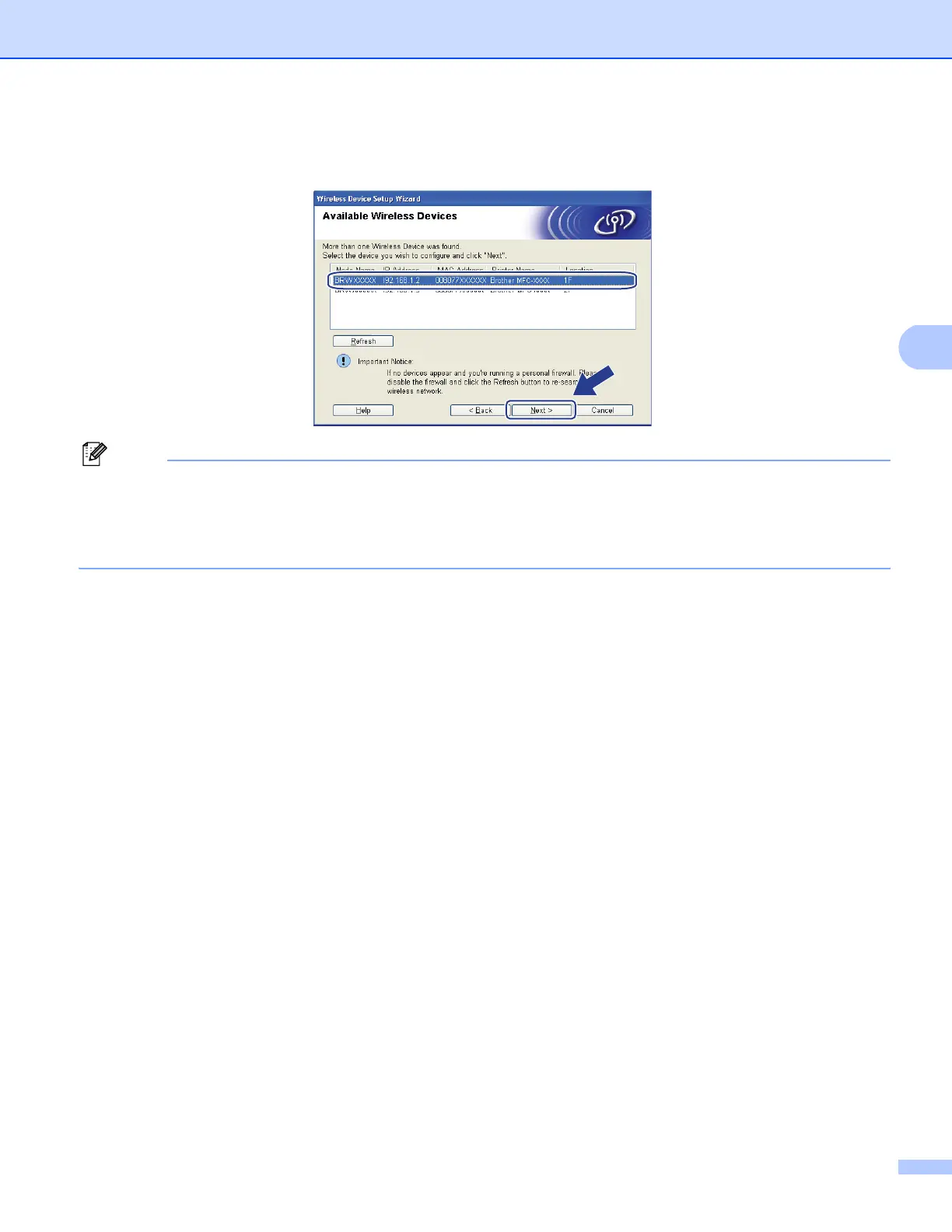
l Choose the machine you wish to configure, and click Next. If the list is blank, check if the machine is
powered on, and then click Refresh.
Note
• The default Node name is “BRWxxxxxxxxxxxx”. (“xxxxxxxxxxxx” is your machine’s MAC Address /
Ethernet Address.)
• You can find your machine’s MAC Address / Ethernet Address by printing out the Network Configuration
List. See Printing the Network Configuration List on page 123.






 To Next Page