Home > Fax > Send a Fax > Send the Same Fax to More than One Recipient (Broadcasting) > Cancel a
Broadcast in Progress
Cancel a Broadcast in Progress
While broadcasting multiple faxes, you can cancel just the fax currently being transmitted or cancel the whole
broadcast job.
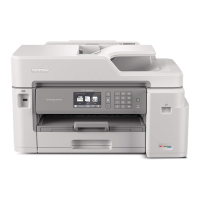
>> MFC-J4335DW/MFC-J4345DW
>> MFC-J4535DW
MFC-J4335DW/MFC-J4345DW
1. Press Settings.
2. Press a or b to select the following:
a. Select [Fax]. Press OK.
b. Select [Remaining Jobs]. Press OK.
The LCD displays the fax number being dialed and the broadcasting job number.
3. Press a or b to select the job you want to cancel in the following ways:
• To cancel the entire broadcast, select the broadcasting job number and then press OK.
Press c to confirm or press d to exit without canceling.
• To cancel the current number being dialed, select the name or number on the LCD and then press OK.
Press c to confirm or press d to exit without canceling.
• To exit without canceling, press Stop/Exit.
4. Press Stop/Exit.
MFC-J4535DW
1. Press to return to the Home screen.
2. Press
.
3. Do one of the following:
• To cancel the entire broadcast, press [Entire Broadcast]. Press [Yes] to confirm or press [No] to
exit without canceling.
• To cancel the current number being dialed, press the name or number on the touchscreen. Press [Yes]
to confirm or press [No] to exit without canceling.
• To exit without canceling, press
.
Related Information
• Send the Same Fax to More than One Recipient (Broadcasting)
185


 To Next Page
 Loading...