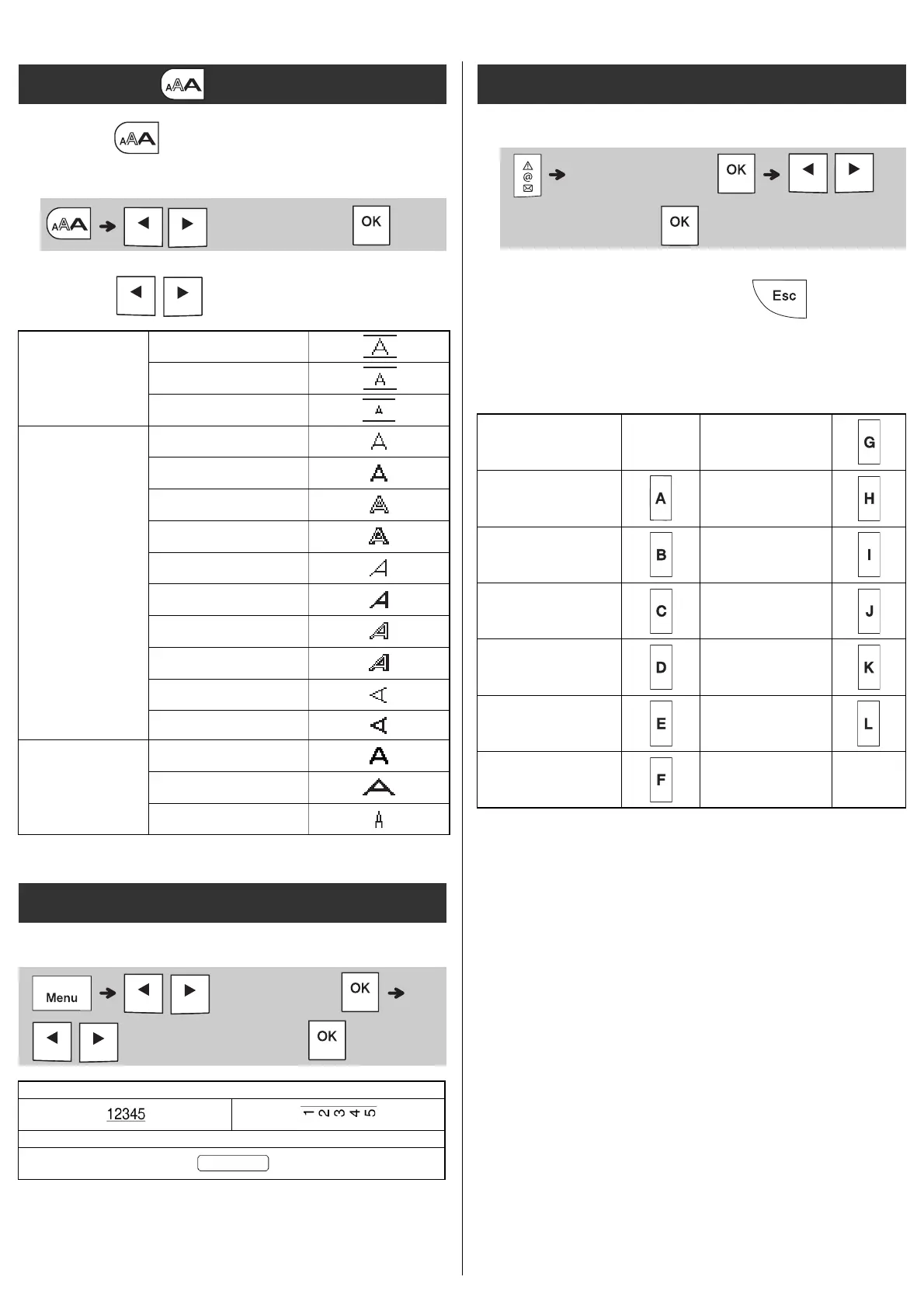
1 Press to select the settings to enter
the text.
2 Press / to select the settings.
Emphasise text using underlines or a frame.
Entering Symbols
• See the Symbols table in this guide.
• To cancel operation, press .
• Select History to view up to seven
recently-used symbols.
• You can also insert Symbols by pressing the
shortcut keys, as shown below.
Text Key
/
(Select an item)
Size
Large
Medium
Small
Style
Normal
Bold
Outline
Shadow
Italic
I+Bold
I+Outline
I+Shadow
Vertical
V+Bold
Width
Normal
× 2
× 1/2
Underline and Frame
/ [Undl/Frame]
/ (Select a frame type)
2
3
Symbols Key
(Select category)
/
(Select a symbol)
Punctuation
Space
key
Currency
History Greek
Brackets Electrical
Bullets Datacom
Super/
Subscript
AV/Security
Mathematics Safety
Arrows















 To Next Page