B.U.D.S. PROGRAMMING
IMPORTANT: Ensure all connections have been
made before starting B.U.D.S. to allow proper
operation.
1. Turn ignition switch to ON using any of the key
provided with the v ehicle. DO NOT start the
engine.
2. Start B.U.D.S. and logon.
3. Wait during detection setup.
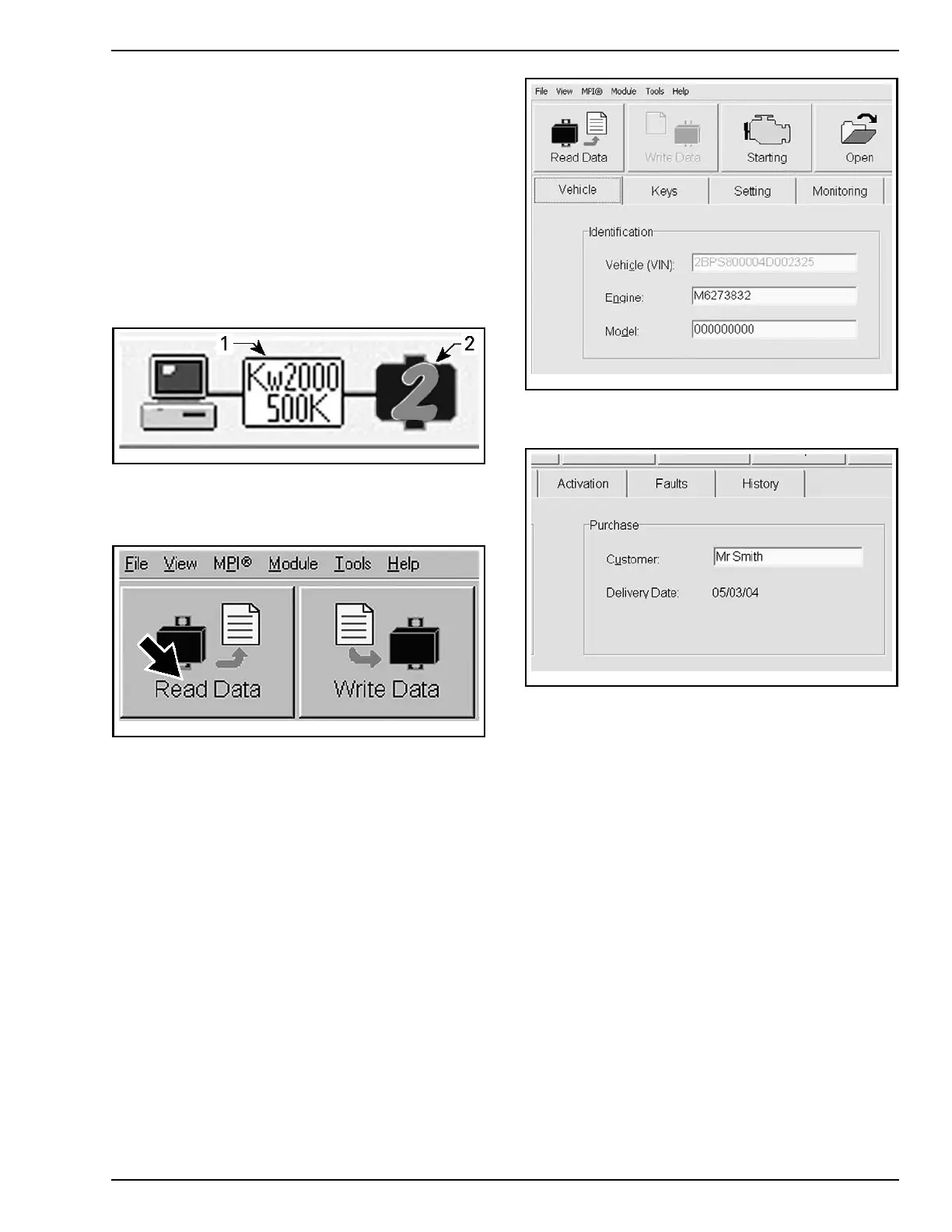
4. Ensure the status bar shows the Kw2000 pro-
tocol and the appropriate number of modules to
its right according to the vehicle model.
tmr2011-019-002_a
TYPICAL - SUCCESSFUL CONNECTION
1. Connection protocol
2. Number of mod ules read
5. Click the Read Data button.
vmr2006
-012-100_aen
B.U.D.S. is now ready for edition, programming
and for diagnostics.
Enteri
ng Customer's Name
When starting the vehicle, the multifunction dis-
play will show the name of the customer.
To set the customer name in the multifunction dis-
play:
1. Click o
n the VEHICLE tab to open the vehicle
inform
ation page.
vbl2006-007-001
VEHICLE TAB
2. Type the name of the customer.
vbl2006-007-002
3. Click on WRITE DATA to save the information
in the ECM.
NOTE: After you are finished typing the name,
B.U.D.S. automatically updates the Delivery Date
on the screen.
Resetting Trip Hours and Trip Distance
1. Ensure that the VEHICLE tab is selected.
2. Click on the RESET TRIP buttons to reset the
information.
PREDELIVERY 2014-1 23 / 34



 To Next Page