B.U.D.S. PROGRAMMING
vbl2008-007-001
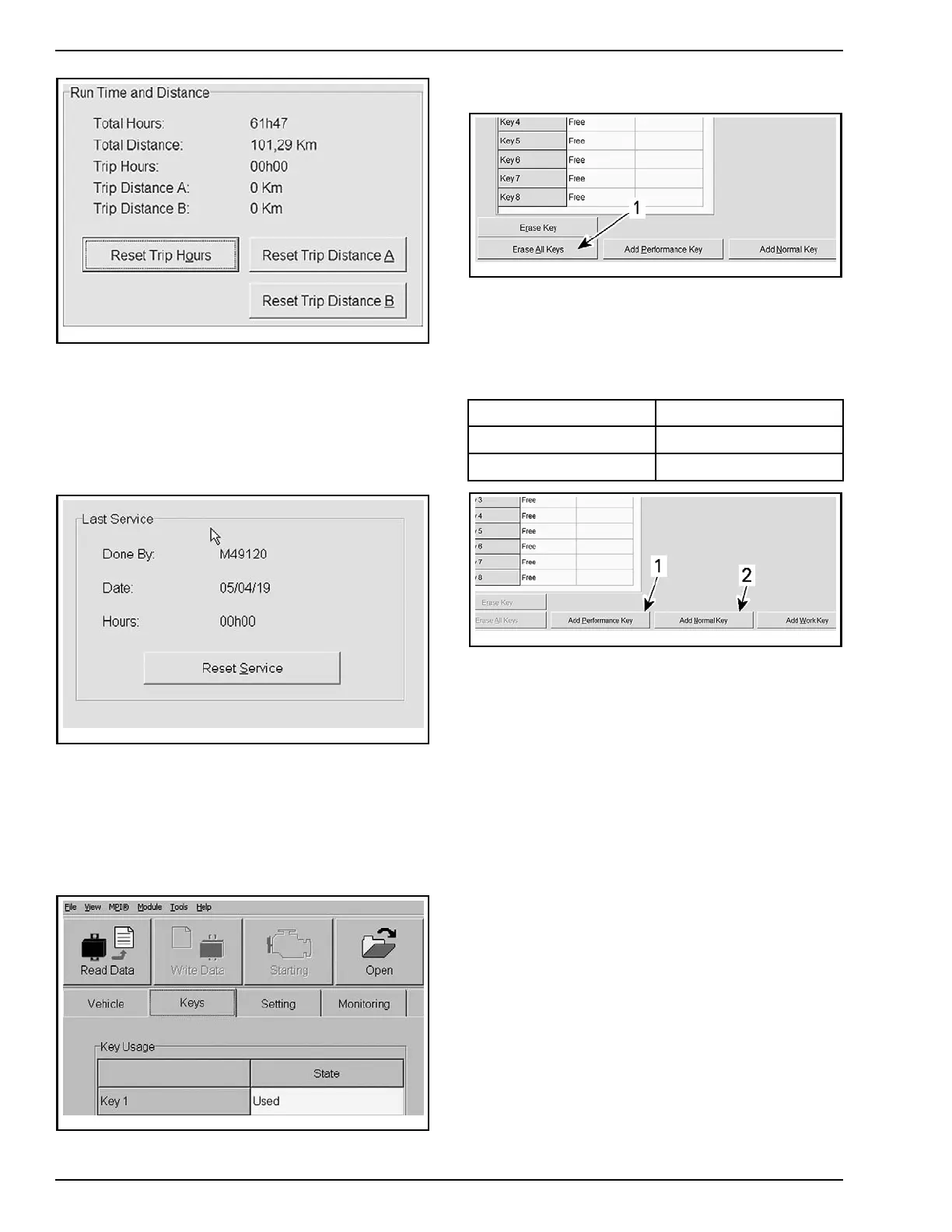
RESET TRIP BU
TTONS
NOTE: It can also be done directly on the info-cen-
ter, using the selector button.
Resetting L
ast Service
1. Click on the RESET SERVICE button to reset
the informations.
vbl2006-007-004
RESET SE
RVICE BUTTON
After each maintenance service, last service
should be reset to keep a good tracking of the
vehicle service history.
Program
ing Keys
1. Click on KEYS tab.
smr2005-072-001_en
KEYS TAB
2. Click on ERASE ALL KEYS button.
tbl2011-001-052_a
1. Click here to
erase all keys
3. Click "YES" to confirm the action.
4. Confirm key c
olor in ignition switch.
5. Program the key by selecting the right type ac-
cording to chart.
KEY KEY TYPE
BLACK key
Performance key
GRAY key
Normal key
tbl2011-0
01-053_d
1. Add Performance Key button
2. Add Normal Key button
6. Turn igni
tion switch to OFF. Remove the key.
7. Install the other key.
8. Turn ignition key to ON position.
9. Program
the other key by selecting the right
type acc
ording to above chart.
10. Repeat steps 6 to 9 to program other k eys (8
maximum).
NOTE: The Work key (ORANGE key) is optional.
Langua
ge and Speedometer Reading
Gauge settings can be changed to accommodate
the owner preferences:
– Langua
ge (English, French, Spanish, Dutch,
etc.)
– Units (Miles or Kilometers)
– Country (NA)
–Timec
lock (12hr or 24hr)
1. Select SETTING tab in B.U.D.S.
2. Modify the selections in accordance with the
owner preferences.
24 / 34 2014-1 PREDELIVERY



 To Next Page