Printer Tips
Finding the Right
Height
Adjustment for
Media Thickness
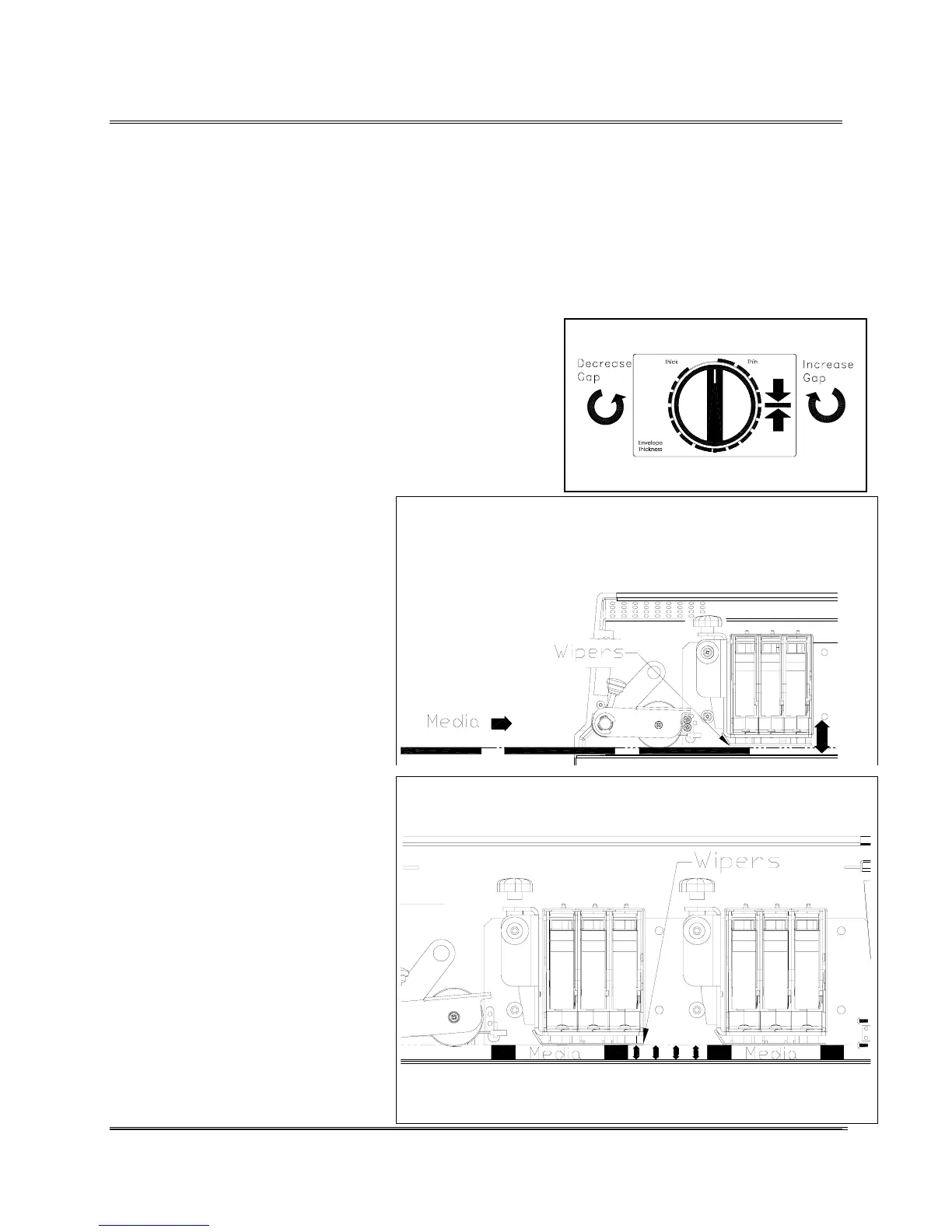
Different sizes and types of media call for unique settings of
the Print Head Assemblies. To accommodate different sizes of
media the Print Head Assemblies have to be raised or lowered
until they touch the top of the media. Enough pressure has to
be applied by the metal wipers underneath the Print Head
Assemblies to keep the media from moving around beneath
the Print Cartridges while printing. Use the following steps as
a general guideline for most types of media.
1. Turn the Envelope Thickness Knob to raise the Print
Head Assemblies.
2. Insert a piece of the media beneath the Print Head
Assemblies.
Lower towards media.
3. Lower the Print Head
Assemblies down to just touch
the media and create a little
resistance when it is removed.
4. Press the [Test Env.] button to
print a test message and check
the quality of the print.
Note: The Print Head
ssemblies are to low
hen the print looks
smeared or clumped
together.
Set to top edge of Media
Revision C 30K USERS MANUAL Section 4 -
P/N 90-00203-001
1



 To Next Page