Printer Menu System
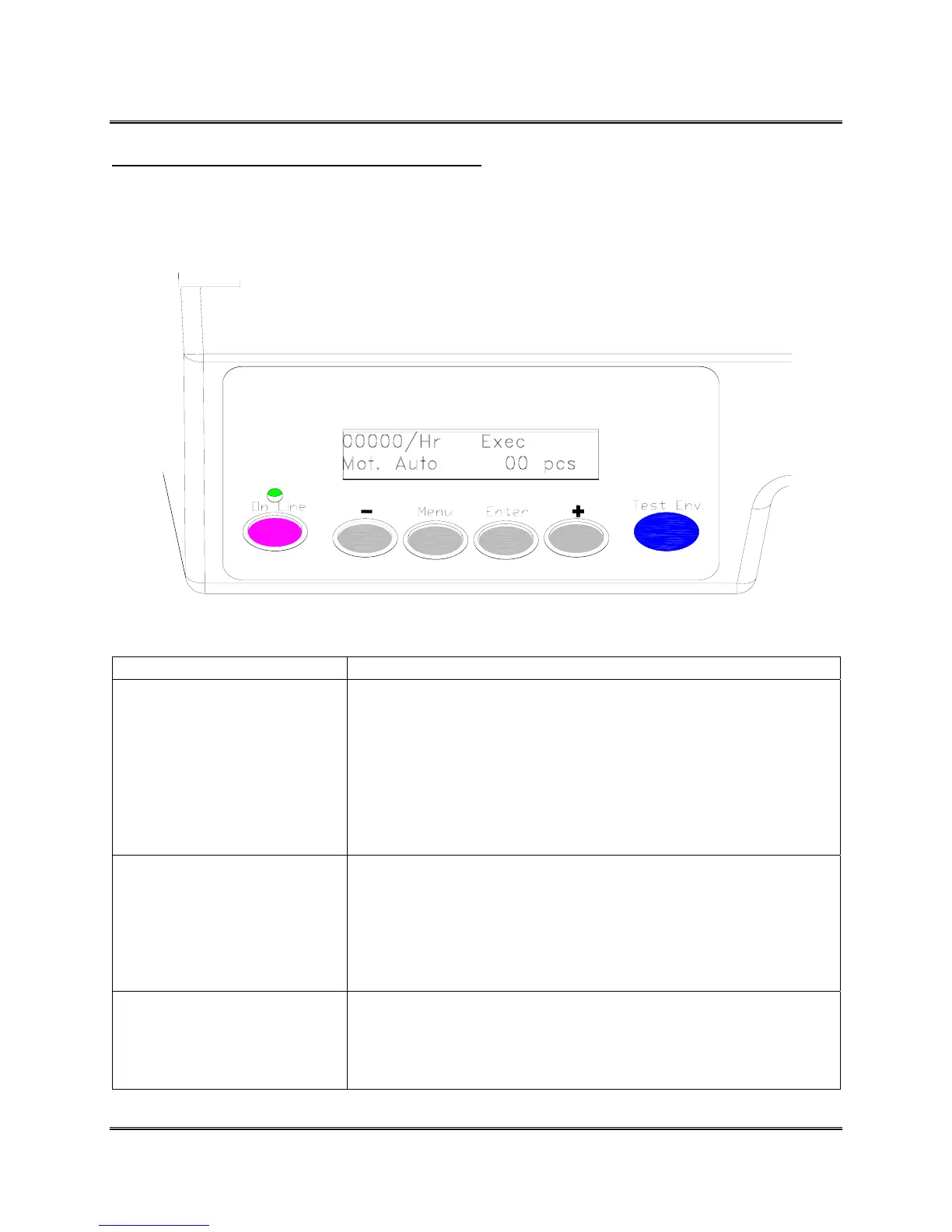
Front Panel Controls and LCD Display
Use the controls on the Front Panel Assembly, consisting of six control buttons and an LCD display, to
set up the Addressing Printer for proper operation with the computer system.
The control button definitions are:
Button
Function
[ON LINE]
Toggles the printer either On Line or Off Line.
Begins printing accepted address data (records) from the computer or
data in the buffer.
Exits the menus with out changing menu settings.
Allows the printer to resume printing after an error occurs.
[TEST]
Prints a internal test message.
Hold down for continuous printing of the test message.
Prints menu settings and internal alignment patterns for the printer
when in the appropriate menu.
[MENU]
Press the [Menu] button to access the Main Menu.
Press and hold the [Menu] button for two (2) seconds to access the
Setup Menu.
Note: Press the [+] & [-] buttons
simultaneously to change the
motor settings on the printer.
Revision C 30K USERS MANUAL Section 6 - 1
P/N 90-00203-001



 To Next Page