Running with the Feeder Assembly
Attaching
the Bryce
Feeder
Assembly
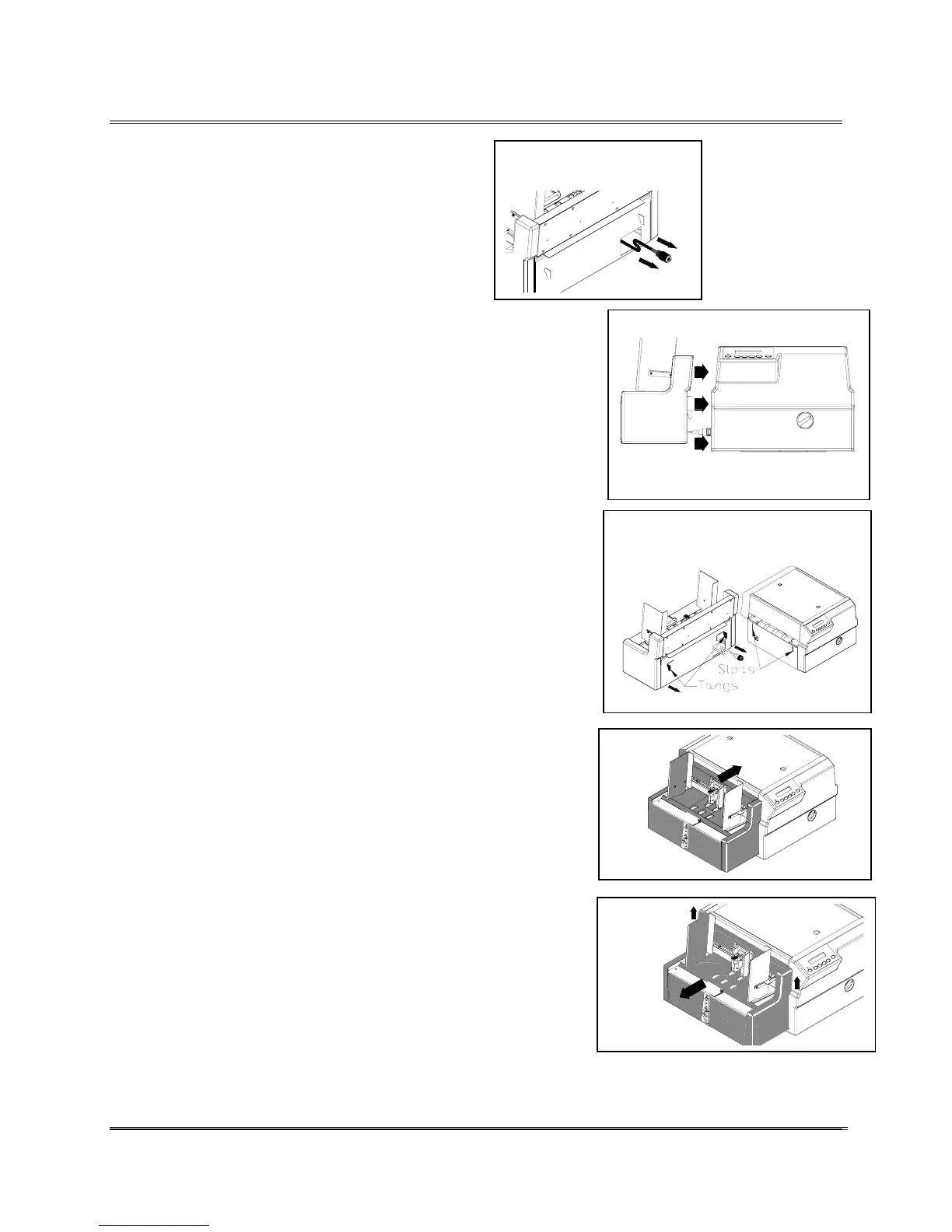
Pull connector from
slot.
1. Pull the connector out from the Feeder.
2. Move the Bryce Feeder next to the left
side of the Printer.
Move Feeder next to Printer.
3. Plug the connector to the printer and twist to secure
connection.
Insert tangs into the slots on
printer.
4. Raise the Feeder up. Stuff extra cable back into the
Feeder Assembly.
5. Hook the two tangs into the two slots on both sides of
the printer.
6. To remove the Bryce Feeder, lift the feeder up to
unhook from the Printer and pull the feeder away from
the printer.
7. Disconnect the Feeder from the Printer.
Revision C 30K USERS MANUAL Section 5 -
P/N 90-00203-001
3



 To Next Page